74
Holiday Classic Owner’s Guide
PREVIEW:
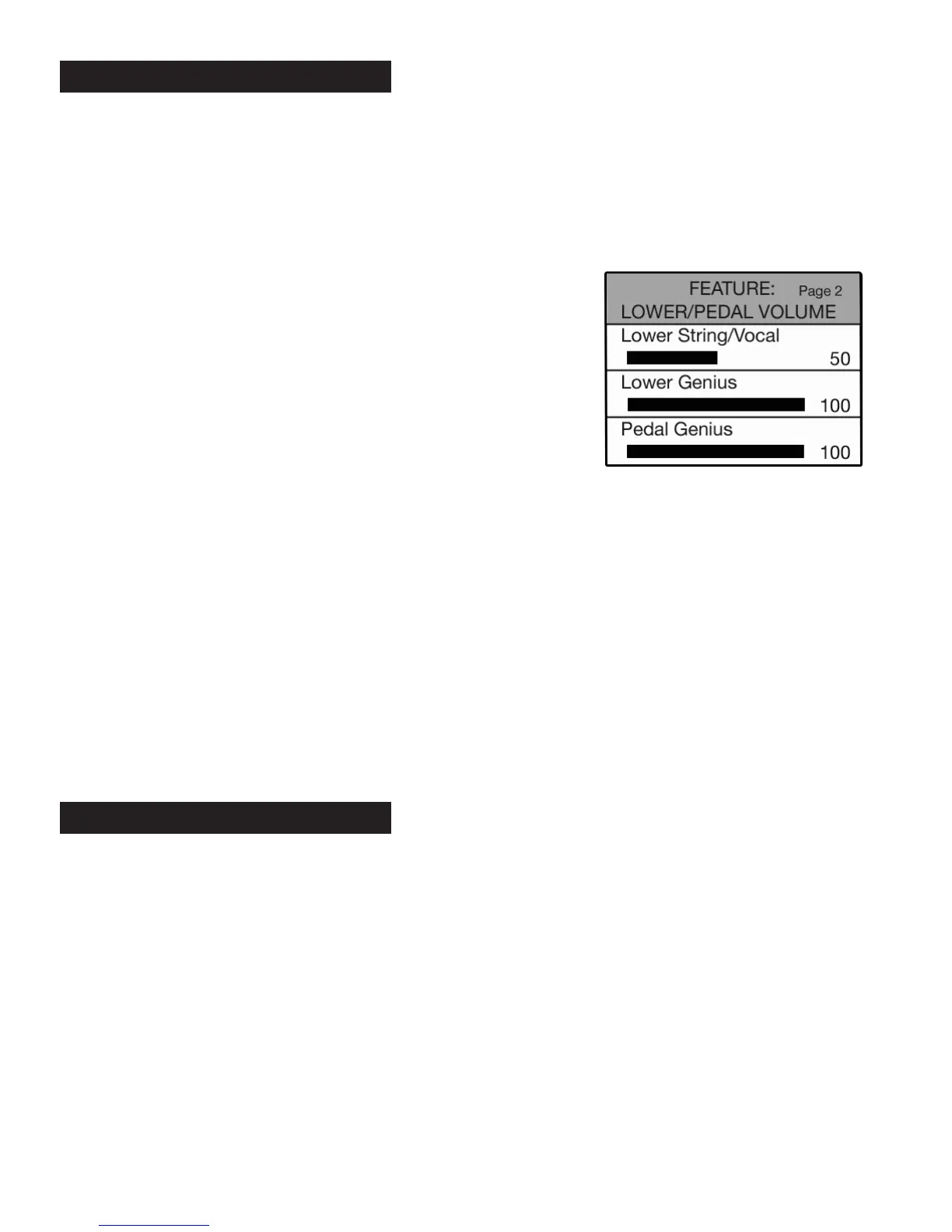
LOWER/PEDAL VOLUME FEATURE PAGE
provides three volume control categories:
a.
LOWER STRING/VOCAL: Adjust the volume level of the lower Strings 8 and Vocal Ensemble sounds.
b.
LOWER GENIUS: Adjust the volume level of lower Genius sounds.
c.
PEDAL GENIUS: Adjust the volume level of Pedal Genius sounds.
All volume levels are preset from the factory and may never need to be adjusted to fully enjoy the Holiday
Classic. When the need arises to adjust the volume level follow these steps.
•Press the
SELECT button to highlight the LOWER STRINGS/VOCAL control.
•Press the SELECT button again to highlight the LOWER GENIUS control.
•Press the
SELECT button a third time to highlight the PEDAL GENIUS control.
•With the desired section highlighted, press the top SCROLL button increase volume. Press the bottom
SCROLL button to decrease volume.
Volume level is indicated by a graphic bar that grows and shrinks in relation to the volume level. A number
displays the volume level. The number 0 indicates minimum volume. The number 100 indicates maximum
volume.
Set the volume level to that which is desired. Volume level changes can be saved in bank presets.
Press the lighted
FEATURE(CLEAR) button to implement the selections/settings made and return to the
POWER-UP screen.
- SHORTCUT=FEATURE + EITHER GREEN SUSTAIN BUTTON OR
THE ORANGE BASS SUSTAIN BUTTON
PREVIEW:
SUST
AIN LENGTH FEATURE PAGE provides five areas in which the sustain effect may be adjusted:
a.
UPPER FLUTES: Adjust the amount of sustain on upper flutes.
b.
UPPER STRINGS/VOCAL: Adjust the amount of sustain on upper strings and vocal ensemble.
c.
LOWER FLUTES: Adjust the amount of sustain on lower flutes.
d.
LOWER STRINGS/VOCAL: Adjust the amount of sustain on lower strings and vocal ensemble.
e.
BASS TABS: Adjust the amount of sustain on the bass sounds.
Sustain causes a sound to slowly fade away after the keys are released. Without sustain, the sound stops
immediately upon key release. Sustain allows you to change the sustain lengths in the above listed sections.
All sustain lengths are preset from the factory and may never need to be adjusted to fully enjoy the Holiday
Classic. When the need arises to adjust sustain length follow these steps.
3. Sustain Length
How To Use It:
•Press the Feature (Clear) button and then press the top SCROLL
button repeatedly to highlight FEATURE: LOWER/PEDAL VOLUME,
as illustrated to the right.
2. Lower/Pedal Volume






 To Next Page