31
DELETE PRESETS
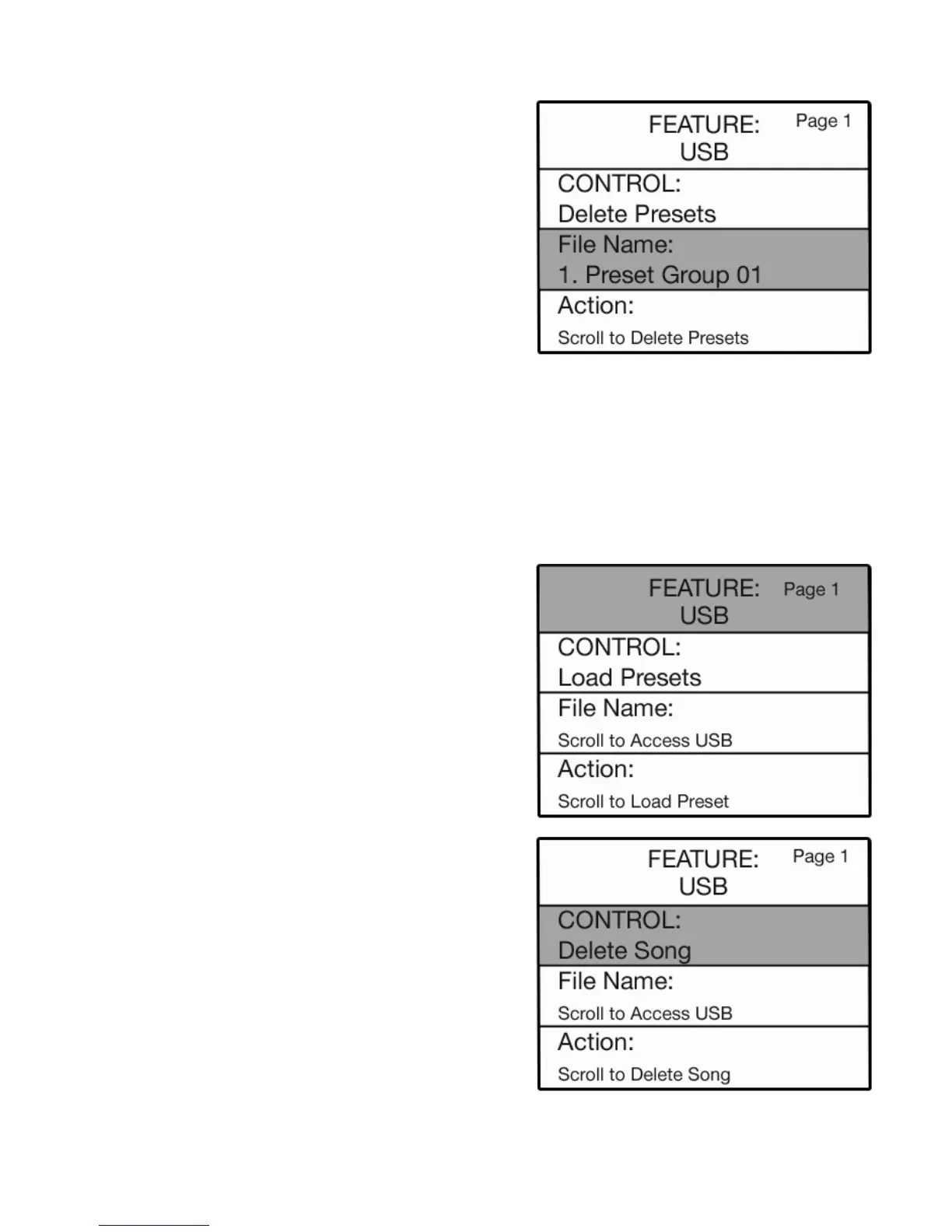
7. Press either SCROLL button to select from the banks of presets you saved on the USB MEMORY STICK.
8. When presets you wish to delete are displayed, press the SELECT button to highlight the ACTION section.
9. Press either SCROLL button. You will see a confirming message and then the display will return to its
power up condition.
To cancel the delete presets procedure press the
FEATURE (CLEAR) button at any point during the process.
How To Use It:
Use the DELETE PRESETS feature to remove unwanted Preset Groups from a memory stick.
1. Insert the memory stick on which you recorded songs
into the
USB PORT.
2. Press the SELECT button to highlight the CONTROL
function.
3. Press either SCROLL button to display the different
functions associated with the USB MEMORY STICK.
Once a song has been recorded onto a memory stick, there
are three options available.
MUSIC RECORDER FUNCTIONS
Press the Feature (Clear) button and then press the top
SCROLL button to highlight USB on the screen to display
the
MEMORY STICK functions.
How It Works:
1. Insert the memory stick on which you saved presets
into the
USB PORT.
2. Press the
FEATURE (CLEAR) button.
3. If not already displayed, press the top
SCROLL button
to display the
USB screen.
4. Press the
SELECT button to highlight the CONTROL
section of the screen.
5. Press the top
SCROLL button until this section reads
CONTROL: DELETE PRESETS.
6. Press the
SELECT button to highlight the FILE NAME:
section of the screen.
USB Memory Stick






 To Next Page