73
Feature Pages
e. FORMAT USB: Format (non-Holiday Classic) USB memory sticks for use on the Holiday Classic.
THE USB MEMORY STICK THAT WAS SUPPLIED WITH YOUR HOLIDAY CLASSIC
DOES NOT REQUIRE FORMATTING.
FORMATTING ERASES ANY ITEMS THAT MAY HAVE BEEN PREVIOUSLY SAVED ON A MEMORY STICK.
f. DELETE SONG: Remove unwanted songs saved on the USB memory stick.
g.
COPY SONG: Make a copy of a song saved on the USB memory stick to the same stick or a different
stick.
h.
RENAME SONG: Place meaningful names on songs saved on the USB memory stick.
To Access USB Controls:
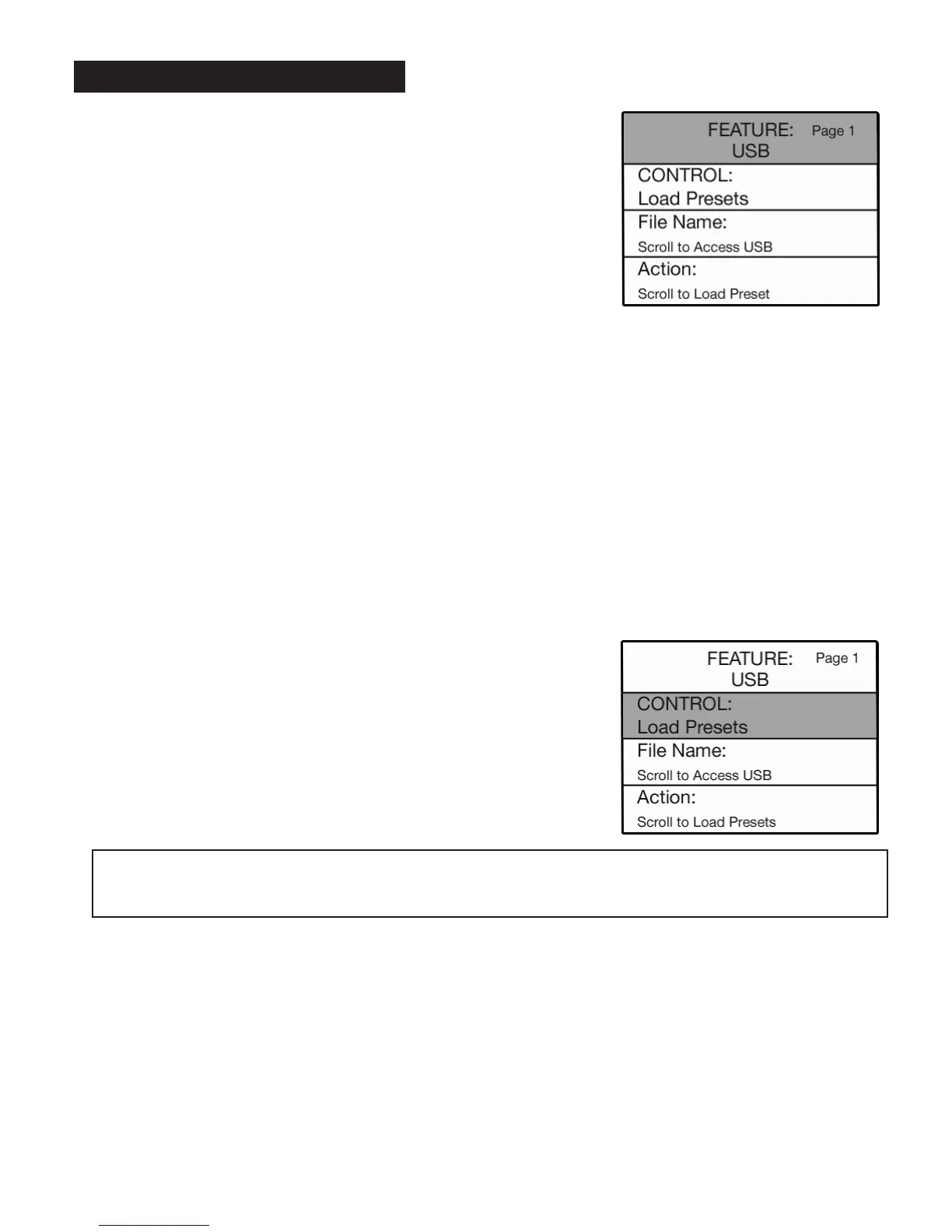
•Press the Feature (Clear) button and then press the top SCROLL button to highlight FEATURE: USB,
as illustrated above.
USB Memory Stick functions are fully detailed in the section
‘HOW TO USE THE MEMORY
STICK,’ page 20.
•Press the SELECT button to highlight the CONTROL function. Press
either SCROLL button to display the different functions associated
with the
USB features.
PREVIEW:
USB FEATURE PAGE
provides eight control categories:
a.
LOAD PRESETS: Move presets stored on the USB memory stick
into the bank presets.
b.
SAVE PRESETS: Move custom presets saved on the USB
memory stick to the Bank Preset.
c.
RENAME PRESETS: Place meaningful names on custom presets
saved on the USB memory stick.
d.
DELETE PRESETS: Remove unwanted presets saved on the USB
memory stick.
1. USB






 To Next Page