36
Holiday Classic Owner’s Guide
How To Use It:
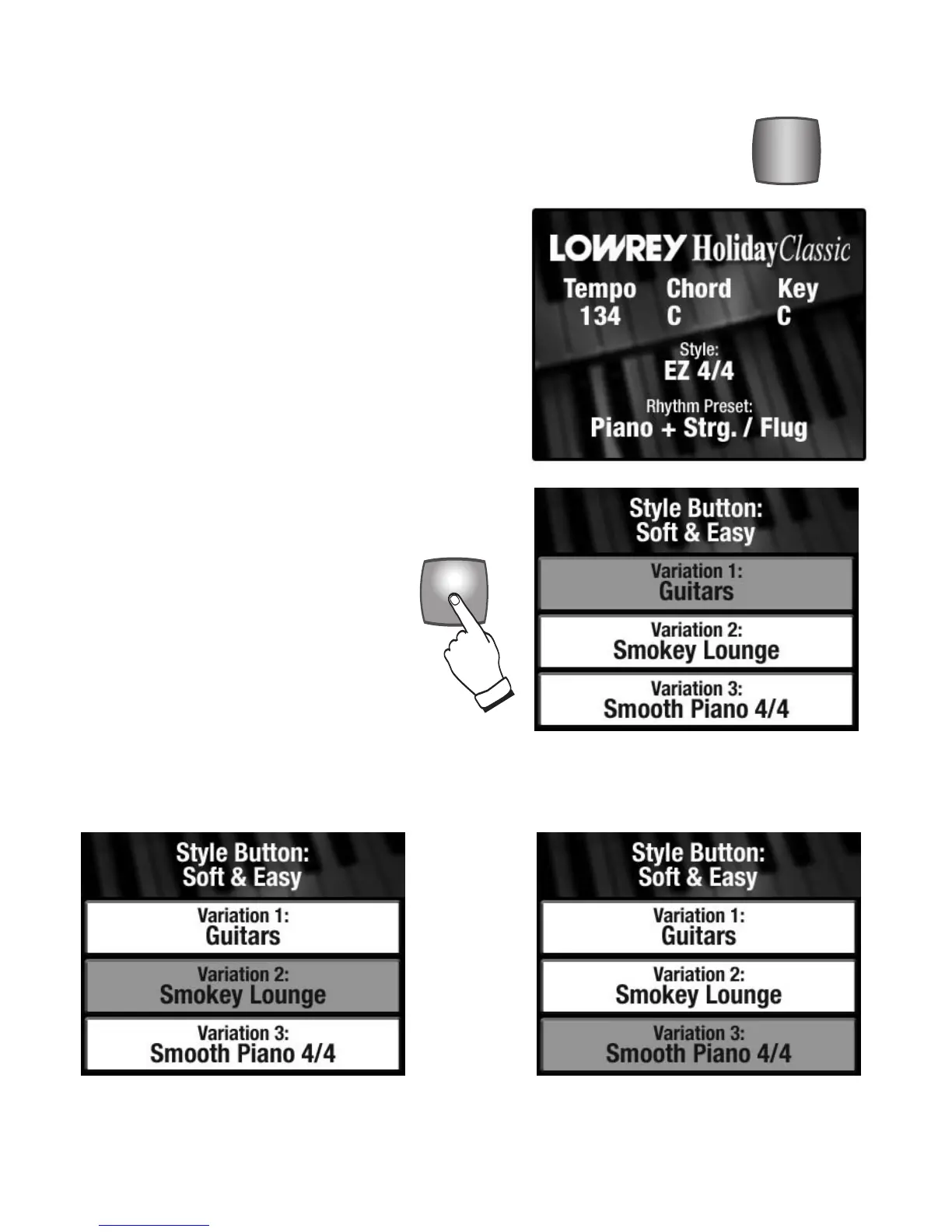
To select VARIATION 2 press the bottom SCROLL To select VARIATION 3 press the bottom
button one time. SCROLL button again.
When the desired variation is highlighted it becomes active immediately. Pressing the Feature (Clear)
button returns the display to the power up condition, in which the name of the active style is displayed.
VARI-
ATIONS
VARI-
ATIONS
VARI-
ATIONS
Pressing the blue VARIATIONS button
causes
VARIATIONS 1, 2, and 3 of the
selected style to be displayed on the color
display.
The example shown to the right is the
SOFT & EASY with VARIATION 1: GUITARS
selected.
How It Works:
Press any one of the 18 style buttons. In the example to the
right the button SOFT & EASY is used. The first variation
(0) of that style will be active. The name of the first varia-
tion,
EZ 4/4 appears under the heading of STYLE on the
color display.
VARI-
ATIONS
VARI-
ATIONS
VARI-
ATIONS
VARIATIONS
What It Does:
The Holiday Classic has 90 styles. The VARIATIONS (and BASIC) button expands the
18 styles buttons on the panel to the total of 90. All 90 style names are listed on a
table in the back of the book.






 To Next Page