68
Holiday Classic Owner’s Guide
LEFT FOOT SWITCH
The LEFT FOOT SWITCH is factory preset to activate the GLIDE/SUSTAIN effect on orchestral and solo
sounds. Glide or sustain is selected depending on the sound being played. For example, the LEFT FOOT
SWITCH will add sustain to the piano sound and will glide the hawaiian guitar sound.
The setting for the
GLIDE function is one-half step. Using the glide lowers the pitch of the note a half step.
Releasing the switch glides the sound back up to the original pitch.
RIGHT FOOT SWITCH
The RIGHT FOOT SWITCH is factory preset to activate the FX/GOLDEN HARP feature. It activates a brief fill-
in when a style is playing. If the golden harp is playing, pressing the right foot switch silences the golden
harp until the switch is released.
Pressing the right foot switch while a style and golden harp are playing, at the same time, causes the golden
harp to be silenced and adds the FX to the style. When the FX is finished the golden harp begins playing
and the style returns to normal play.
How To Use It:
Pressing the LEFT FOOT SWITCH adds authenticity to sounds. The RIGHT FOOT SWITCH adds the FX effect
to a style without having to take your hands off the keys.
Both foot switches are capable of having one of five functions assigned to them.
See
FEATURE PAGE 12 - CONTROLLERS, on page 81.
An additional feature called NEXT PRESET can also be assigned to either of the foot switches. This allows
you to change from one preset to the next without having to lift your hands from the keyboard. See
NEXT
PRESET
on page 83.
Glide/Sustain
FX/Golden Harp
What It Does:
The FOOT SWITCHES activate specific features that affect certain
operations.
How It Works:
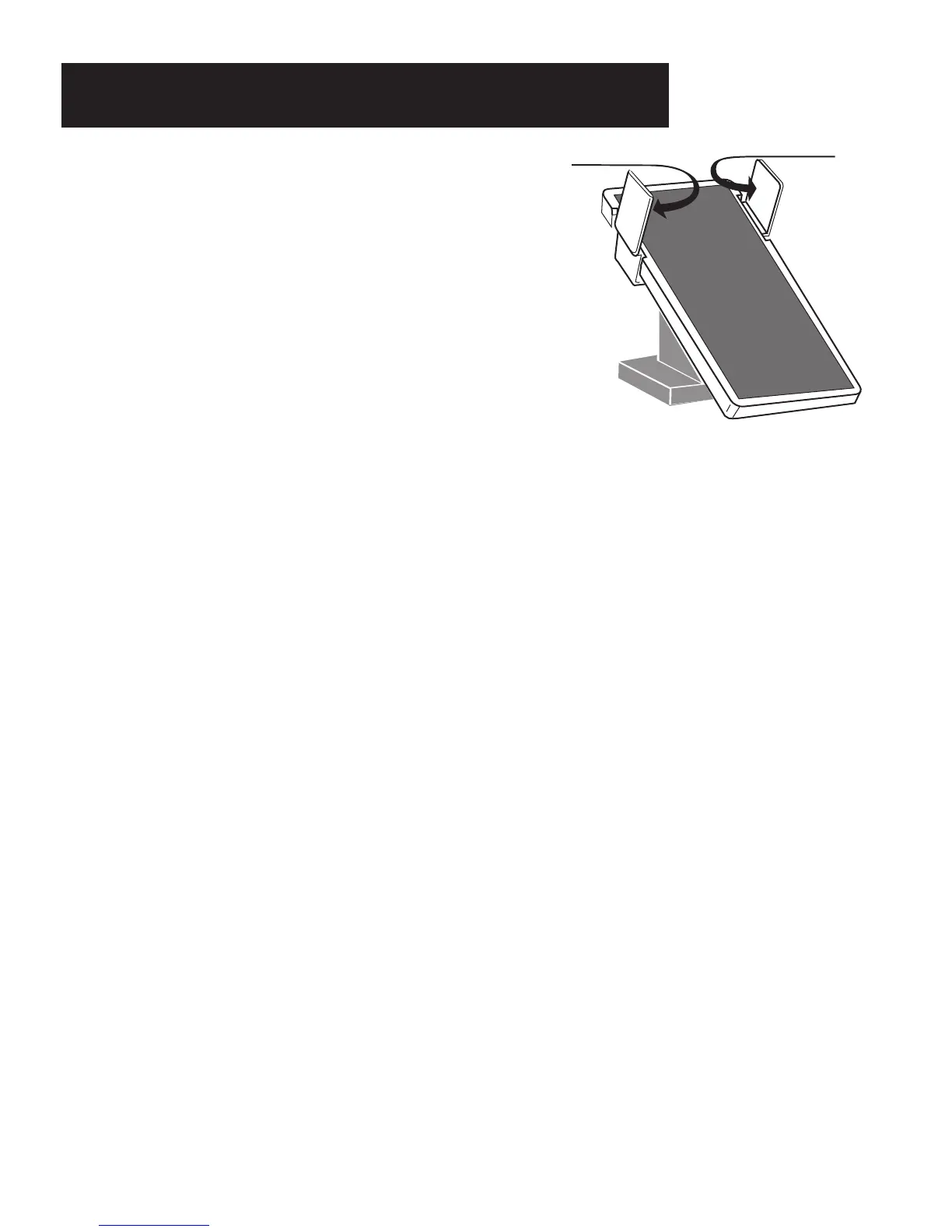
There are two foot operated switches; one at the top left and one
at the top right sides of the
VOLUME PEDAL. These switches are
activated by sliding the side of your foot, using your heel as a
pivot point, to the left or right, to press either switch.
Foot Switches






 To Next Page