46
Holiday Classic Owner’s Guide
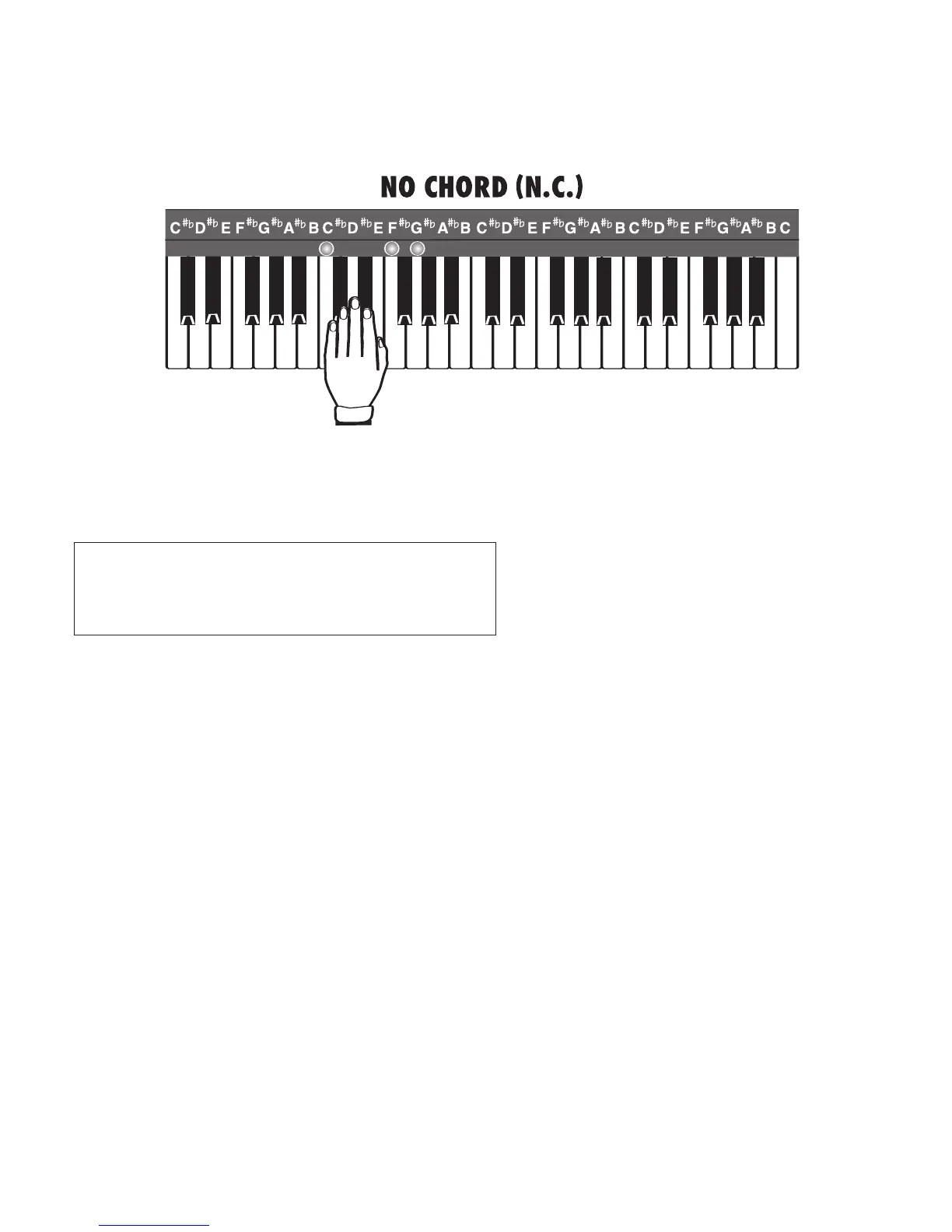
NO CHORD (N.C.):
When a style is playing there are three ways to achieve a No Chord, printed N.C. in music.
1. Play a group of three, four, or five consecutive keys at the same time on the lower keyboard, as
illustrated below. For example: C, C#, D or F, F#, G, A
b
.
2. Press the DRUM ONLY button, turning the feature on for the duration of the N.C.
3. Assign the NO CHORD feature to a TOUCH BAR or to a FOOT SWITCH. See page 81.
When
MCS is active, the color display will display the lower keyboard chord being played. Look under the
word “Chord” on the screen.
RECAP:
MCS forms chords the easy-play way or the traditional way without changing any features.
At this point in the Owner’s Manual, all the easy-play and preset features that make playing a Lowrey easy
and fun have been reviewed. If you go no further, you will be able to fully utilize the capabilities of the
Holiday Classic and make an amazingly dynamic variety of music.
To play your favorite song is the most important thing you need to remember is this:
1. Select a
STYLE.
2. Press the INTRO/ENDING .
3. Play your song. Press different PRESET buttons to get different registrations.
4. Press the INTRO/ENDING button to end the song.
PLAYING A SONG AND SOUNDING GREA
T IS AS SIMPLE AS THESE FOUR STEPS!
All other chords require three, four, or five
notes to be played. For most other chords,
please refer to the
MCS CHORD CHART on
page 90.
Major chords require only ONE note be played.
Minor chords require only TWO notes be played.
Seventh chords require only TWO notes be played.
Diminished chords require only Two notes be played.






 To Next Page