42
Holiday Classic Owner’s Guide
How It Works:
Pressing the button turns it on, causing it to light. While the button is lighted, that setting or group of set-
tings, are locked so they will not change.
TEMPO: Locks any Tempo settings that are in use when the button is pressed.
ACCOMP: (Accompaniment) locks the lower keyboard settings, styles, and Graphic Mixer
settings that are in use when the button is pressed.
How To Use It:
TEMPO: When the tempo happens to be different from one Preset to another, pressing the TEMPO button
will Lock the Tempo at the time this button is pressed and keep the tempo the same on all other
Presets. This is useful when you want to play along with the 50 songs on your USB Memory
Stick. Slow the tempo and press
TEMPO Lock to keep it slow from preset to preset.
ACCOMP: Perhaps you customized some BANK PRESETS to include different styles. As you play
a song and press different presets the style may change. As you are playing along, you decide
you want to keep the same style for all of the Presets. Pressing the ACCOMP
button Locks the style that is on, when the button is pressed, for all the other Presets.
In addition to the two lock buttons, the
BASS, ORCH PLUS and LOWER volume levels in the GRAPHIC MIXER
section can be individually locked.
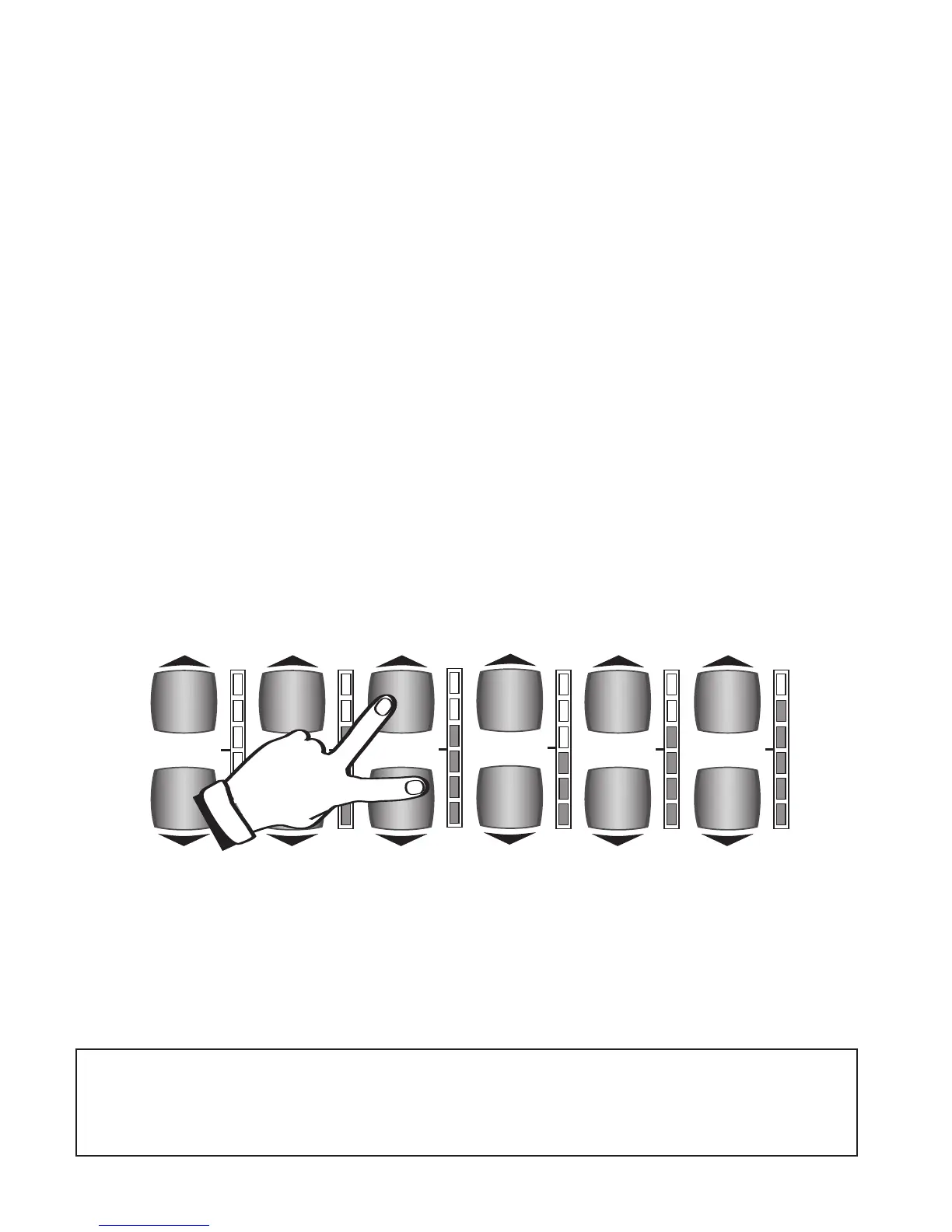
1. Set the
BASS, ORCH PLUS, or LOWER volume to the desired level.
2. Press both volume buttons, of the section you wish to lock, at the same time. The volume indicator lights
will turn yellow.
With these volume level sections locked, choosing among different presets will NOT
change the volume level for the locked sections.
3. To unlock the volume section press either the top or bottom volume control button one time.
The volume indicator lights will change from yellow to red and green.
This lock feature is useful in many ways. For example, set the lower volume levels a bit higher if you want
the left hand chor
d on the lower keyboard to stand out to help you hear your chord changes. Lock the lower
volume level so it does not change when you select a different preset. If you feel the bass volume is too loud,
set the volume level lower and lock it so it will stay at that level.
Note: DO NOT use the LOCK features if you wish to playback a pre-recorded memory stick, and hear
it as it was originally recorded. Lock settings are not recorded by the MUSIC RECORDER.
When you create a sound set up and you are using any of the LOCK features, and you wish to record
with that set up, save the set up in a BANK PRESET, turn off the LOCK(S) and then record your song
using those BANK PRESETS.
MASTER
VOLUME
REVERB
AMOUNT
BASS
VOLUME
LOWER
VOLUME
UPPER
STRING/VOCAL
VOLUME
ORCH PLUS
VOLUME






 To Next Page