86
Holiday Classic Owner’s Guide
CONNECTIONS
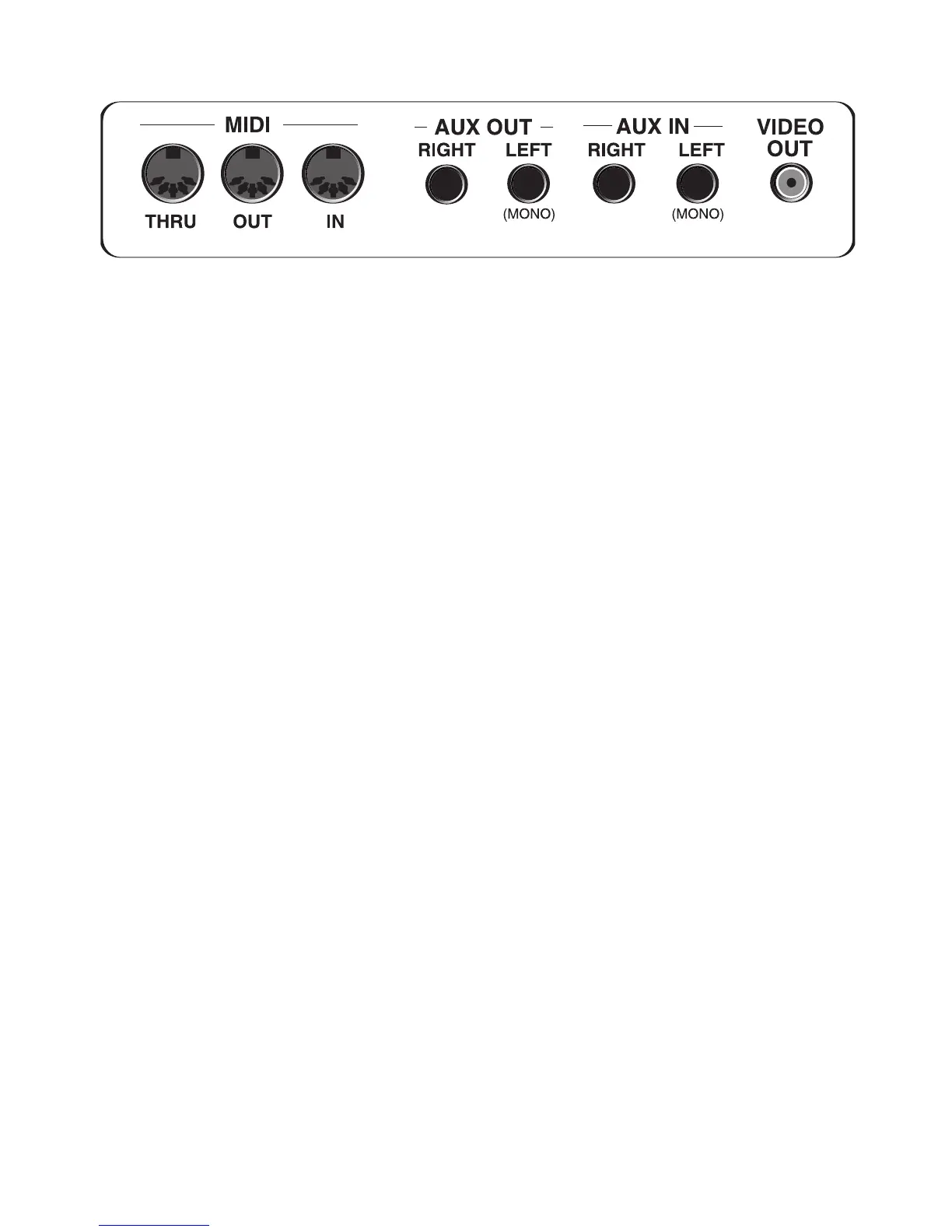
MIDI, AUX IN, AUX OUT and VIDEO connections are located on a panel on the back side of the Holiday
Classic.
MIDI IN, OUT, THRU: You never need to use these connections to fully enjoy playing the Lowrey Holiday
Classic. These are the connections used for connecting other MIDI equipped devices to your organ. Any
MIDI equipped device’s manual will describe connection and operation.
When connecting
MIDI OUT to a sound source and running the audio of that device back into the Holiday
Classic, set the external MIDI device to respond to MIDI CONTROLLER #11 (expression). This setting allows
the volume pedal on the Holiday Classic to control the volume level of the external MIDI device.
AX OUT, RIGHT-LEFT: These two 1/4” jacks are stereo line level outputs. They are there so you can record
the organ directly into a tape deck, or connect the organ to an external amplification system. If only the
LEFT jack is used, a monaural, (not stereo), signal of the complete organ sound is sent out.
AX IN, RIGHT-LEFT: These two 1/4” jacks are stereo line level inputs. They are there to let you utilize the
premium sound system on the Holiday Classic to listen to other audio sources: tape decks, CD players, MP3
Players, iPods, etc. Use the left input for monaural (not stereo) signals.
When using an external device, be sure to set the volume of that device to minimum and then slowly increase
the volume until you r
each a comfortable level.
VIDEO: Connect the Video Out jack on the Holiday Classic to the Video In jack on a television to place the
Color Display contents of the Holiday Classic on the television screen.






 To Next Page