70
Holiday Classic Owner’s Guide
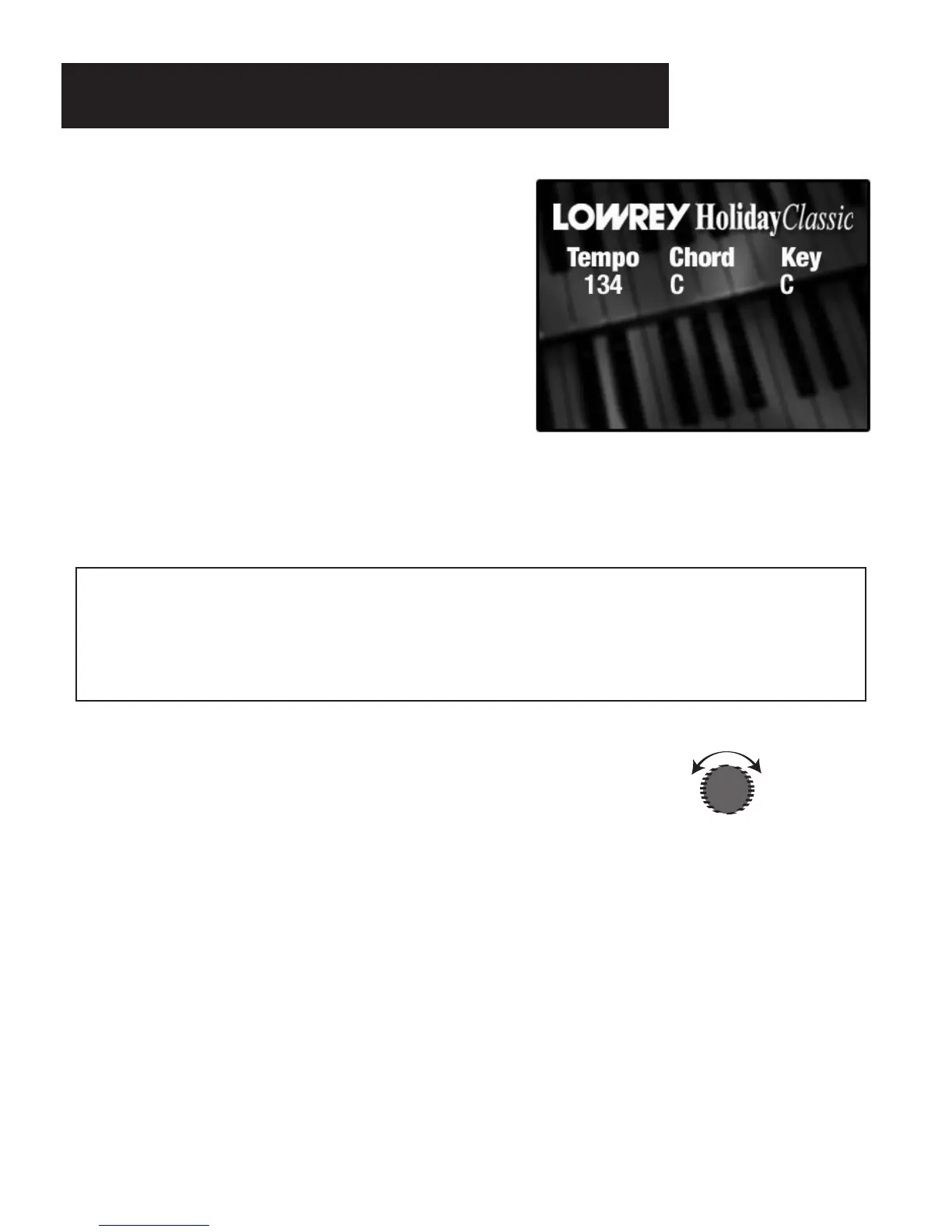
The “Power Up” Screen
TEMPO: The numbers under the word TEMPO will indicate the tempo (speed) of a style.
CHORD: The letter under the word CHORD indicates the lower keyboard chord being played.
The bass pedal, if being played, is displayed to the right of the chord display, after a slash
mark.
KEY: The letter under the word KEY indicates the key that the instrument is set to (transpose feature).
DISPLAY CONTRAST
How It Works:
Turning the dial adjusts the screen to make it easier to read, for each individual player.
How To Use It:
Reset the instrument and then press a style button. Adjust the contrast so the words look clear to you while
seated in your playing position. The words Tempo, Chord and Key on the display should be white. The
words naming the styles and presets should be yellow.
What It Does:
Located to the right of the COLOR DISPLAY, the DISPLAY CONTRAST
dial controls the brightness/darkness of the screen.
SCREEN CARE AND CLEANING
IMPORTANT NOTICE:
Do not spray any type of liquid on the color display. To clean the screen use a
soft cloth slightly dampened with water. Avoid allowing any liquid to run to the edge of the screen.
Do not touch the screen with any sharp objects, such as a pencil point or pen tip.
Look at the big screen in the center of the button panel.
This is the color display. When you turn the organ on an
introductory picture will appear
. When the organ is fully
powered, or after the
RESET button is pressed, it displays
the
POWER UP screen, shown to the right.
The COLOR DISPLAY is your primary entry point for much
of what this instrument is capable of doing. There is a DIS-
PLAY CONTRAST
dial located just to the right of this
screen. Turn the dial to adjust the screen to a setting that is
best for you.
Color Display






 To Next Page