44
Holiday Classic Owner’s Guide
Music Chord System-MCS
How It Works:
MCS is Lowrey’s chord recognition system that has the unique ability to respond to different methods of
forming lower keyboard chords. MCS will reply whether you form one and two finger MCS chords or if you
play multi-fingered chords. Pressing a style button activates MCS and lights the red, blue, and green chord
lights.
How To Use It:
The MCS CHORD CHART in the back of this book lists the minimum number of notes needed to form certain
chords on the Lowrey Keyboard using
MCS. Illustrations of Major, Minor, and Seventh Chords with MCS
follows.
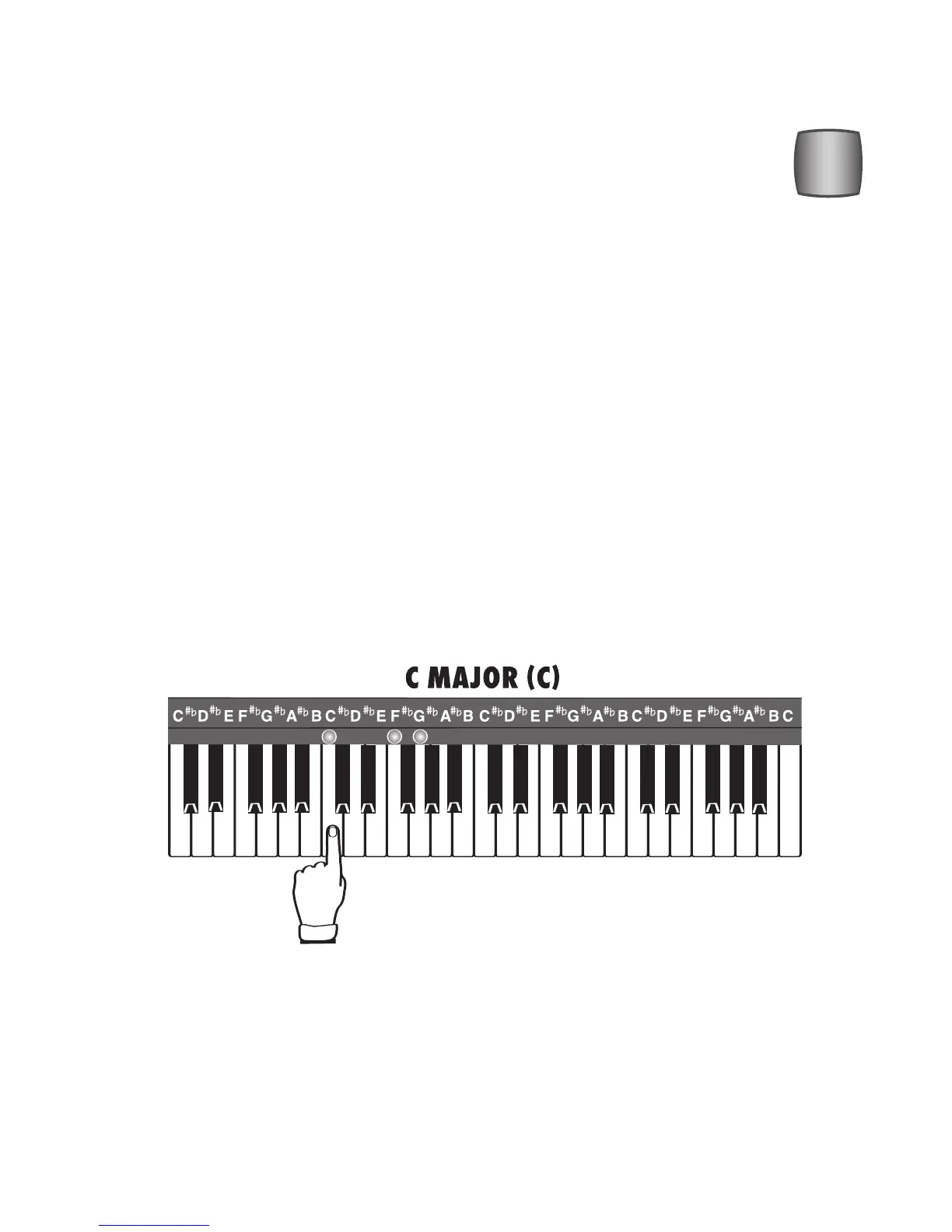
MAJOR CHORD: ( C, F, G, B
b
, F#, etc.) Any Major chord can be played with the traditional three notes or a
single note. To play a one-finger major chord, simply touch the key on the lower keyboard that matches the
letter name of the chord. It is best to release the before playing the next chord when playing one-finger
chords. The
MEMORY feature will connect the two chords.
For example, to play a “C” MAJOR CHORD (usually just called a “C” chord), play a C note with your left
hand on the lower keyboard. Use the RED light as a guide.
MINOR CHORD: (Cm, Fm, Gm, B
b
m, F#m, etc.) Any Minor chord can be played with the “traditional” three
notes or with two notes. An easy-play (MCS) minor chord requires two notes. The first note matches the
letter name of the desired chord (just like a Major chord). To determine the second note, count UP (to the
right) three consecutive notes or keys.
BE SURE TO INCLUDE THE BLACK KEYS WHEN COUNTING UP AND DON’T COUNT THE NOTE
YOU
ARE STARTING ON.
What It Does:
MCS allows easy-play, one-finger, or multi-fingered chords to be played on the lower key-
board while the pedals (bass sound) play for you. Additionally, pressing the MCS button illu-
minates the Red, Green, and Blue chord lights above the lower keyboard. Red is for
C, blue
is for F, and green is for G chords.






 To Next Page