51
Organ Section
RECAP OF THE ORGAN SECTION (So Far):
1. The buttons are color-coded for easy identification and use.
2. The buttons can be used to create a wide variety of registrations that can be saved into a bank preset.
3. Using the presets will automatically select combinations of the buttons for great sounds.
A TIP FROM LOWREY!
The LOWER STRINGS/VOCAL, LOWER GENIUS and PEDAL GENIUS buttons have independent volume con-
trols found in the Color Display. See
LOWER/PEDAL VOLUME on page 74.
SUSTAIN
What It Does:
Sustain causes a sound to slowly fade away after the keys are released. Without sustain, the sound of the
key stops immediately upon release. The sustain feature covers
BASS SUSTAIN, LOWER SUSTAIN (lower
keyboard) and
UPPER SUSTAIN (upper keyboard).
How It Works:
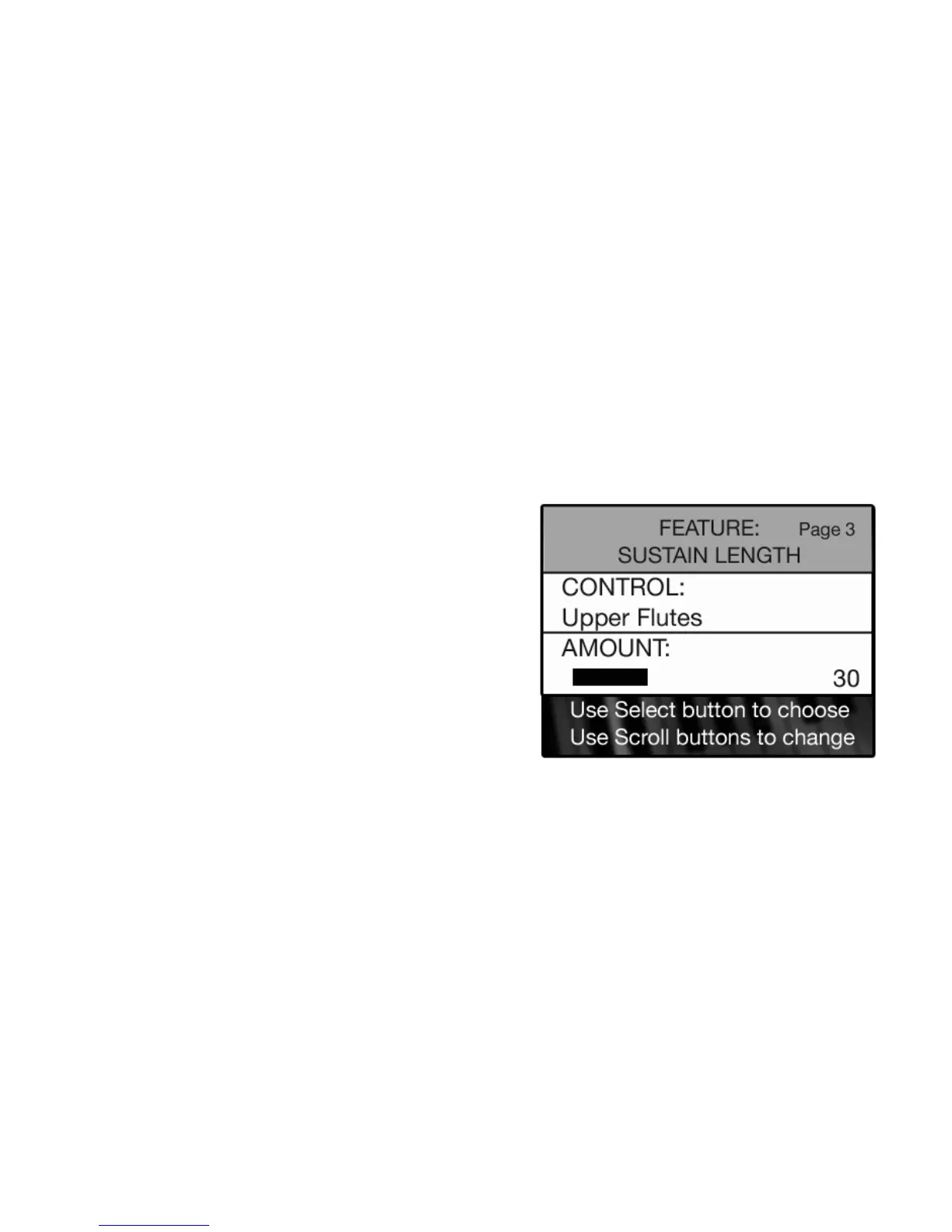
Sustain levels are preset from Lowrey and do not need to be changed. The sustain length is adjustable and
has a numeric value from 0 (no sustain) to 100 (maximum sustain). Sustain settings can be changed by
following these steps.
5. When the desired section is displayed press the
SELECT button to highlight the AMOUNT section of the
screen.
6. Increase the amount of sustain by pressing the top
SCROLL button. Decrease the amount of sustain by
pressing the bottom SCROLL button. The graphic bar will change in length in relation to the amount of
sustain as will the display number.
7. Press the
FEATURE (CLEAR) button when the desired amount of sustain has been set.
The Sustain settings can be saved to a
BANK PRESET. Turning the organ off or pressing the Reset button
returns the Sustain settings back to factory preset levels.
5. The number displayed next to the Sustain category on the screen is now the new level for that Sustain
Button.
6. Press the
FEATURE (CLEAR) button to return the screen to the standard display
How To Use It:
All sustain levels are preset on the Holiday Classic or you can change the amount of sustain to your liking.
1. Press the FEATURE (CLEAR) button.
2. Press the top
SCROLL button repeatedly to display the
SUSTAIN LENGTH screen.
3. Press the
SELECT button to highlight the CONTROL
section of the screen.
4. Press the top SCROLL button to choose among the
sections for which sustain may be adjusted.
UPPER FLUTES
UPPER STRINGS/VOCAL
LOWER FLUTES
LOWER STRINGS/VOCAL
BASS BUTTONS






 To Next Page