61
Orchestral & Solo
ORCH & SOLO VOLUMES
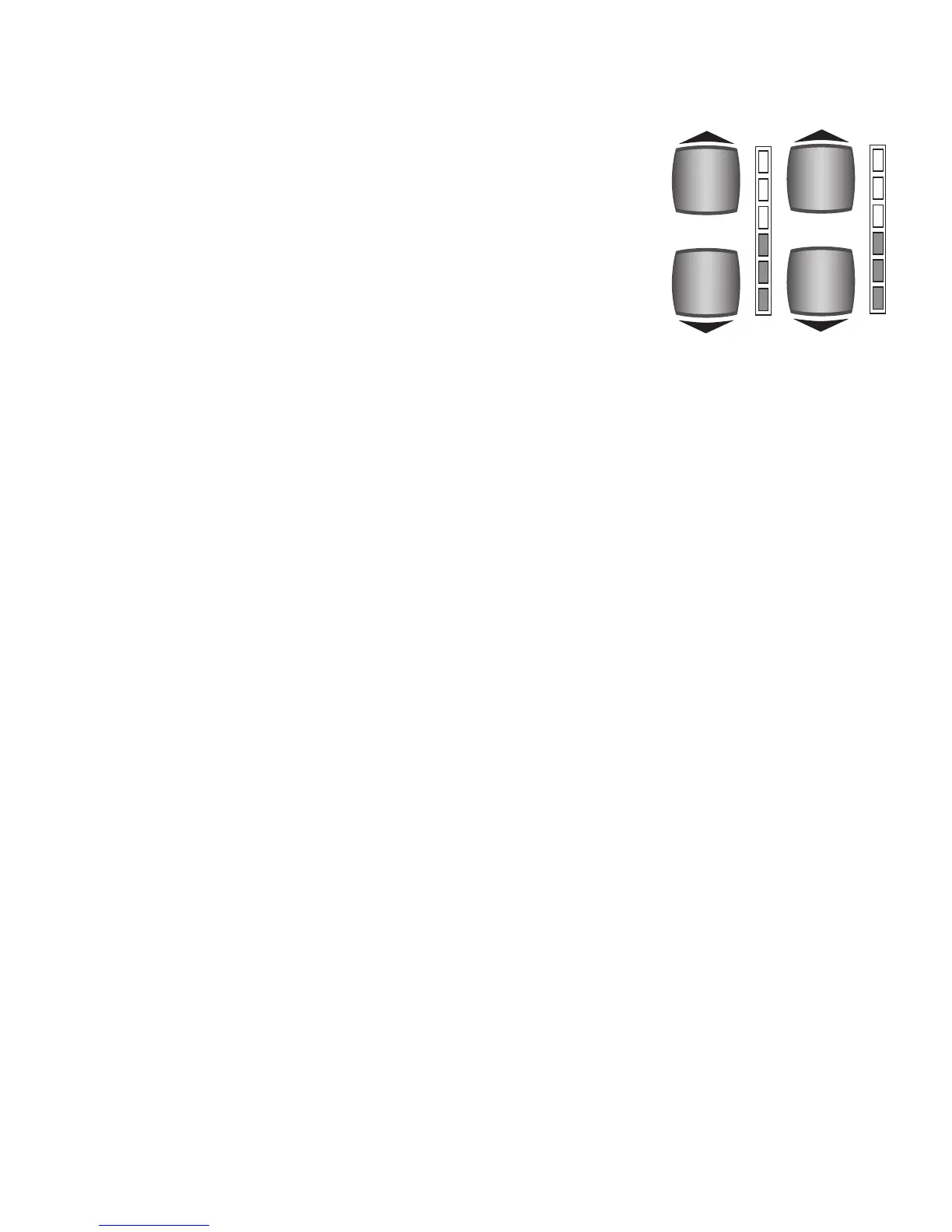
To raise the volume, press the top button. To lower the volume, press the bottom button. It may be neces-
sary to tap the button several times to achieve the desired volume. The column of red and green colored
lights next to the volume buttons will visually illustrate the volume levels. All lights illuminated red indi-
cates full volume.
How To Use It:
These buttons act as the main volume control for the orchestral and solo sounds. Use them to set the desired
volume levels.
NOTE: When the blue Solo UPPER ON and LOWER RIGHT buttons are off, the ORCH VOLUME will also con-
trol the levels of the blue Solo sounds.
RECAP OF THIS SECTION
There are three types of buttons in this section:
1. Red ORCHESTRAL and blue SOLO buttons that produce sounds.
2. Buttons that modify, or change, the sounds -
PORTAMENTO, UPPER OCTAVE, TRANSPOSE, DYNAMIC
KEYING, ORCH VOLUME, and SOLO VOLUME.
3. Buttons that determine upon which keyboard the sound will be played - red orchestral UPPER ON and
LOWER LEFT, plus blue solo UPPER ON and LOWER RIGHT.
•
ORCHESTRAL sounds are polyphonic-many notes can be played.
•
SOLO sounds are monophonic-one note at a time can be played.
•GENIUS VOICE capability greatly expands the number of sounds available.
•The
KEYBOARD SPLIT feature creates a third keyboard.
•The
FOOT SWITCH on the left side of the volume pedal adds GLIDE or SUSTAIN to certain sounds.
•PRESETS automatically utilize these sounds and features buttons for ease of operation.
SOLO
VOLUME
VOLUME
VOLUME
SOLO
SOLO
ORCH.
VOLUME
VOLUME
VOLUME
ORCH.
ORCH.
What It Does:
The ORCH VOLUME buttons control the overall volume level of the red
orchestral sounds. The SOLO VOLUME buttons control the overall volume
level of the blue solo sounds. The volume level for each sound is preset
from the Lowrey factory. The numerous presets also set the volume levels
for you.
How It Works:
The ORCHESTRAL VOLUME control is two red-colored buttons located on
the left side of the orchestral section. The SOLO VOLUME control is two
blue-colored buttons located on the right side of the solo section.



 To Next Page