21
USB Memory Stick
FORMATTING A MEMORY STICK
Formatting is a process the Holiday Classic performs so that a memory stick and the organ will speak the
same language. A new memory stick, other than the one labeled ‘Lowrey Holiday Classic’ that was sup-
plied with the organ, must be formatted one time before it can be used. Once formatted, the memory stick
can be used repeatedly for Music Recordings and saving Bank Presets in your Holiday Classic.
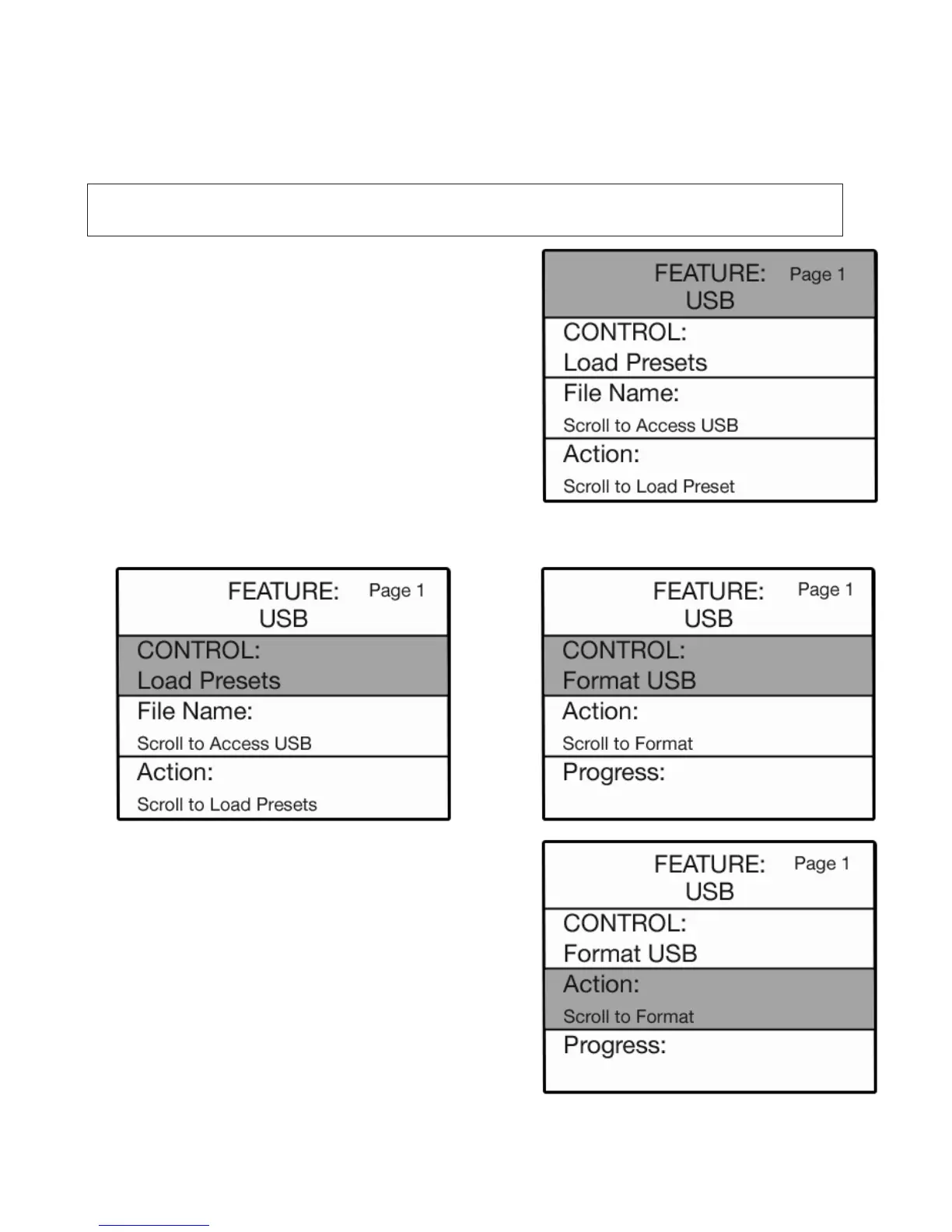
4. Press the
SELECT button to highlight the 5. Press the top SCROLL button four times to
CONTROL section of the screen. display the CONTROL:FORMAT USB selection.
When complete, the
ACTION section of the screen will read FORMATTING COMPLETE.
The screen will return to the power up display and you may remove the USB stick from the port.
6. Press the SELECT button. The ACTION section of
the screen will be highlighted.
7. Press either
SCROLL button.
The
ACTION section of the screen will read
FORMAT ERASES USB. OK?
Press either SCROLL button to begin the process.
The
ACTION section screen will read FORMATTING.
The PROGRESS section of the screen will display a
graphic bar to illustrate the progress of the formatting
procedure, along with a numerical measure.
How It Works:
1. Insert the memory stick you wish to FORMAT into the
USB PORT.
2. Press the
FEATURE (CLEAR) button.
3. If not already displayed, press the top SCROLL button
to display the USB screen.
WARNING: The formatting process will erase any information that may be stored on a memory
stick. Care should be taken to avoid erasing things you wish to keep.






 To Next Page