82
Holiday Classic Owner’s Guide
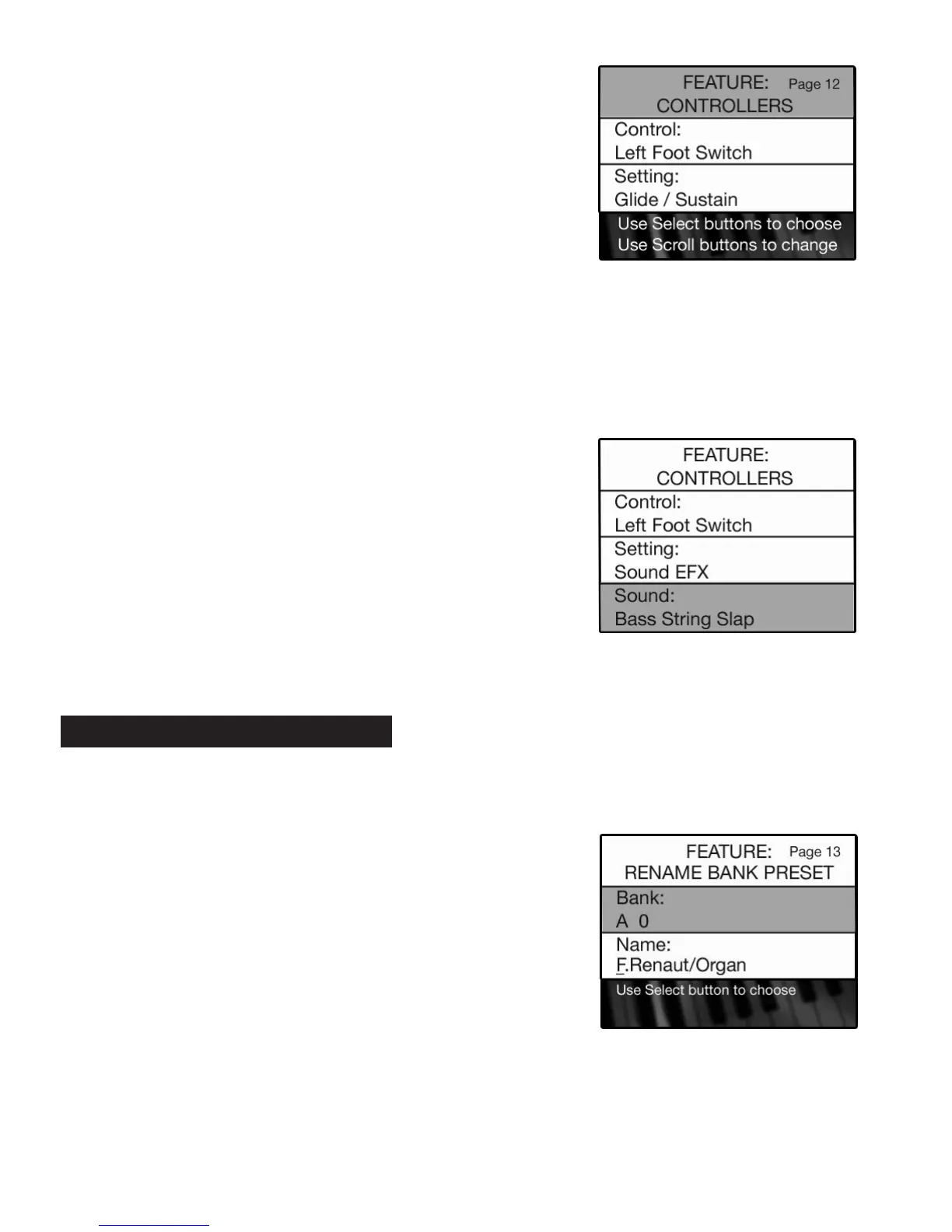
•Press the SELECT button to highlight the CONTROL section of the screen.
•Press either
SCROLL button to display three controller options:
LEFT FOOT SWITCH, RIGHT FOOT SWITCH, TOUCH BAR.
•Press the SELECT button when the desired controller is displayed. The SETTING section of the screen
will become highlighted.
•Press either SCROLL button repeatedly to display the five different functions that may be assigned to the
three different controllers:
GLIDE/SUSTAIN, FX, START/STOP, N. C. - NO CHORD, SOUND EFX.
Press the lighted
FEATURE(CLEAR) button to implement the selections/settings made and return to the
POWER-UP screen.
- SHORTCUT=FEATURE + BANK A OR BANK B BUTTON
PREVIEW:
RENAME PRESETS FEA
TURE PAGE can be used to put your own descriptive name on your customized BANK
PRESETS, and display them on the COLOR DISPLAY when used.
•When you wish to rename a preset in the
A bank, press the number button (1-10) that you wish to rename.
In the case of preset 0, press any of the numbered buttons that may be on, turning them off.
•When you wish to rename a preset in the
B bank, press the number button (1-10) that you wish to rename.
How To Use It:
•Press and hold the FEATURE (CLEAR) button.
•Press and release either the
BANK A or BANK B button.
Release the
FEATURE (CLEAR) button.
The BANK section of the screen will display the A bank.
13. Rename Presets
•When the Setting selected is SOUND EFX, an additional section of
the screen appears labeled
SOUND.
•Press the SELECT button to highlight the Sound section.
•Press the either SCROLL button repeatedly to view the many
different sound effects available.
How To Use It:
•Press the Feature (Clear) button and then press the bottom
SCROLL button repeatedly to highlight FEATURE: CONTROLLERS,
as illustrated to the right.






 To Next Page