27
USB Memory Stick
The Holiday Classic automatically names the preset group you have saved. In this case the name
PRESET
GROUP 1 will be used as an example. Each new Preset Group saved will be given the next highest number.
RENAME PRESETS - After saving the presets you can use the RENAME PRESETS feature to place your own
name on the preset group you saved.
Since these customized presets are now saved onto a memory stick for future recall, you are free to either
return the
BANK PRESETS on the organ to the factory settings and/or create new presets, which you may
again save on the memory stick.
DELETE PRESETS - Remove unwanted Preset that have been saved on a memory stick.
FORMAT DEVICE - Before you are able to save BANK PRESETS or MUSIC RECORDINGS on a new MEMORY
STICK (new being a Memory Stick other than the one that came with the Holiday Classic) you will need a
memory stick that is compatible with the organ. The Formatting process does this.
THE USB MEMORY STICK THAT WAS SUPPLIED WITH YOUR HOLIDAY CLASSIC
DOES NOT REQUIRE FORMATTING.
FORMATTING ERASES ANY ITEMS THAT MAY HAVE BEEN PREVIOUSLY SAVED ON THE MEMORY STICK.
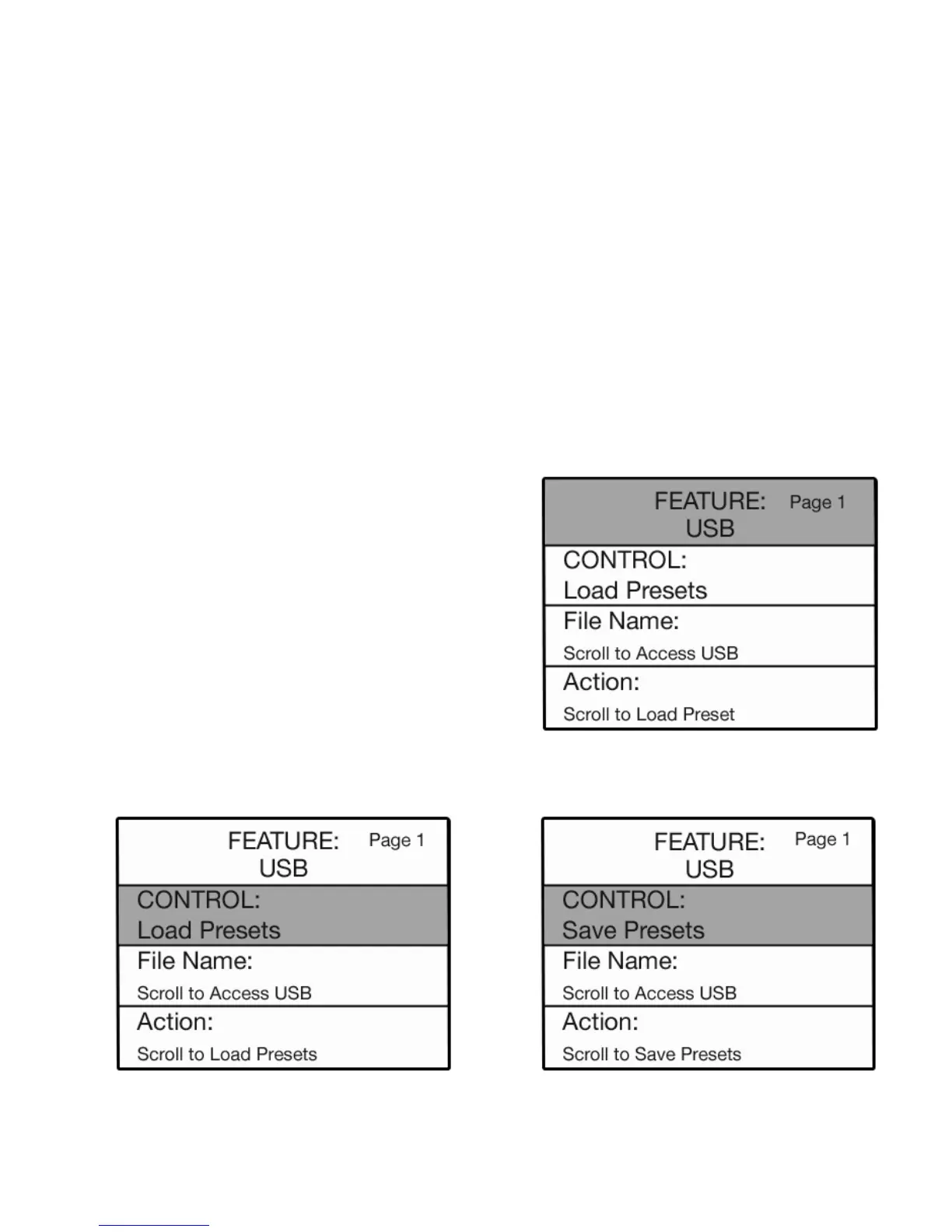
4. Press the SELECT button to highlight the 5. Press the top SCROLL button to display the
CONTROL section of the screen. CONTROL:SAVE PRESETS selection.
SAVE PRESETS
How It Works:
After you have customized the BANK PRESETS to your
liking follow these steps to save them on a memory stick.
1. Insert the memory stick on which you wish to
SAVE the
presets into the USB PORT.
2. Press the
FEATURE (CLEAR) button.
3. Press the top SCROLL button to display the USB
screen.






 To Next Page