26
Holiday Classic Owner’s Guide
MEMORY STICK PLAYBACK
The Holiday Classic will playback memory sticks recorded by you and your friends on your Lowrey Holiday
Classic.
Follow these steps to playback music from a compatible memory stick.
1. Insert the
MEMORY STICK into the USB DATA PORT.
2. Press either the << or >> button (Rewind or Fast Forward). The song titles on the memory stick will
appear in the
COLOR DISPLAY.
3. Press either << or >> button (Rewind or Fast Forward) to proceed through titles individually.
Press either SCROLL button to proceed through full screen (groups) of six titles.
4. Press the
PLAY/PAUSE button when the desired song title is highlighted.
Press the
PLAY/PAUSE button during playback to pause the song. Press it again to start the song where it was
paused. Press the STOP button to end the playback or wait for the end of the song.
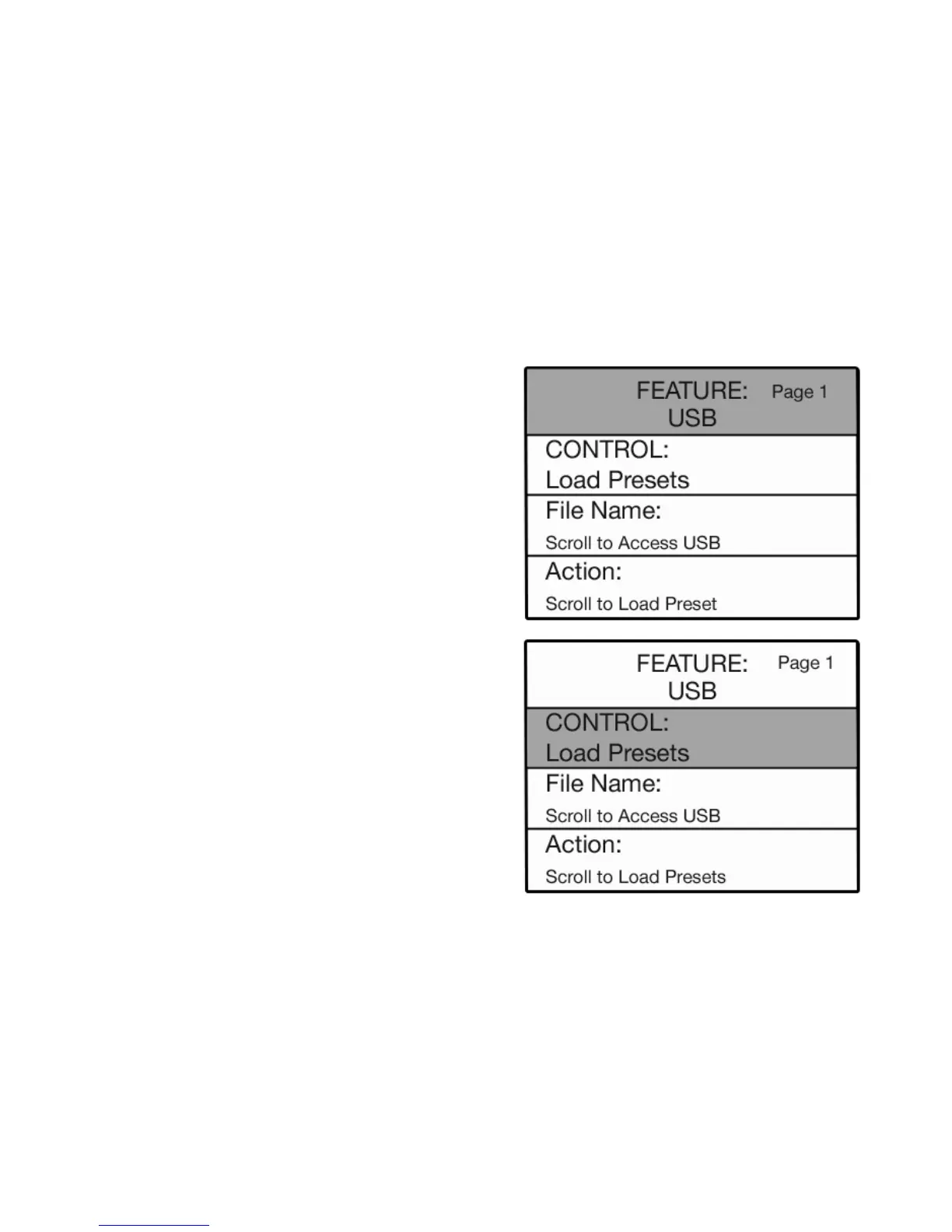
The Control functions associated with the USB Memory Stick are:
LOAD PRESETS - To place presets saved on a memory stick back into the organ so you may use them, use
the load presets function. Just like when the presets were saved by groups, they can be loaded into the organ
by groups. Remember , a preset group is all 11 presets at the same time (Bank A or B).
SAVE PRESETS - The BANK PRESETS may be customized (page 16). The SAVE PRESETS command can be
used to save the Bank Presets on to a USB memory stick so you may keep them and use them again later.
The procedure saves all 22 BANK PRESETS at once (A 0 through A 10, B 0 through B 10). This is called a
Preset GROUP. It saves all of the Banks even though you may have only customized A 0 through A 5. In
this case, you have saved your five customized Presets as well as the 5 other (factory settings).
Press the SELECT button to highlight the CONTROL func-
tion, on the screen. Press either SCROLL button to display
the different functions associated with the
USB MEMORY
STICK.
BANK PRESET FUNCTIONS
Press the Feature (Clear) button and then press the top
SCROLL button to highlight USB on the screen to display
the
MEMORY STICK functions.






 To Next Page