32
Holiday Classic Owner’s Guide
DELETE SONG
- Remove a song from the memory stick.
COPY SONG - Copy a song from one memory stick to another, or copy a song from one location on a mem-
ory stick to a different location on the same memory stick.
RENAME SONG - The Holiday Classic will always assign a title to a song you have recorded, such as
1. SONG 001. You can use the RENAME SONG feature to change the title to your liking.
To cancel the load presets procedure press the
FEATURE (CLEAR) button at any point during the process.
How To Use It:
Use the DELETE SONG feature to eliminate unwanted songs from a memory stick.
b. Copy the song to a different memory stick.
- Remove the memory stick from which the song was copied.
4. Press either SCROLL button to copy the song.
The screen will display the message
LOADING SONG
and then SWITCH MEMORY STICK &/OR PRESS
SELECT TO CHOOSE FILE #.
At this point you may...
a. Copy the song to a different spot on the same
memory stick.
- Press the
SELECT button.
- Go to step 5.
COPY SONG
How It Works:
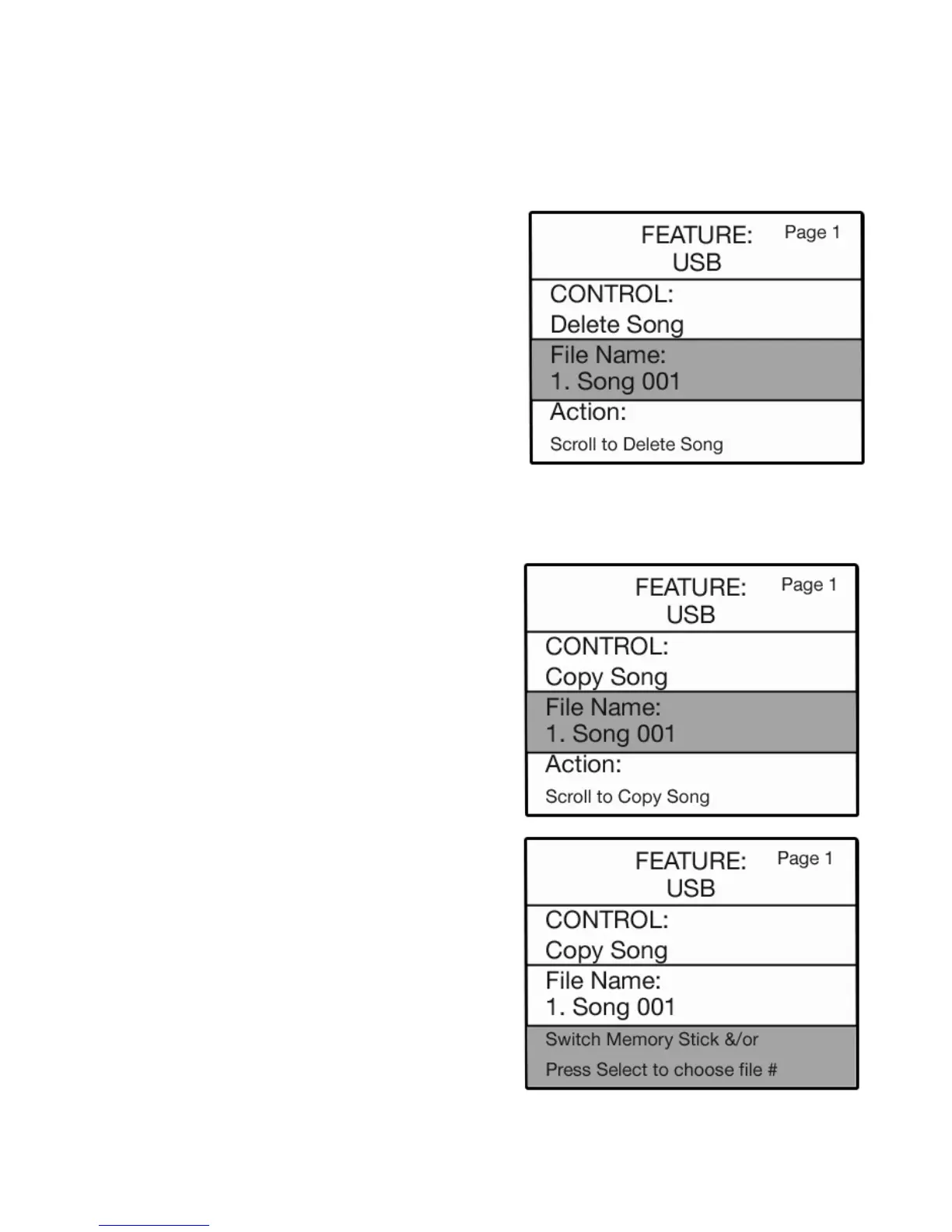
1. With CONTROL: COPY SONG highlighted on the
screen, press the SELECT button to highlight the FILE
NAME section of the screen.
2. Press either
SCROLL button to display the song title
you wish to copy.
3. Press the
SELECT button to highlight the ACTION
section of the screen.
DELETE SONG
How It Works:
1. With CONTROL: DELETE SONG highlighted on the
screen, press the SELECT button to highlight the FILE
NAME
section of the screen.
2. Press either
SCROLL button to display the song title
you wish to delete from the memory stick.
3. Press the SELECT button to highlight the ACTION
section of the screen.
4. Press either SCROLL button to delete the song. You
will see a confirming message and then the display will
return to its power up condition.






 To Next Page