60
Holiday Classic Owner’s Guide
UPPER ON - Solo
Pressing the blue solo UPPER ON button, turning it on, enables two sounds - one red orchestral, and one blue
solo, to be playable on the upper keyboard.
LOWER RIGHT - Solo
Pressing the blue solo LOWER RIGHT button, turning it on, will activate the keyboard split feature and make
any solo sound playable on the lower keyboard, to the right of the split point.
How To Use It:
Use these four buttons to assign the orchestral and/or solo sounds to the upper and/or lower keyboards.
Many of the
PRESETS automatically utilize these buttons to make setting the organ up easy.
Pressing the RESET button or turning the organ off will return this section to the factory settings.
UPPER OCTAVE
What It Does:
The two gray-colored UPPER OCTAVE buttons control the pitch of orchestral and solo sounds played on the
upper keyboard.
How It Works:
How To Use It:
The UPPER OCTAVE buttons let you control the pitch of solo and orchestral sounds, played on the upper key-
board, so that they sound good to you no matter where on the keyboard they are played. For example, if you
are comfortable playing using your right hand at the higher end of the upper keyboard, certain sounds, like
the trumpet, may sound too high. Using the left side UPPER OCTAVE button could bring down the pitch of
the trumpet sound while still playing at the higher end of the upper keyboard.
UPPER OCTAVE
ORCH SOLO
NORMAL
UPPER OCTAVE
ORCH SOLO
NORMAL
UPPER OCTAVE
ORCH SOLO
NORMAL
UPPER OCTAVE
ORCH SOLO
NORMAL
UPPER OCTAVE
ORCH SOLO
NORMAL
UPPER OCTAVE
ORCH SOLO
NORMAL
UPPER OCTAVE
ORCH SOLO
NORMAL
UPPER OCTAVE
ORCH SOLO
NORMAL
UPPER OCTAVE
ORCH SOLO
NORMAL
UPPER OCTAVE
ORCH SOLO
NORMAL
UPPER OCTAVE
ORCH SOLO
NORMAL
UPPER OCTAVE
ORCH SOLO
NORMAL
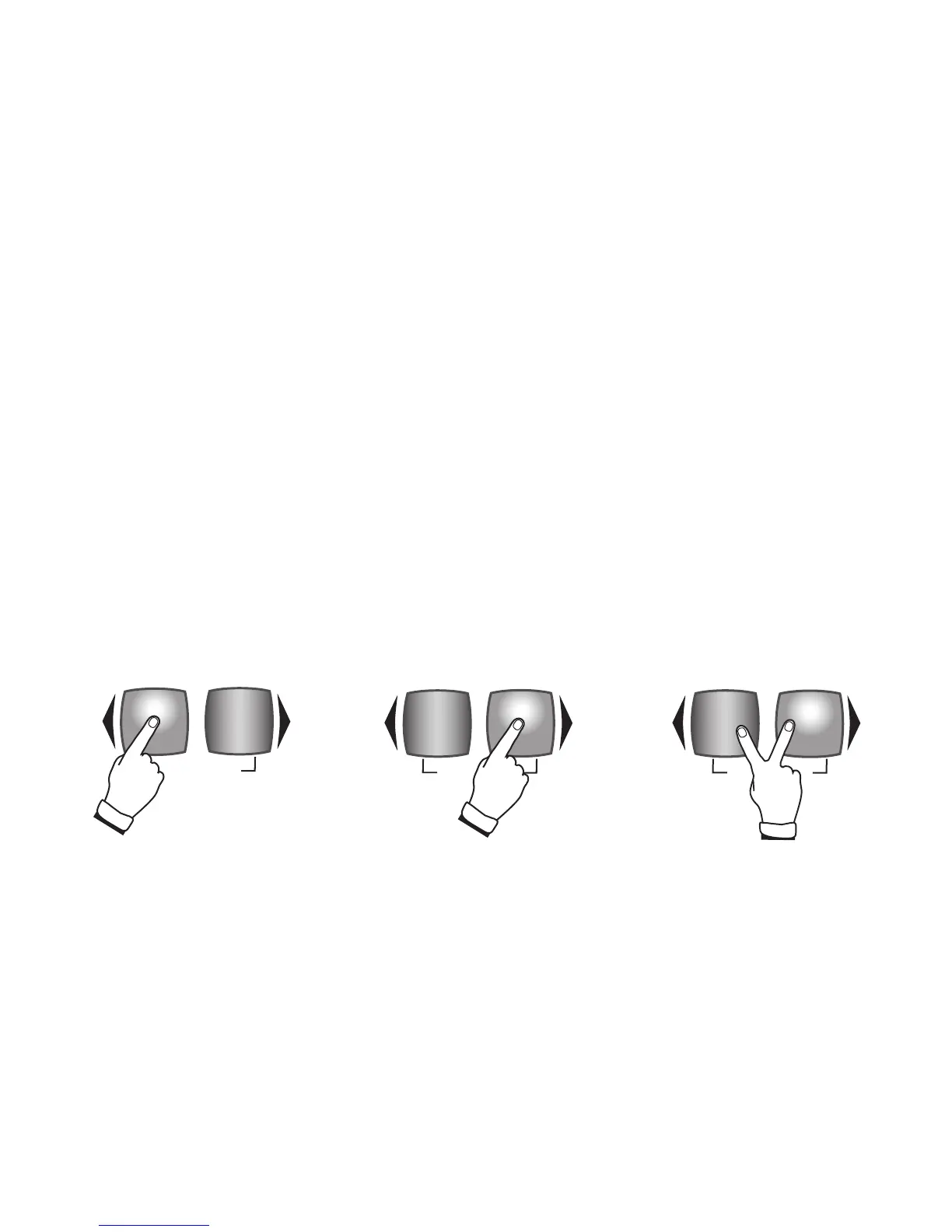
Pressing both UPPER OCTAVE
buttons at the same time returns
the pitch to the normal level.
Press the left side UPPER
OCTAVE button one time to lower
the pitch of the sound one octave
(button lights green). Press it
again to lower the sound another
octave (button lights red).
Press the right side UPPER
OCTAVE button one time to raise
the pitch of the sound one octave
(button lights green). Press it
again to raise the sound another
octave (button lights red).






 To Next Page