77
Feature Pages
AMOUNT: How much of the effect do you want?
RATE: How fast or slow do you want the effect to be?
DEPTH - ACCELERATION - FEED BACK: How deep, shallow, quick, bright, or long do you want this
effect to be?
SLOW/FAST: Choose a slow or fast setting for the Rotary effect.
Press the lighted
FEATURE(CLEAR) button to implement the selections/settings made and return to the
POWER-UP screen.
- SHORTCUT=FEATURE + AOC BUTTON
PREVIEW:
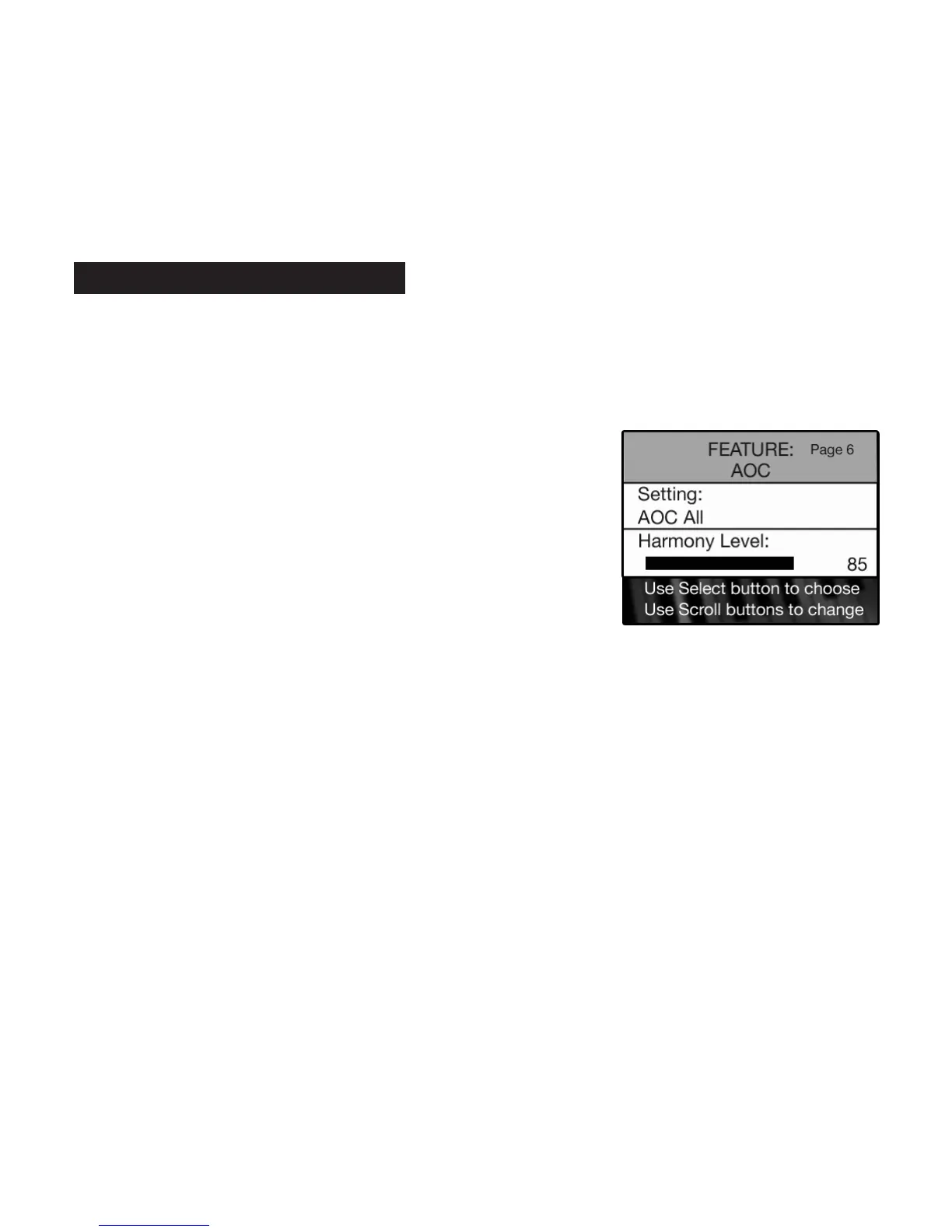
AOC FEATURE PAGE provides two different setting for the AOC harmony feature: AUTO AOC and AOC ALL,
plus a
HARMONY LEVEL (volume) control.
AOC settings are preset from the factory and may never need to be adjusted to fully enjoy the Holiday
Classic. When the need arises to adjust the effects follow these steps.
•Press the
SELECT button to highlight the SETTING section of the screen.
•Press either SCROLL button to display the different AOC settings: AUTO AOC or AOC ALL.
AUTO AOC:
- AOC adds harmony to any of the upper flutes, strings or vocal sounds that are selected, when no
orchestral sounds are selected.
- AOC adds harmony to any of the orchestral sounds that are selected, when no upper flutes, strings or
vocal sounds are selected.
AOC ALL:
- AOC adds harmony to any of the upper organ sounds that are selected,when both upper flutes, strings or
vocal sounds, and orchestral sounds are selected. AOC ALL can be memorized as part of a bank preset.
•Press the
SELECT button when the desired AOC setting is listed. The HARMONY LEVEL section of the screen
will become highlighted.
•Press the top SCROLL button to increase the level. Press the bottom SCROLL button to decrease the level.
HARMONY LEVEL is indicated by a graphic bar that grows and shrinks in relation to the level. A number
displays the level. The number 0 indicates minimum level. The number 100 indicates maximum.
Set the level to that which is desired. Level changes can be saved in bank presets.
Press the lighted
FEATURE(CLEAR) button to implement the selections/settings made and return to the
POWER-UP screen.
How To Use It:
•Press the Feature (Clear) button and then press the top SCROLL
button repeatedly to highlight FEATURE: AOC, as illustrated to the
right.
6. AOC






 To Next Page