81
Feature Pages
PREVIEW:
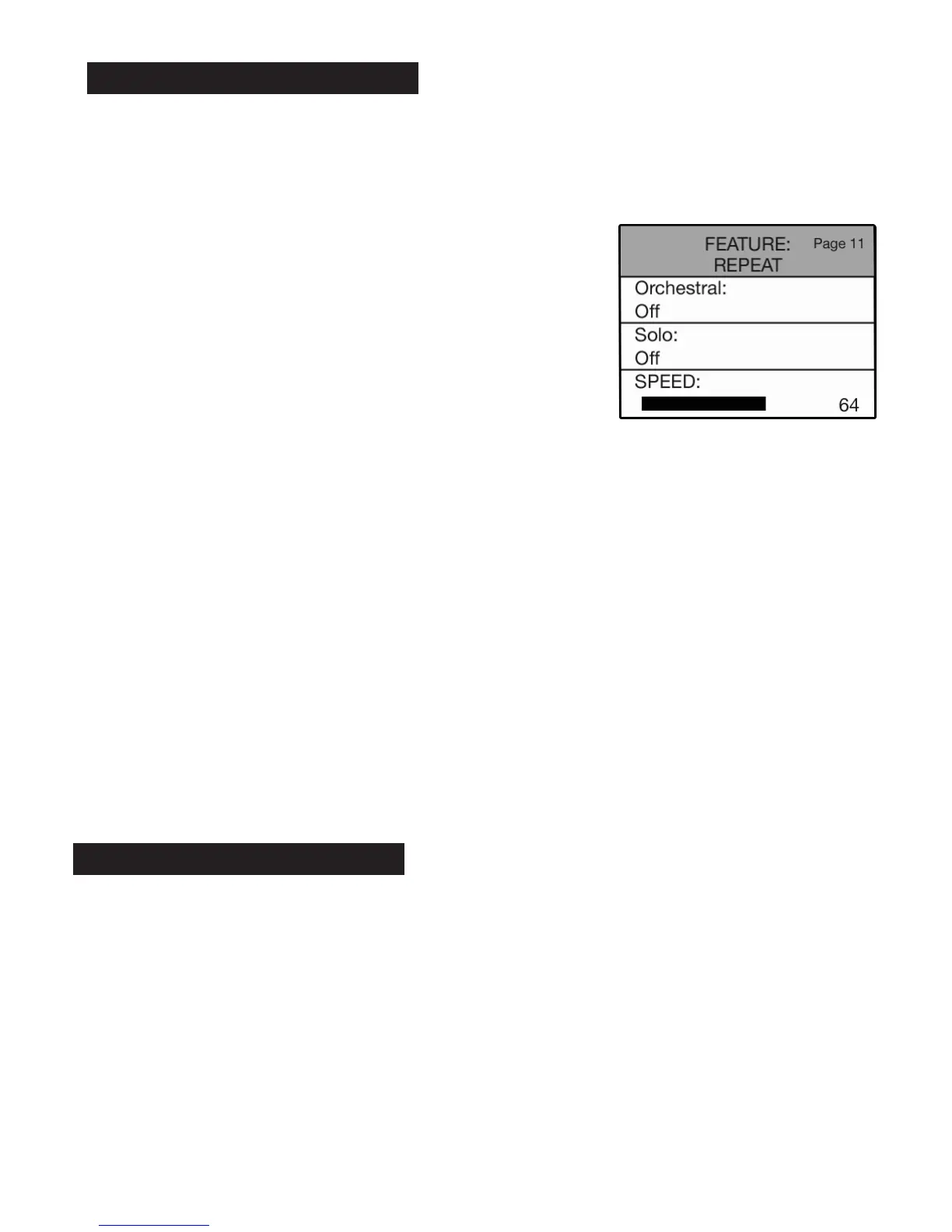
REPEAT FEATURE PAGE allows you to add a repeating effect to orchestral and solo sounds.
Repeat settings are preset from the factory and may never need to be changed to fully enjoy the Holiday
Classic. When the need arises to add r
epeat follow these steps.
With repeat set to
ON (orchestral or solo) play an upper keyboard key (with an orchestral or solo sound
selected) to hear the repeat effect while adjusting the speed.
Press the lighted FEATURE(CLEAR) button to implement the selections/settings made and return to the
POWER-UP screen.
PREVIEW:
CONTROLLERS FEATURE PAGE
allows you to assign any of the five specified functions to the any of the
three designated controllers. The five control functions, listed below, are followed by the factory preset con-
troller to which they are assigned. A function followed by “Internal Function” means that it is not factory
preset to any controller.
•For example, you can replace the
FX function, preset to the RIGHT FOOT SWITCH, with the
N.C. (NO CHORD) function so you can play a No Chord with the foot switch instead of your left hand.
•You can replace the preset TOUCH BAR function of FX with a GLIDE/SUSTAIN.
These controls are preset so the Holiday Classic is ready to play right away. You need only use the preset
controls in or
der to fully utilize all of the features. These preset controls can be reassigned to provide you
with different ways to manipulate a variety of features.
12. Controllers
SOLO REPEAT
•Press the SELECT button twice to highlight the
SOLO section of the screen.
•Press either
SCROLL button to display the
settings: OFF or ON.
•Press the SELECT button to highlight SPEED
section of the screen.
•Press the top SCROLL button to increase the
repeat speed.
Press the bottom
SCROLL button to decrease the
repeat speed.
The repeat speed value range is 0-100.
ORCHESTRAL REPEAT
•Press the SELECT button to highlight the
ORCHESTRAL section of the screen.
•Press either
SCROLL button to display the
settings: OFF or ON.
•Press the SELECT button twice to highlight
SPEED section of the screen.
•Press the top SCROLL button to increase the
repeat speed.
Press the bottom
SCROLL button to decrease the
repeat speed.
The repeat speed value range is 0-100.
How To Use It:
•Press the Feature (Clear) button and then press the bottom
SCROLL button repeatedly to highlight FEATURE: REPEAT, as
illustrated to the right.
11. Repeat






 To Next Page