57
Orchestral & Solo
How It Works:
How To Use It:
Use this feature to change the pitch, or key, of the music you are playing. You
can sound like a pro by playing the song through one time and then pressing the
right (#) TRANSPOSE button once and repeating the song. Transpose comes in
handy for a sing along, or playing along with another musician playing an
instrument not pitched in the key of “C.”
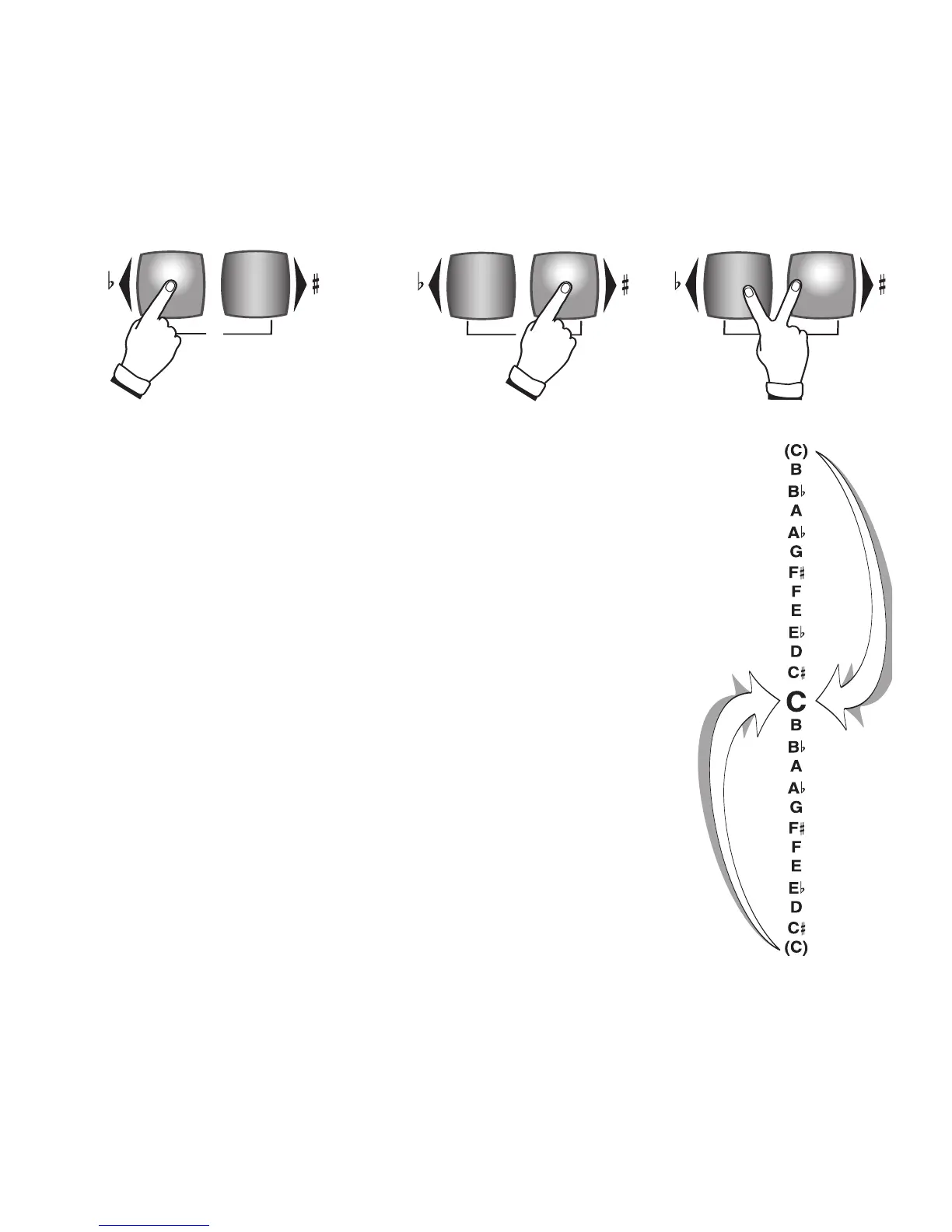
The Holiday Classic Transposer is cyclical. When you begin at “C” and
Transpose
up (pressing the button labeled with the Sharp # symbol) through all
11 steps to “B” the next step up will return the organ to the key of “C.” This
is also true when you Transpose down (pressing the button labeled with the Flat
b symbol) to C#.
Transpose changes can now be saved to a
BANK PRESET. See CUSTOMIZING
A BANK PRESET on page 16.
TRANSPOSE
C
TRANSPOSE
C
TRANSPOSE
C
TRANSPOSE
C
TRANSPOSE
C
TRANSPOSE
C
TRANSPOSE
C
TRANSPOSE
C
TRANSPOSE
C
TRANSPOSE
C
TRANSPOSE
C
TRANSPOSE
C
Pressing both TRANSPOSE
buttons at the same time
returns the pitch to the
standard “C.”
The right button, TRANSPOSE UP, is
labeled with a right-pointing triangle
and a sharp (
#
) symbol. Pressing this
button moves the pitch up one-half
step each time it is pressed.
The left button, TRANSPOSE
DOWN, is labeled with a left-point-
ing triangle and a flat (
b
) symbol.
Pressing this button moves the
pitch down one-half step each time
it is pressed.






 To Next Page