V. 1.0 | LPKF Laser & Electronics AG
Applying solder paste to the PCB
Ensure that the following prerequisites are fulfilled before performing the described
tasks:
Spare parts and auxiliaries
Printed circuit board (completely drilled
and milled)
Dispenser cartridge with solder paste
(room temperature)
In order to apply the solder paste evenly, LPKF recommends the use of the
honeycomb plate (order code: 116 148)
1. Click on File > New...
2. In the tab Templates select the template DoubleSided_NoTHP.cbf.
3. Click on File > Import...
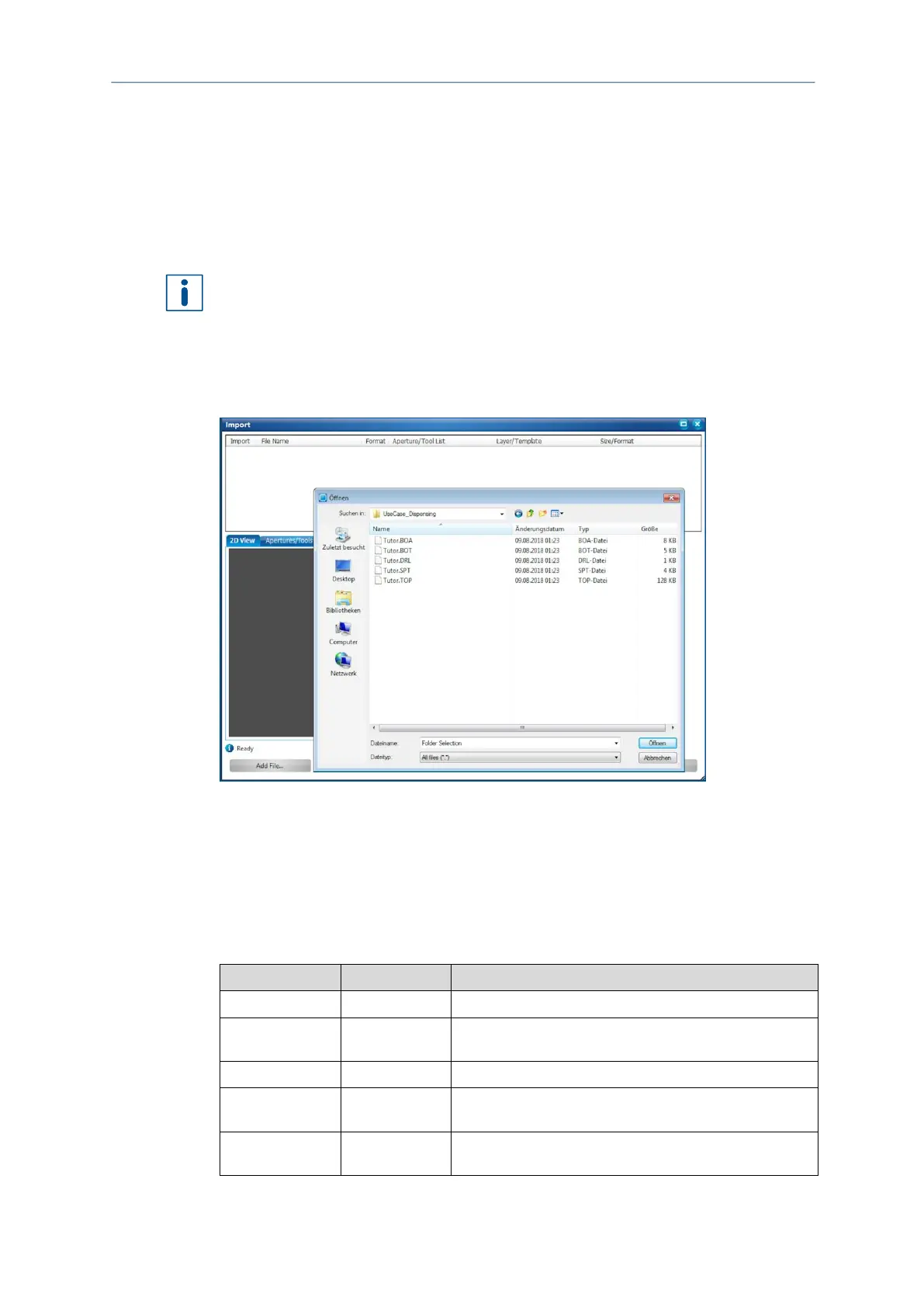
The following dialog is displayed:
Fig. 99: Dialog Import| Select tutor data
4. Navigate to the following folder:
Win 7 to Win 10: C:\Program Files (x86)\LPKF Laser &
Electronics\LPKF CircuitPro PM 2.x\Example
Data\UseCase_Dispensing
5. Select all files in the folder.
6. Click on [Open].
7. Assign the imported files to the corresponding layers (see table):
This layer contains the data for the contour of the PCB.
This layer contains the data for the bottom side (Bottom)
of the PCB.
This layer contains the data for the drill holes of the PCB.
This layer contains the data for the solder paste
application.
This layer contains the data for the top side (Top) of the
PCB.



 To Next Page