214325 171 Revision A
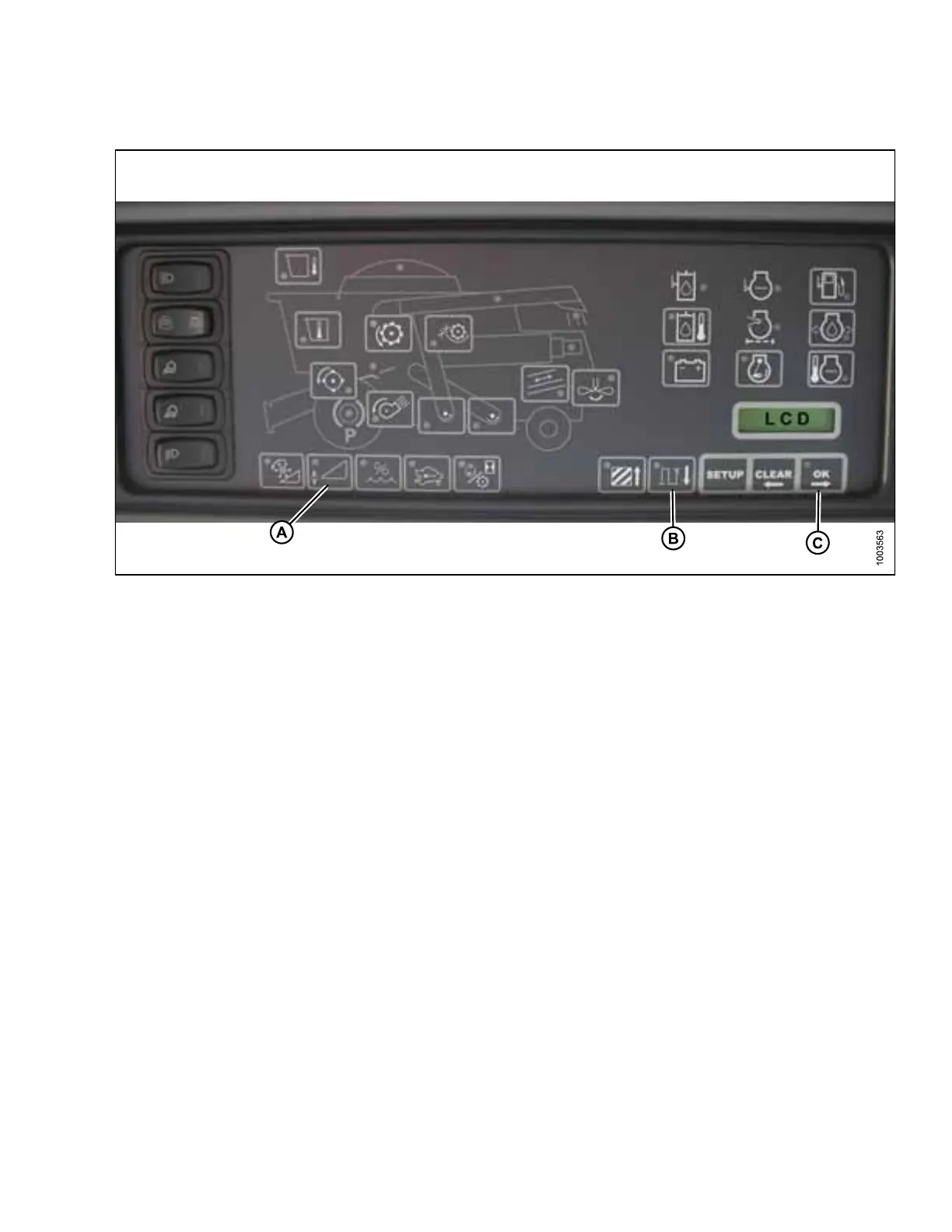
Figure 5.72: Combine Heads-Up Display
4. Ensure header float is unlocked.
5. Press and hold button (A) on heads-up display for three seconds to enter diagnostic mode.
6. Scroll down using button (B) until LEFT is displayed on LCD screen.
7. Press OK button (C). The number indicated on LCD screen is voltage reading from sensor of AHHC. Raise and
lower header to see full range of voltage readings.
Engaging Auto Header Height Control (Gleaner R65/R66/R75/R76 and S Series)
NOTE:
Refer to 5.1.7 Gleaner S9 Series Combines, page 179 for information specific to Gleaner S9 Series.
NOTE:
Changes may have been made to combine controls or display since this document was published. Refer to
combine operator’s manual for updates.
The following system components are required in order for auto header height control (AHHC) to work:
• Main module (PCB board) and header driver module (PCB board) mounted in card box in fuse pane
module (FP).
• Multi-function control handle operator inputs.
• Operator inputs mounted in control console module (CC) panel.
NOTE:
In addition to above components, electro hydraulic header lift control valve also is an integral part of system.
SETTING UP AUTO HEADER HEIGHT CONTROL








 To Next Page