214325 81 Revision A
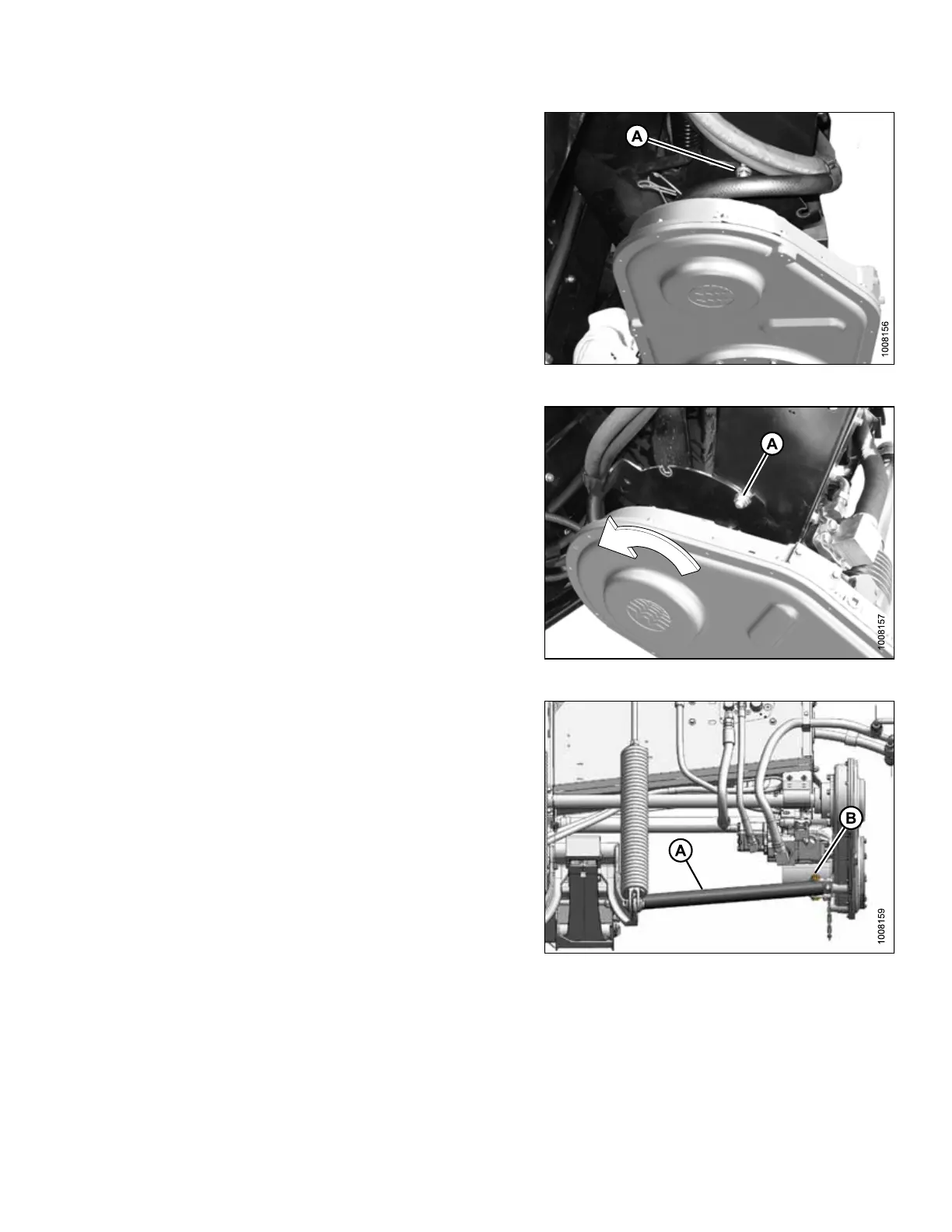
Figure 3.156: Shipping Position
2. Loosen nut (A) and move bolt out of shipping
position slot.
Figure 3.157: Working Position
3. Rotate gearbox and insert bolt into working position
slot (A). Tighten nut.
Figure 3.158: Brace Position
4. Remove bolt and nut from bracket on gearbox.
5. Position brace (A) inside bracket, and reinstall bolt (B)
and nut.
3.4.3 Removing Shipping Supports
The shipping supports are painted yellow, remove supports as follows:
NOTE:
Unless otherwise specified, discard supports as well as all shipping material and hardware.
ASSEMBLING HEADER AND ADAPTER








 To Next Page