214325 197 Revision A
Adjusting Voltage Limits
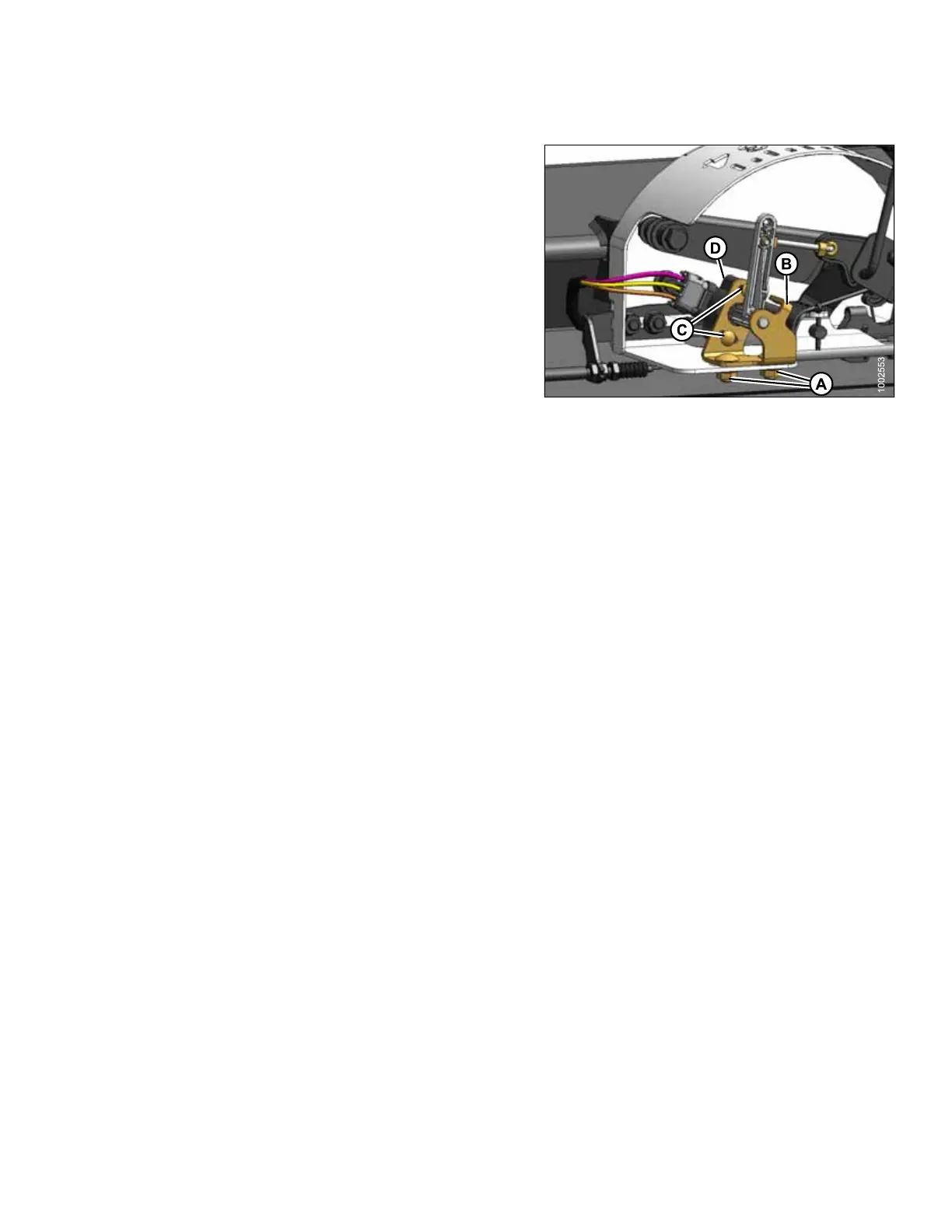
Figure 5.123: AHHC Sensor Assembly
A - Sensor Support Mounting Bolts B - Sensor Support
C - Sensor Mounting Bolts D - Potentiometer
1. To adjust high voltage limit:
a. Extend guard angle fully. Header angle indicator
should be at D.
b. Position header 150–254 mm (6–10 in.) above
ground. Float indicator should be at 0.
c. Loosen sensor mounting bolts (A).
d. Slide sensor support (B) to right to increase high
voltage limit, or to left to decrease it.
e. Tighten sensor mounting bolts (A).
2. To adjust low voltage limit:
a. Extend guard angle fully. Header angle indicator
should be at D.
b. Fully lower header on ground. Float indicator
should be at 4.
c. Loosen mounting bolts (C).
d. Rotate potentiometer (D) clockwise to increase low
voltage limit, or counterclockwise to decrease it.
e. Tighten sensor mounting bolts (C).
3. If readings are in proper range, auto header height
control can be calibrated.
Calibrating Auto Header Height
The calibration procedure determines limits of auto header height sensor for John Deere 50 series combines.
Calibrate auto header height system after initial header installation and after replacement or adjustment of any
component of auto header height system. If system does not function properly, repeat calibration before proceeding
to other troubleshooting steps.
NOTE:
For best performance of auto header height system, perform these procedures with center-link adjusted as long as
possible. When setup and calibration is complete, adjust center-link back to desired header angle. See header
angle topic in operations section of header operator’s manual.
1. Rest header on down stops, and unlock adapter float.
2. Put wings in locked position.
3. Start combine.
SETTING UP AUTO HEADER HEIGHT CONTROL








 To Next Page