214325 268 Revision A
Setting Auto Height (New Holland CR Series)
This procedure applies only to 2015 and later CR models (6.80, 6.90, 7.90, 8.90, 9.90, and 10.90).
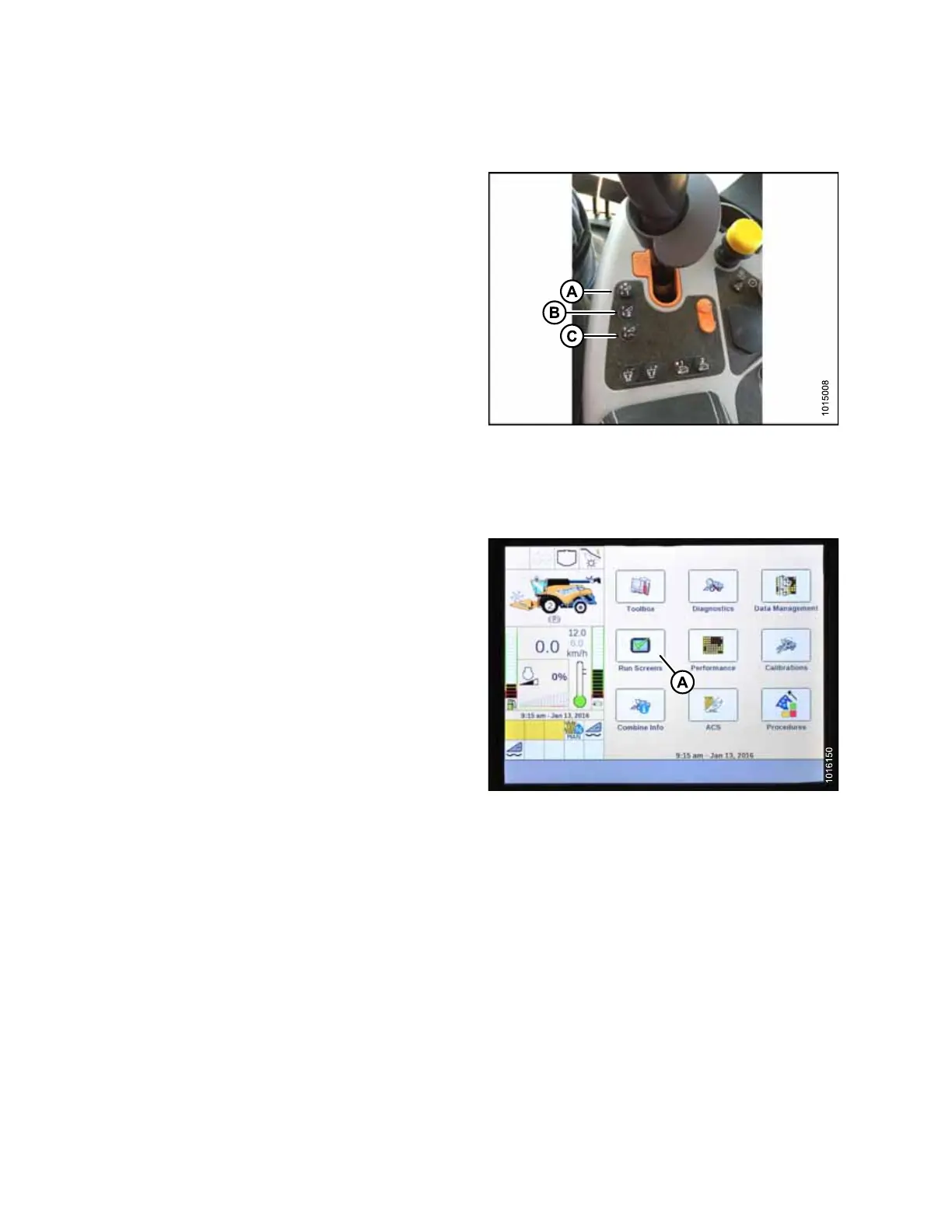
Figure 5.281: New Holland Combine Controls
The console has two buttons used for auto height presets.
The toggle switch that was present on previous models is
now configured as shown at right. MacDon headers only
require first two buttons (A) and (B). The third button (C) is
not configured.
To set auto height, follow these steps:
1. Engage separator and header.
Figure 5.282: New Holland Combine Display
2. Select RUN SCREENS (A) on main page.
SETTING UP AUTO HEADER HEIGHT CONTROL








 To Next Page