214325 191 Revision A
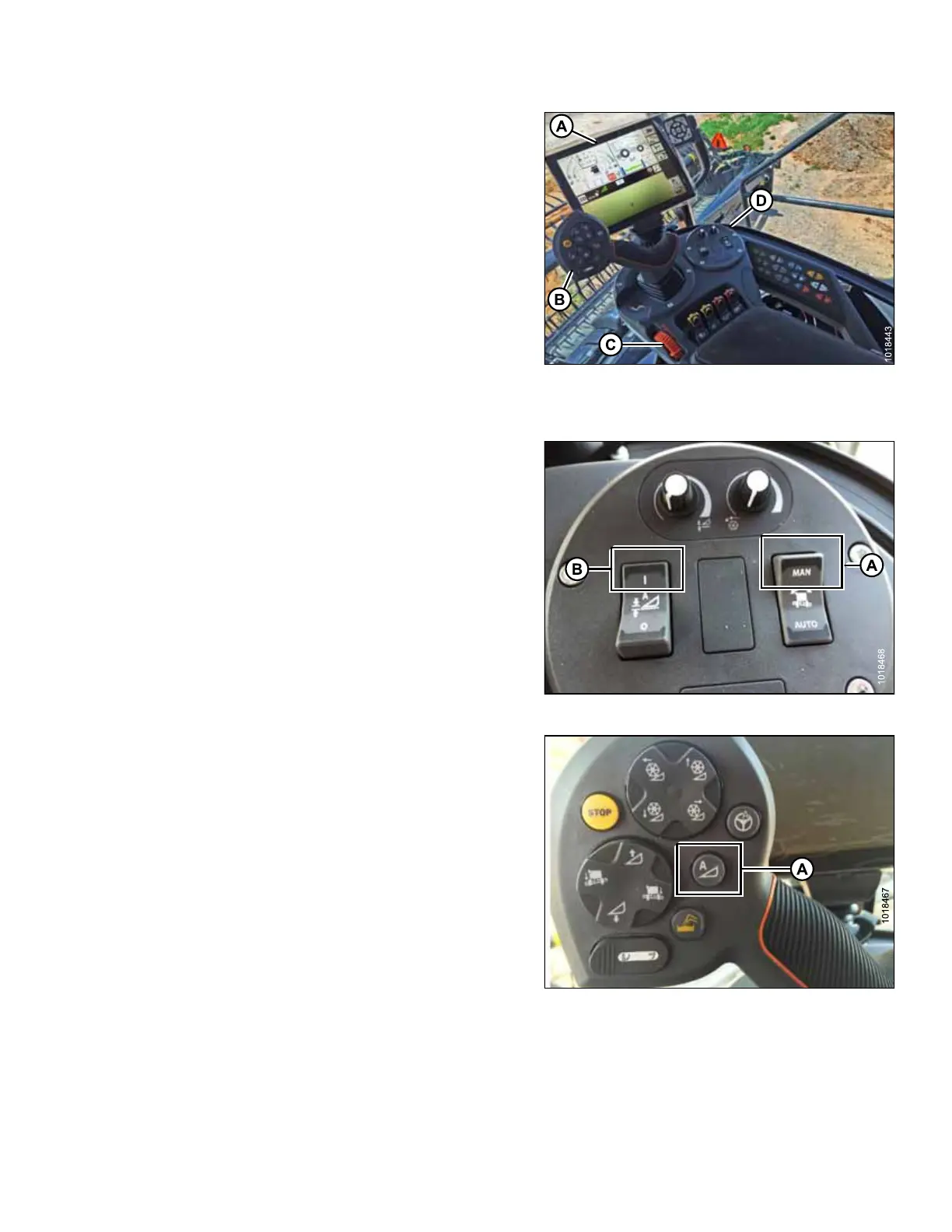
Figure 5.110: Gleaner S9
A - Tyton Terminal B - Hydro Handle/Ground Speed Lever
C - Throttle Lever D - Header Control Cluster
These are primary controls to be used to engage and use
auto header height control (AHHC) function.
Figure 5.111: Header Control Cluster
1. With header running, set Lateral Tilt to MANUAL by
pressing switch (A) upward to MAN position.
2. Engage AHHC by pressing switch (B) upward to
I position.
Figure 5.112: AHHC on GSL
3. Press AHHC control switch (A) on ground speed
lever (GSL) to engage AHHC. The header positions
itself in current setpoint position.
SETTING UP AUTO HEADER HEIGHT CONTROL








 To Next Page