214325 205 Revision A
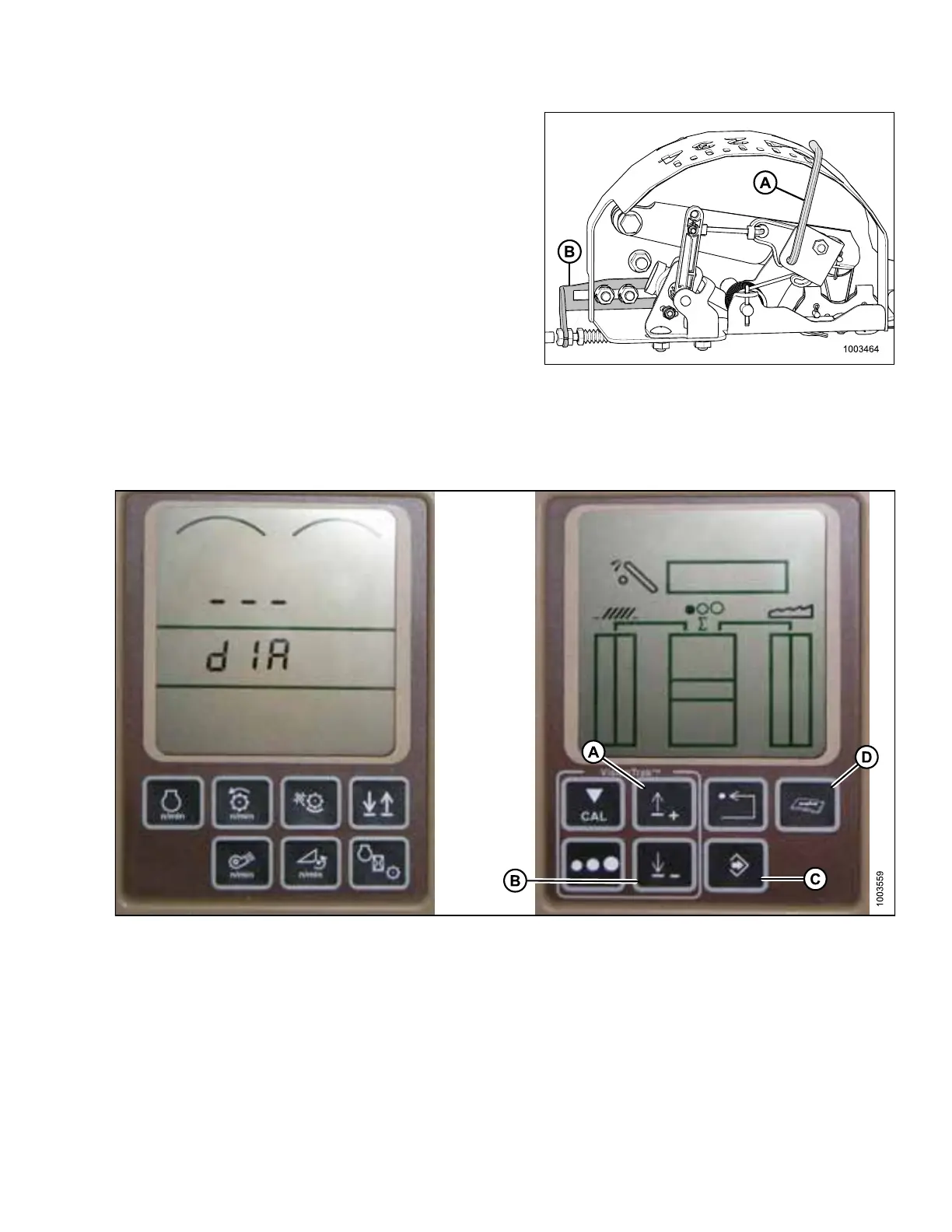
Figure 5.140: Float Indicator Box (Most
Common 5 Volt AHHC Sensor
Assembly Shown)
3. Adjust cable take-up bracket (B) (if necessary) until
pointer (A) on float indicator is on 0.
Figure 5.141: John Deere Combine Display
4. Press DIAGNOSTIC button (D) on monitor—DIA appears on monitor.
5. Press UP button (A) until EO1 appears on monitor—this is header adjustment.
6. Press ENTER button (C).
7. Press UP (A) or DOWN button (B) until 24 is displayed on top portion of monitor—this is voltage reading for
sensor.
8. Ensure header float is unlocked.
9. Start combine, and fully lower feeder house to ground.
SETTING UP AUTO HEADER HEIGHT CONTROL








 To Next Page