214325 224 Revision A
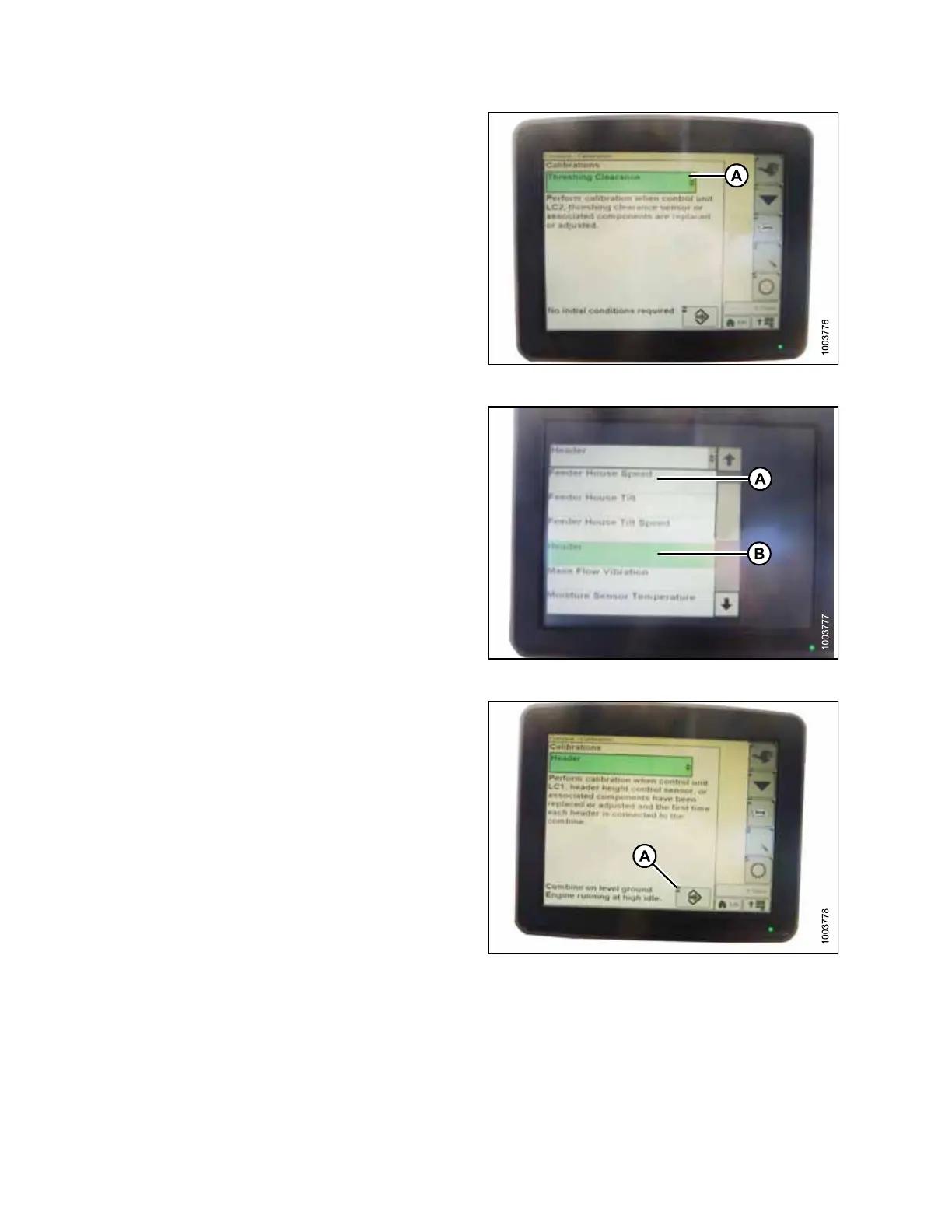
Figure 5.180: John Deere Combine Display
5. Select THRESHING CLEARANCE (A) and a list of
calibration options appears.
Figure 5.181: John Deere Combine Display
6. Select FEEDER HOUSE SPEED (A) and calibrate.
7. Select HEADER (B) and calibrate.
Figure 5.182: John Deere Combine Display
8. Press icon (A) with either FEEDER HOUSE SPEED or
HEADER selected and icon will turn green.
SETTING UP AUTO HEADER HEIGHT CONTROL








 To Next Page