214683 134 Revision A
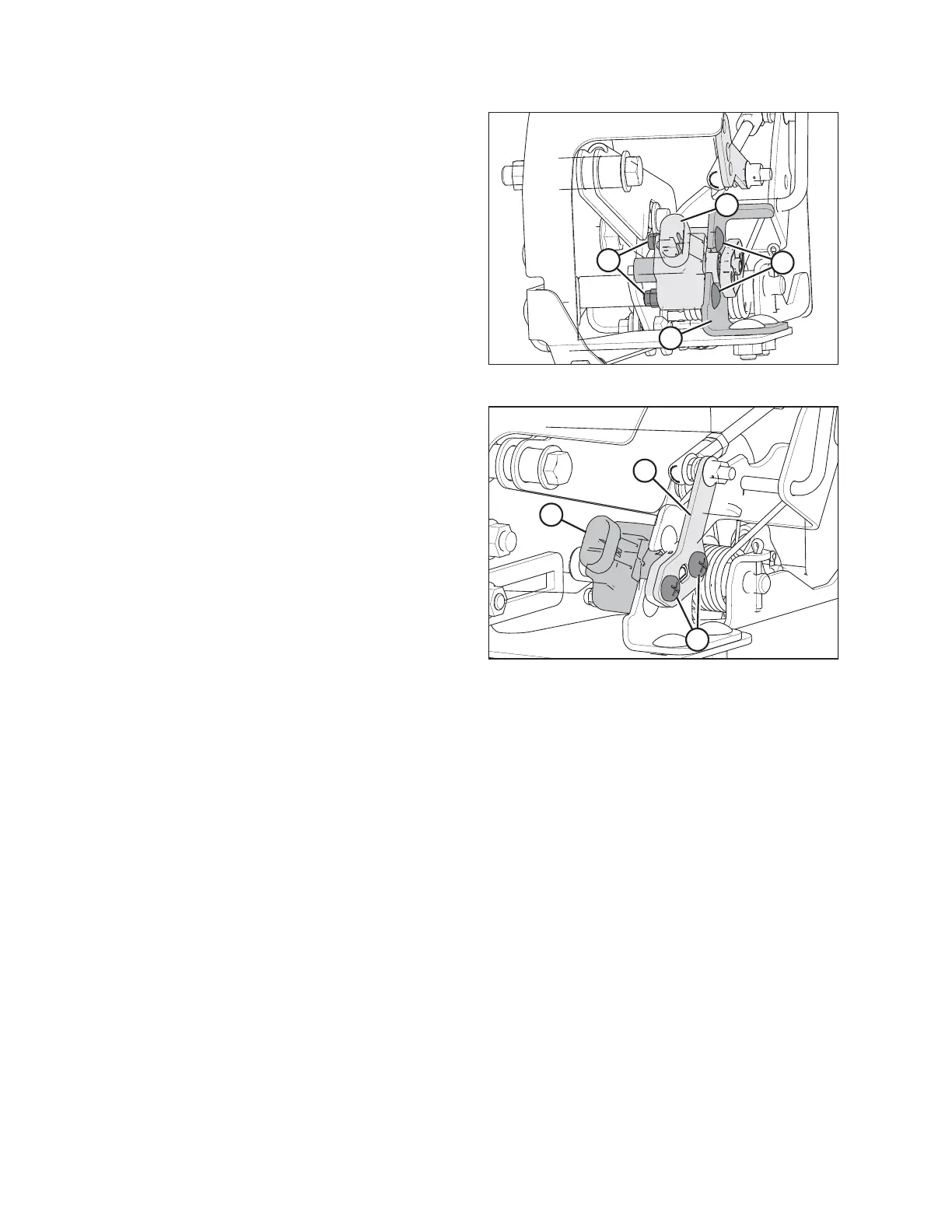
Figure 3.172: AHHC Sensor
IMPORTANT:
To avoid damaging the new sensor, install sensor as
follows:
6. Position the new sensor (A) on the bracket (B).
7. Secure with two bolts (C) and nuts (D).
Figure 3.173: AHHC Sensor
8. Attach sensor arm (A) to the sensor (B) and secure with
two screws (C).
9. Reconnect the wiring harness to the plug (B) on the
sensor.
10. Check the voltage range of the new sensor, and adjust
if necessary. Refer to:
• Manually Checking Voltage Range: One-Sensor
System, page 127
• Adjusting Voltage Limits: One-Sensor System, page
131
OPERATION









 To Next Page