214683 270 Revision A
Setting Preset Cutting Height (New Holland CR/CX Series)
To set the preset cutting height, follow these steps:
NOTE:
Changes may have been made to the combine controls or display since this document was published. Refer to the
combine operator’s manual for updates.
NOTE:
For New Holland CR models 6.80, 6.90, 7.90, 8.90, 9.90, and 10.90, refer to 3.8.16 New Holland Combines (CR
Series—Model Year 2015 and Later), page 271.
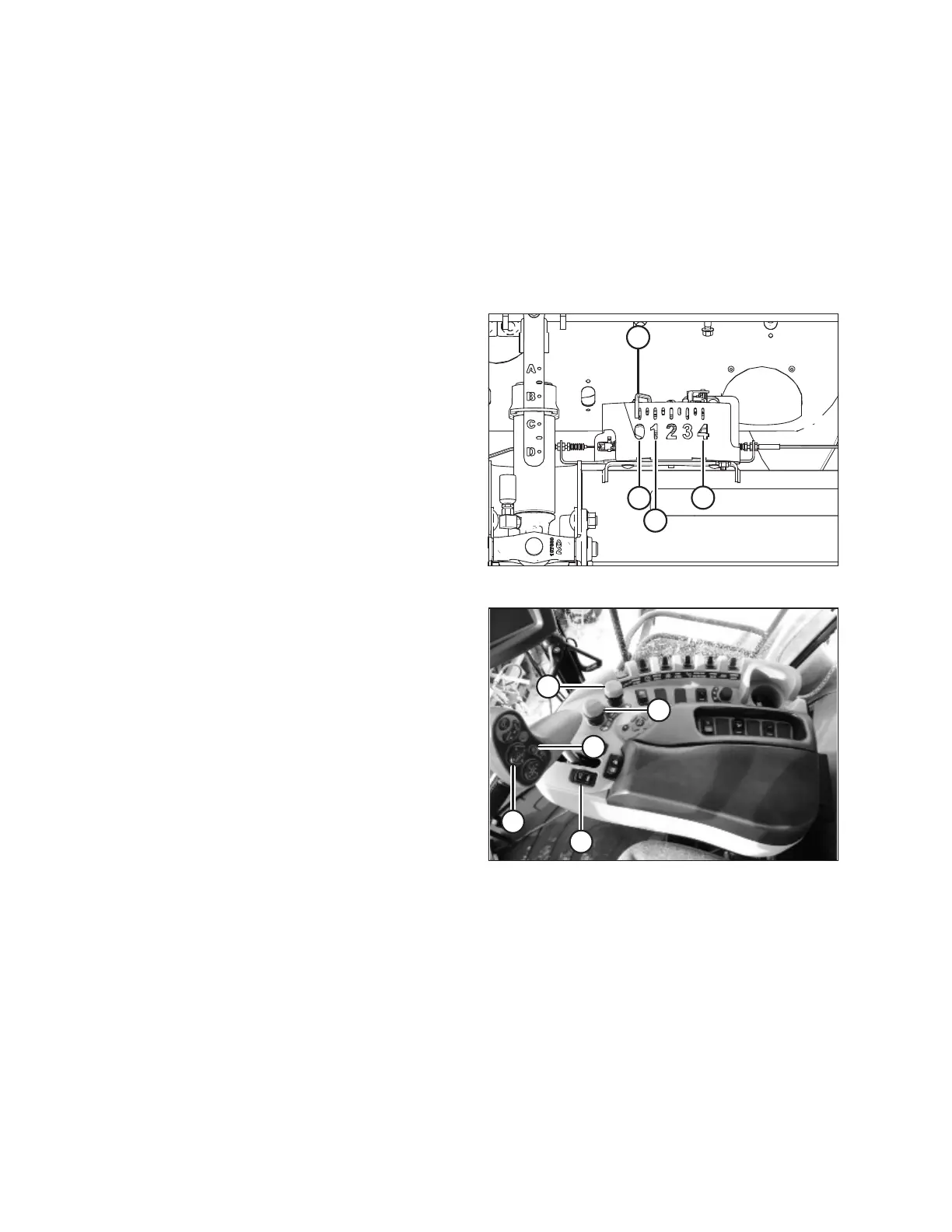
Figure 3.474: Float Indicator Box
NOTE:
The indicator (A) should be at position 0 (B) with the header
(152 mm [6 in.]) off the ground. If not, the float sensor output
voltage should be checked. Refer to Step 4, page 128.
When the header is on the ground, the indicator should be
at position 1 (C) for low ground pressure, and at
position 4 (D) for high ground pressure. Crop and soil
conditions determine the amount of float to use. The ideal
setting is as light as possible without header bouncing or
missing crop. Operating with heavy settings prematurely
wears the cutterbar wearplates.
Figure 3.475: New Holland Combine Controls
1. Engage the threshing mechanism and the feeder with
switches (A) and (B).
2. Set HEADER MEMORY rocker switch (D) in STUBBLE
HEIGHT/AUTOFLOAT mode position (A) or (B).
3. Lower the header to the desired cutting height using the
HEADER HEIGHT and HEADER LATERAL FLOAT
momentary switch (C).
4. Lightly press AUTOMATIC HEADER HEIGHT
CONTROL button (E) for a minimum of 2 seconds to
store the height position. A beep will confirm the setting.
NOTE:
It is possible to store two different header height values
by using HEADER MEMORY rocker switch (D) in
STUBBLE HEIGHT/AUTOFLOAT mode
position (A) or (B).
5. To change one of the memorized header height set
points while the combine is in use, use the HEADER
HEIGHT AND HEADER LATERAL FLOAT rocker
switch (C) (slow up/down) to raise or lower header to
the desired value. Lightly press the AUTOMATIC
HEADER HEIGHT CONTROL button (E) for a minimum
OPERATION









 To Next Page