214683 313 Revision A
4.1.2 Converting from Wide Configuration to Medium Configuration
One kit of MD #287031
46
is required to convert to this configuration.
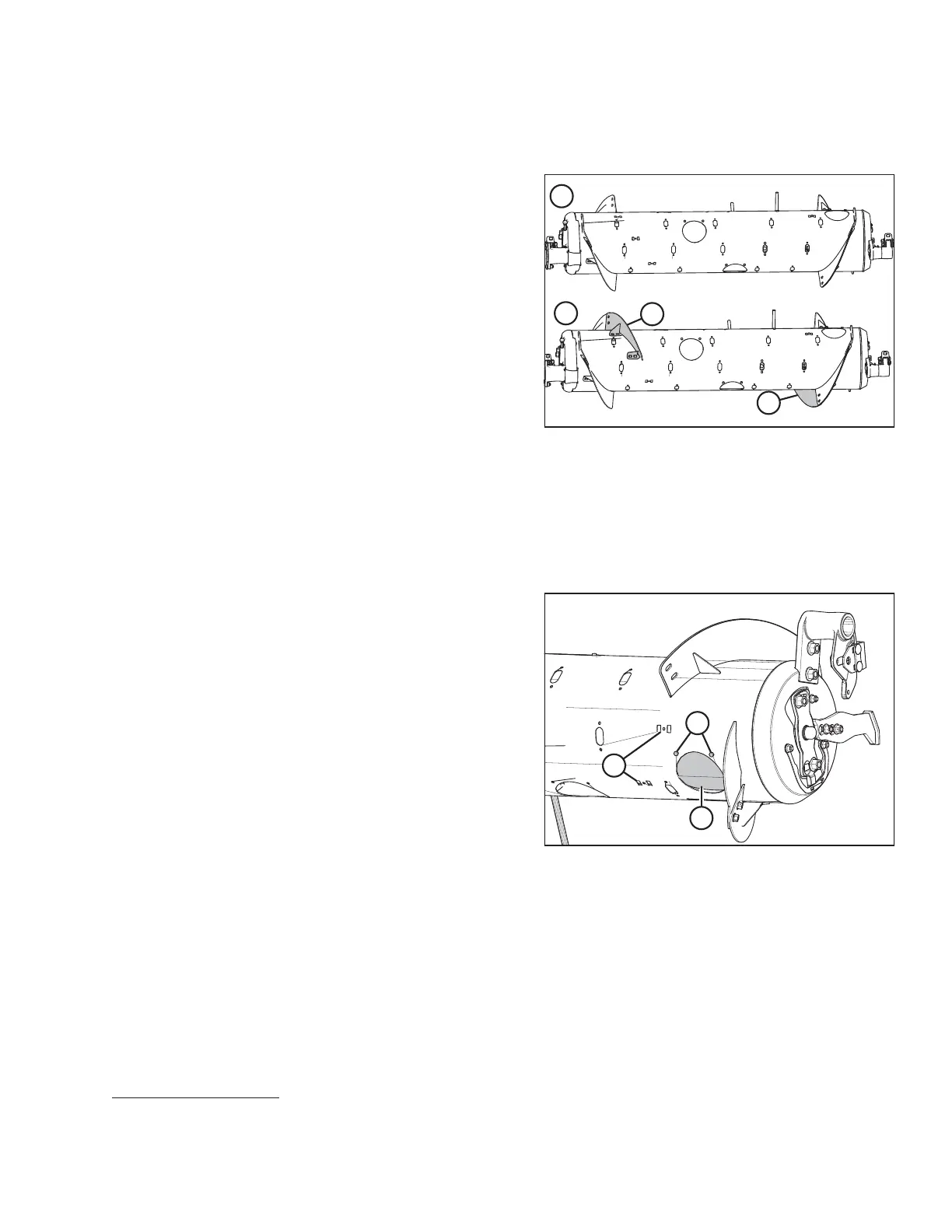
Figure 4.11: Auger Configurations (Rear View)
1 - Wide Configuration 2 - Medium Configuration
Wide and Medium auger configurations are shown at right.
When converting from Wide configuration to Medium
configuration, you will need to install new flightings (A).
1. If necessary to improve access and ease installation, remove float module from combine. For instructions, refer
to 4 Header Attachment/Detachment, page 307.
NOTE:
Auger illustrated without header for clarity.
Figure 4.12: Wide Configuration (Right Side)
2. Remove bolts (A) and remove the access cover (B) on
the right side of the auger. Retain for later reassembly.
NOTE:
If necessary, remove multiple access covers for ease of
access.
3. Remove and discard the two flighting slot plugs (C) on
the right side of the auger.
HEADER ATTACHMENT/DETACHMENT
46. MD #287031 contains wear-resistant flightings, and is available only through MacDon Parts.









 To Next Page