214683 453 Revision A
Installing Knifehead Shield
The knifehead shield is supplied in flattened form, but it can be bent to suit installation on pointed or stub guard
cutterbars. Knifehead shields differ slightly depending on header size and guard configuration, so ensure you are
using the proper knifehead shield for your header. Refer to your parts catalog for proper replacement parts.
DANGER
To avoid bodily injury or death from unexpected start-up or fall of raised machine, always stop engine,
remove key, and engage safety props before going under header for any reason.
CAUTION
Wear heavy gloves when working around or handling knives.
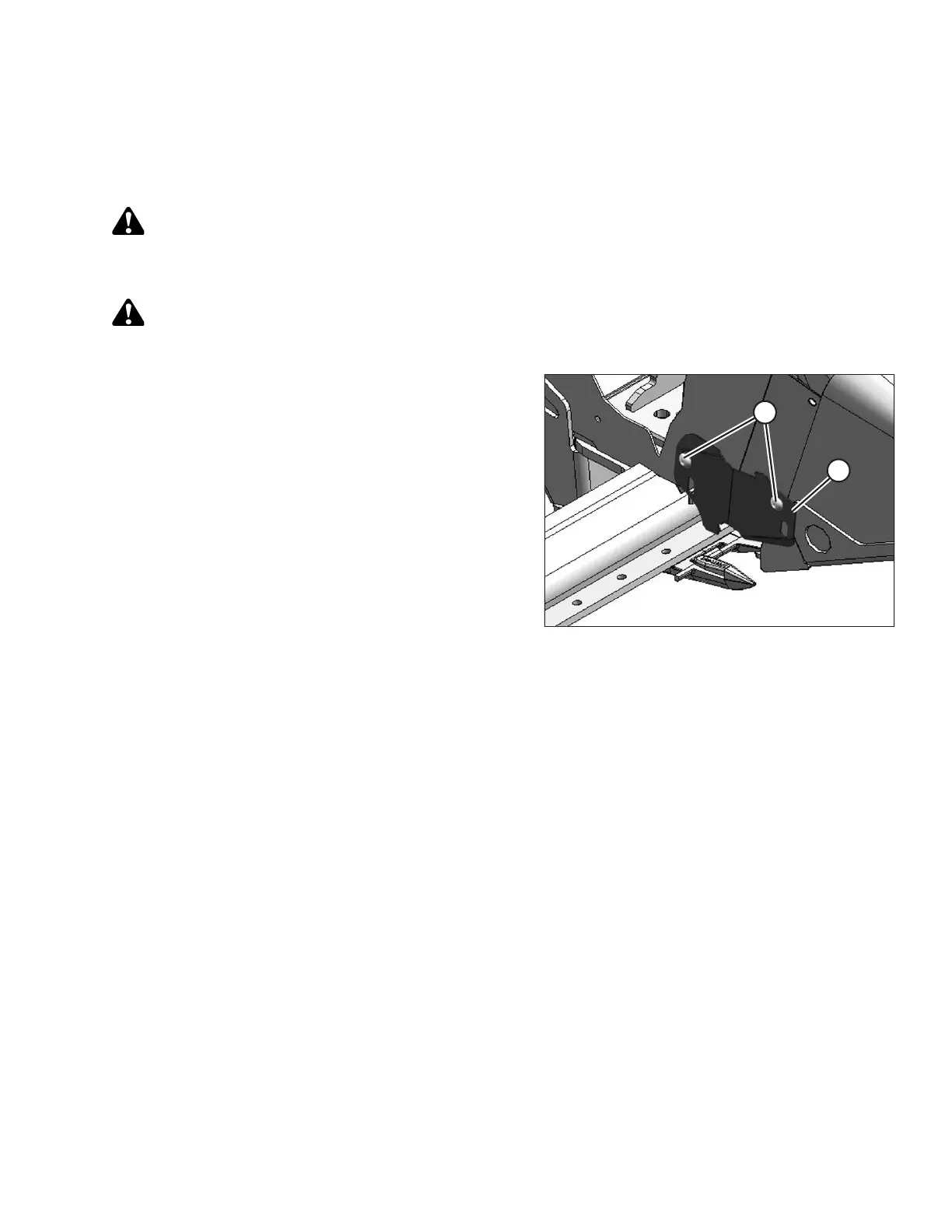
Figure 5.112: Knifehead Shield
1. Raise the reel to its full height, lower the header to the
ground.
2. Shut down the engine, and remove the key from the
ignition.
3. Engage the reel arm locks.
4. Place the knifehead shield (A) against the endsheet as
shown. Align the shield so the cutout matches the
profile of the knifehead and/or hold-downs.
5. Bend the knifehead shield (A) along the slit to conform
to the endsheet.
6. Align the mounting holes and secure with two
3/8 x 1/2 in. Torx
®
head bolts (B).
7. Tighten the bolts (B) just enough to hold the knifehead
shield (A) in place while allowing it to be adjusted as
close to the knifehead as possible.
8. Rotate the knife drive box pulley manually to move the
knife and check for areas of contact between the
knifehead and knifehead shield (A). Adjust the shield to
eliminate interference with the knife if necessary.
9. Tighten the bolts (B).
MAINTENANCE AND SERVICING









 To Next Page