214683 194 Revision A
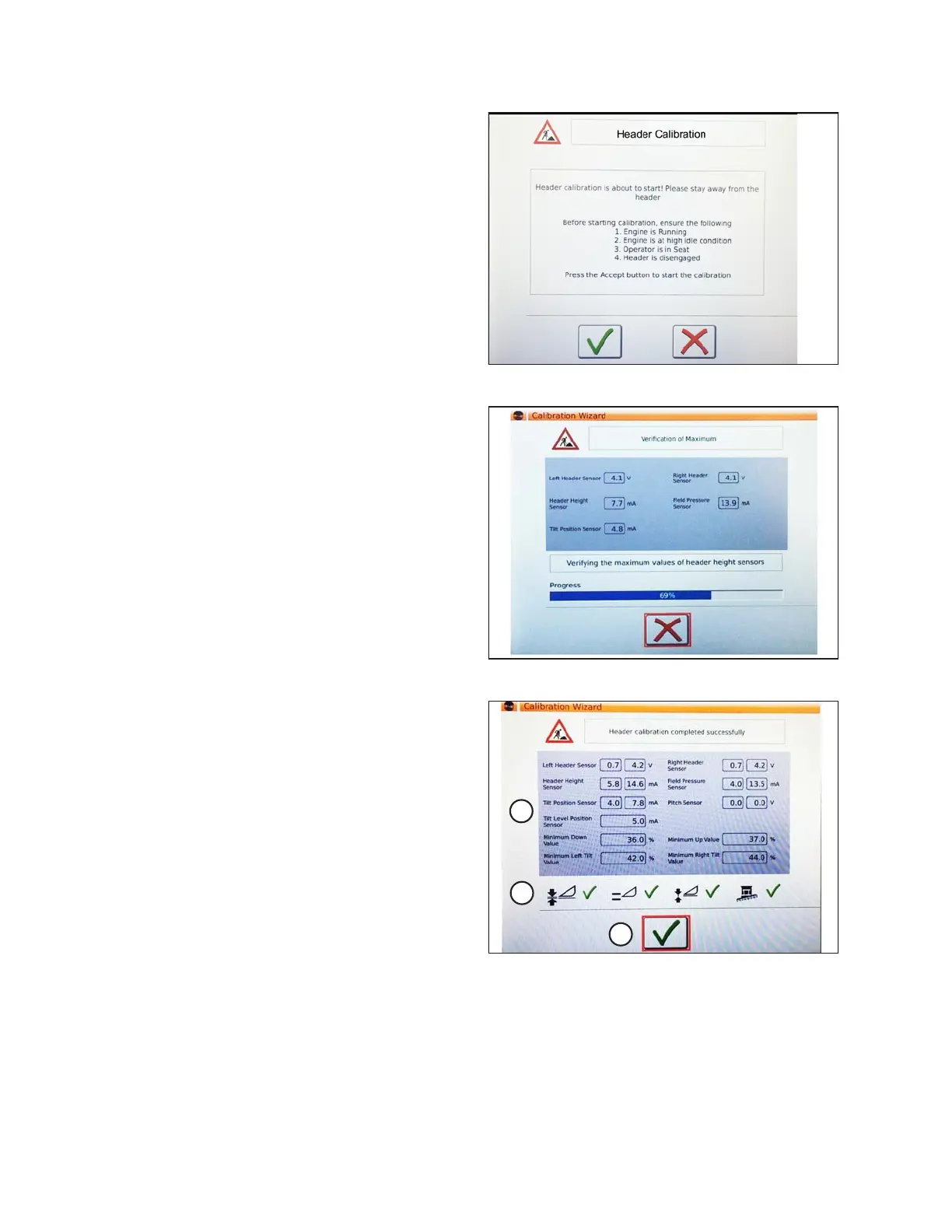
Figure 3.302: Header Calibration Warning
5. The hazard message warning screen for HEADER
CALIBRATION appears. Make sure that all conditions
are met.
6. Touch the green check mark at the bottom of the screen
to start the CALIBRATION WIZARD.
Figure 3.303: Calibration In Progress
A progress bar is provided and the calibration can be
stopped at any time by touching the red X. The header
moves automatically and erratically during this process.
Figure 3.304: Completed Calibration Page
7. When the calibration is complete, a message displays,
and summary information (A) is shown. Green check
marks confirm the functions have been calibrated (B).
Touch the bottom green check mark (C) to save.
OPERATION









 To Next Page