214683 368 Revision A
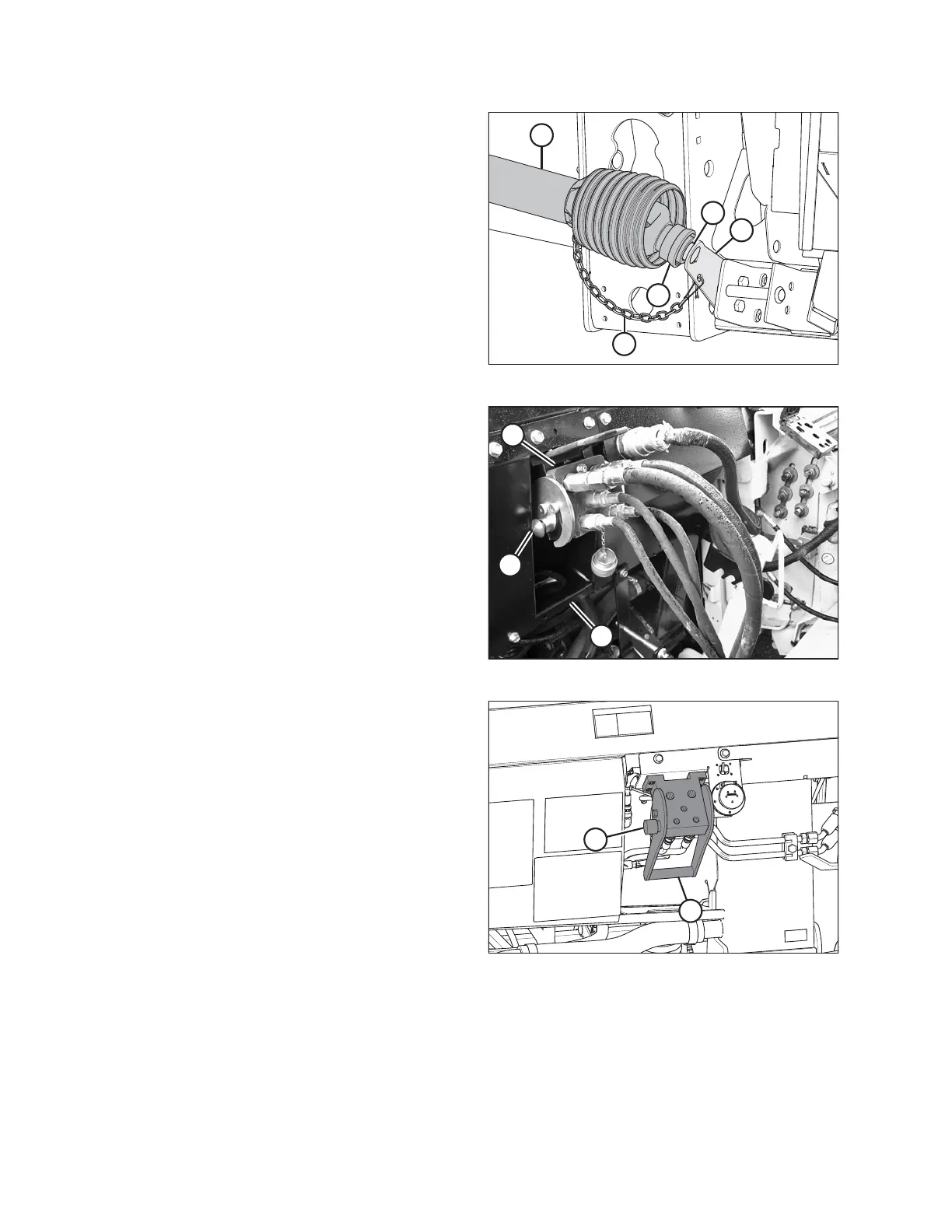
Figure 4.131: Driveline
5. Store the driveline (A) on the driveline support
bracket (B) by pulling back the collar (C) on the driveline
and fitting it over the support bracket weldment (D).
Release the collar so it locks into place over the
weldment.
6. Attach safety chain (E) to support bracket (B).
Figure 4.132: Float Module Connections
7. Push in the lock button (B), and pull the handle (C) to
release the multicoupler (A).
Figure 4.133: Float Module Receptacles
8. Push the handle (A) to the closed position until the lock
button (B) snaps out. Close the cover.
HEADER ATTACHMENT/DETACHMENT









 To Next Page