DRIVING ENVIRONMENT
DRIVER INFORMATION DISPLAY
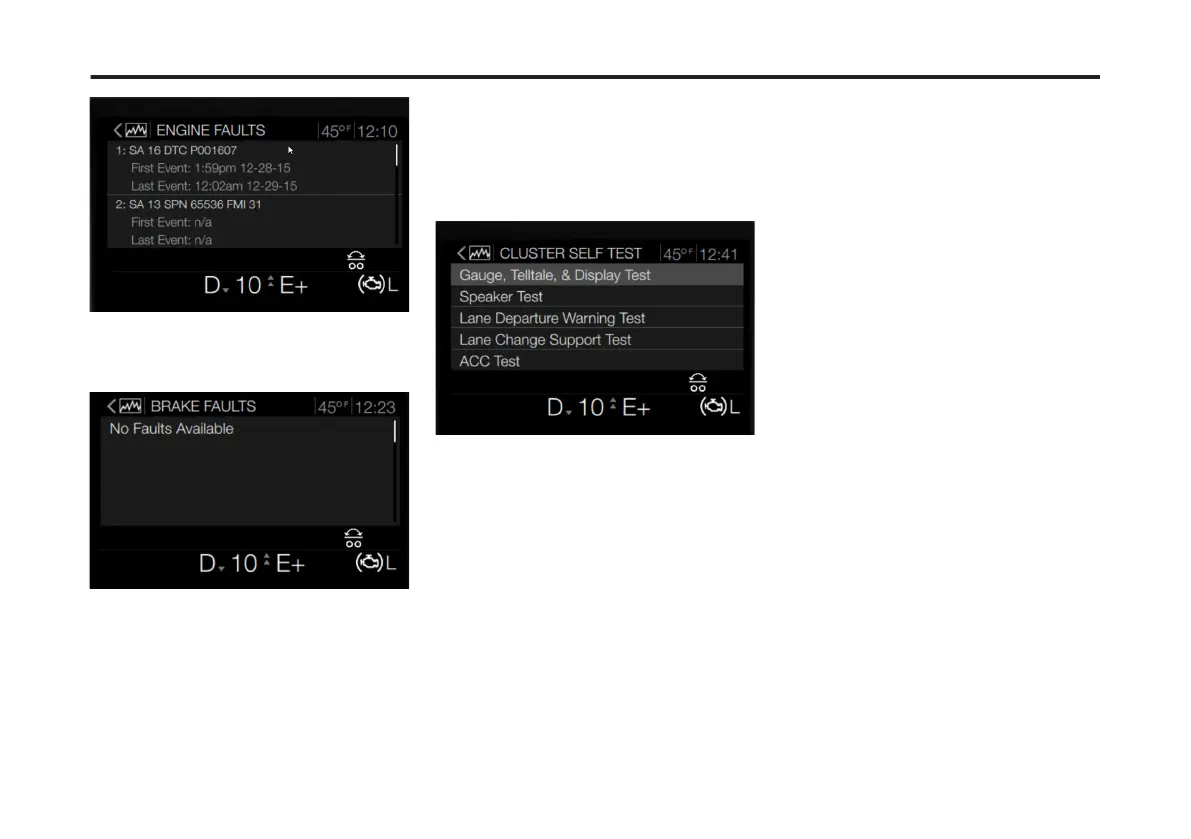
If no faults are reported for a selected
menu, the 'No Faults Available' screen
displays for that ECU.
Cluster Self Test
The Cluster Self Test menu allows for
testing of various functions performed
by the instrument cluster. To access the
Cluster Self Test menus, complete the
following:
1 From the Vehicle Diagnostics main
screen, use the Toggle button to scroll to
Cluster Self Tests.
2 Press Enter.
The Cluster Self Test screen displays.
The available tests include the following:
• Gauge, Telltale, & Display Test: This
test provides a visual test of all
gauges, telltales and display
functionality in the instrument
cluster. Press the Enter button to exit
the test.
• Speaker Test: This test provides an
auditory test of instrument cluster's
speakers. A DID screen displays
representing the speakers tested.
• Lane Departure Warning Test: This
test provides both a visual and
auditory test of the LDW system. A
DID screen displays during this test
representing both the visual and
auditory alerts for this system.
• Lane Change Support (LCS) Test:
This test provides both a visual and
auditory test of the Lane Change
Support system. A DID screen
displays during this test representing
both the visual and auditory alerts for
this system.
• ACC (Adaptive Cruise Control) Test:
This test provides both a visual and
auditory test of the VADA system. A
DID screen displays during this test
representing both the visual and
auditory alerts for this system.
3 Use the Toggle button to scroll to a
specic cluster test.
The example below is Lane Change
Support test.
4 Press Enter to initiate the test.
98
X Publication_PC28



 To Next Page