DRIVING ENVIRONMENT
DRIVER INFORMATION DISPLAY
• Driver Speed Alert: this sub-menu
provides a setting for a speed alert. If
the driver exceeds a set speed limit
an alert is provided if turned ON. The
ON/OFF setting and set speed limit
are selected from this menu.
• Fuel Consumption Units: this sub-
menu provides a measurement
setting of fuel consumption by the
engine.
• Global Units: this sub-menu provides
measurement settings for all DID
readings (metric or U.S.).
• Language: this sub-menu allows the
driver to adjust the language
displayed in the DID. The three
available languages are English,
Spanish and French.
• Lane Change Support (LCS) Alert
Sound: this sub-menu allows the
driver to select the NO (OFF) or YES
(ON) setting for the Lane Change
Support alerts.
• Set Economy (ECO) Target: this sub-
menu allows eet owners to set
targets for vehicle operation
regarding fuel consumption.
• System Volumes: this sub-menu
allows the driver to adjust the sound
volume for four settings. The settings
available include system, ACC,
LDWS and Hazard volumes.
• Time & Date: This sub-menu allows
the driver to adjust the clock (12
hour or 24 hour), current time and
date.
The following sections provide additional
information on the Settings sub-menus.
NOTE
For information on the Lane Change
Support (LCS) refer to the releated
chapter.
To access the Settings sub-menus,
complete the following:
1 Press the Applications button.
2 Use the Toggle button to scroll to
Settings.
3 Press Enter.
4 Use the Toggle button to scroll to a
specic sub-menu.
5 Press Enter.
The selected sub-menu screen displays.
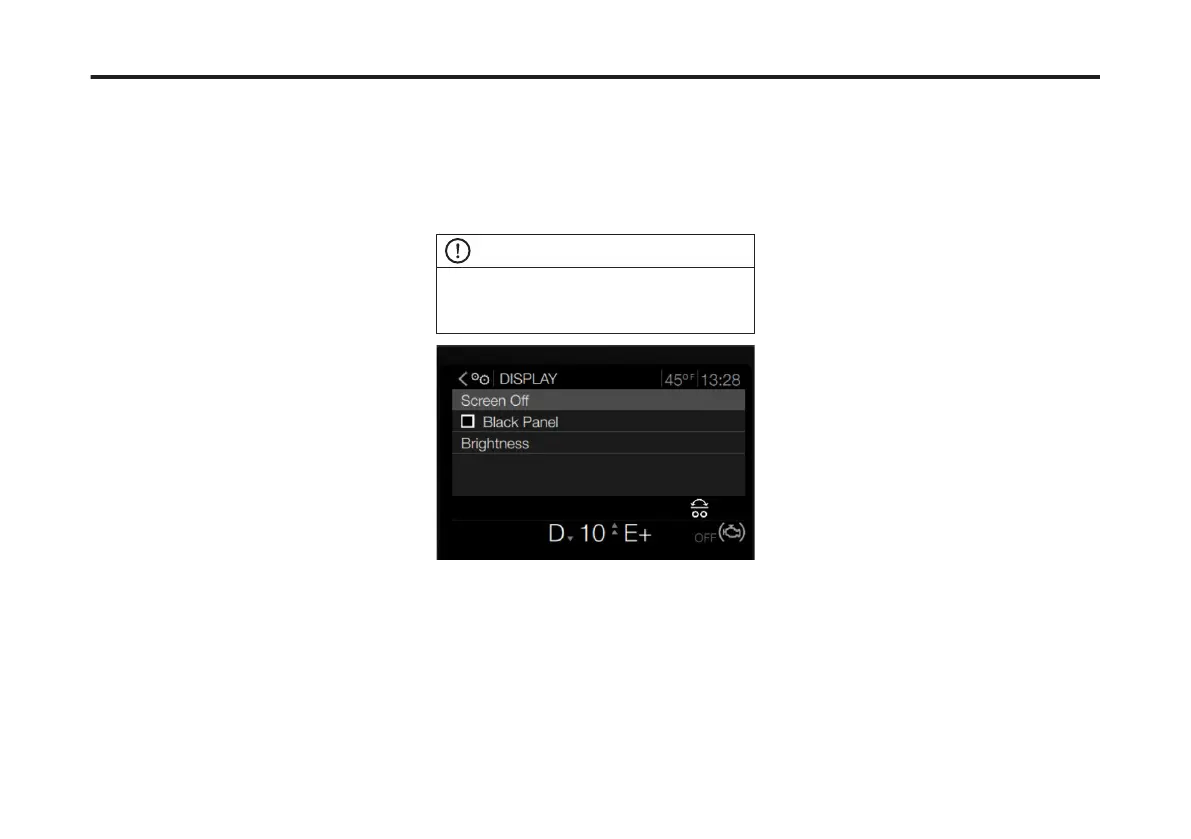
Display
The Display sub-menu provides the
following options:
• Screen Off: this setting allows the
driver to turn off the DID portion of
the instrument cluster.
• Black Panel: this setting allows the
driver to turn off the Instrument
Cluster except for the Speedometer
and Tachometer.
• Brightness: this setting allows the
driver to adjust the brightness of the
DID lighting.
These menus are also available in the
Options menu list. Refer to the Options
section for operation instructions of
these sub-menus.
Driver Speed Alert
This sub-menu provides a setting to
activate a speed alert. If the driver
exceeds a set speed limit an alert is
provided if turned ON. The ON/OFF
setting and set speed limit are selected
from this menu.
To access the Driver Speed Alert sub-
menu, complete the following:
1 Use the Toggle button to scroll to
Driver Speed Alert sub-menu.
101
X Publication_PC28



 To Next Page