DRIVING ENVIRONMENT
DRIVER INFORMATION DISPLAY
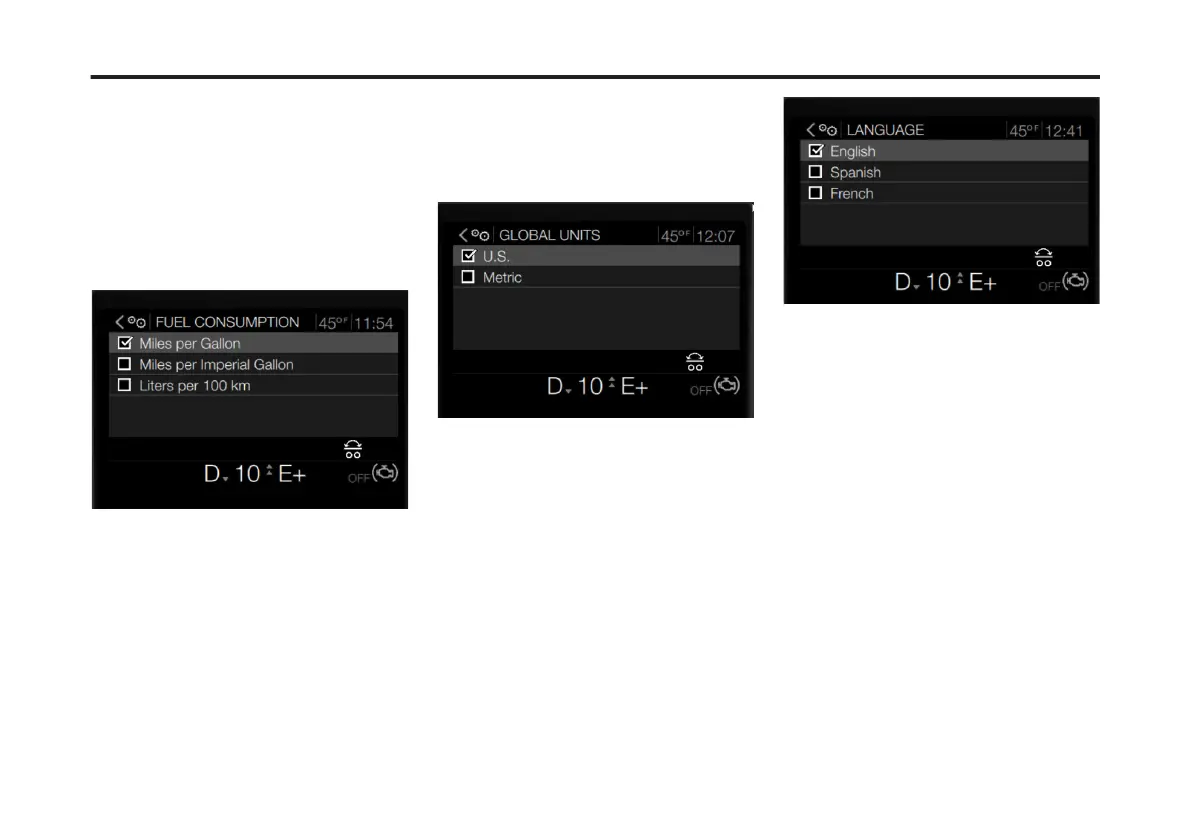
Fuel Consumption Units
To change the fuel consumption
measurement setting in the DID,
complete the following:
1 Use the Toggle button to scroll to the
Fuel Consumption Units sub-menu.
2 Press Enter.
The Fuel Consumption screen displays.
3 Use the Toggle button to scroll to the
desired fuel consumption measurement
(Miles per Gallon, Miles per Imperial
Gallon or Liters per 100 km).
4 Press Enter.
The new fuel consumption measurement
displays on all DID screens that contain
fuel consumption information.
Global Units
To change the Global Units setting in the
DID, complete the following:
1 Use the Toggle button to scroll to the
Global Units sub-menu.
2 Press Enter.
The Global Units screen displays.
3 Use the Toggle button to scroll to the
global unit measurement (U.S. [Imperial]
or Metric).
4 Press Enter.
All Driver Information Display
measurements display in the selected
global unit option.
Language
To change the Language setting in the
DID, complete the following:
1 Use the Toggle button to scroll to the
Language sub-menu.
2 Press Enter.
The Language screen displays.
3 Use the Toggle button to scroll to the
desired language.
4 Press Enter.
All Driver Information Display screens
display in the selected language.
Set ECO (Economy) Target (If
Equipped)
The Set ECO Target menu allows the
driver to set fuel consumption targets for
vehicle operation.
To change the Set ECO Target setting in
the DID, complete the following:
1 Use the Toggle button to scroll to the
Set ECO Target sub-menu.
2 Press Enter.
The Set ECO Target screen displays.
103
X Publication_PC28



 To Next Page