DRIVING ENVIRONMENT
DRIVER INFORMATION DISPLAY
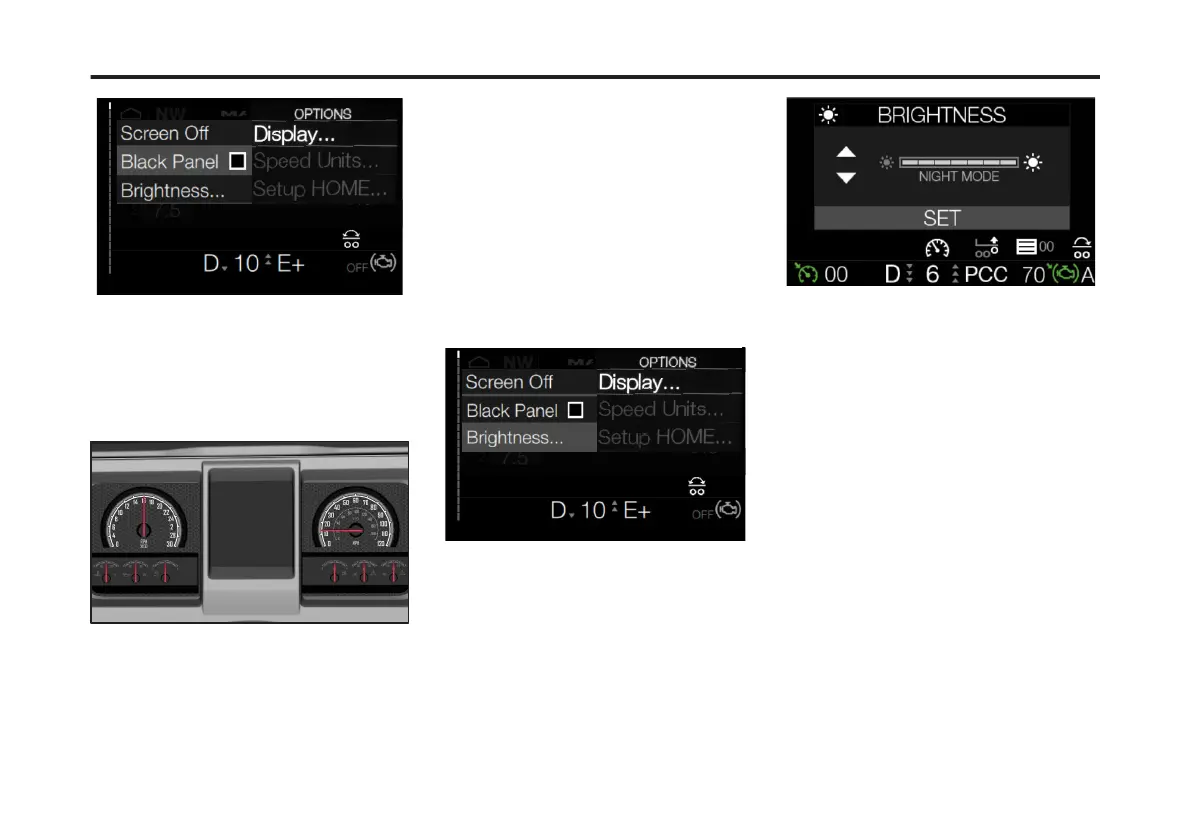
4 Press Enter.
The majority of the instrument cluster is
turned off. In the instrument cluster, only
the Speedometer and Tachometer are
illuminated. In the DID, only the bottom
portion displays.
5 Press any steering wheel control
button to illuminate the entire instrument
cluster and DID.
6 Press Enter to uncheck the Black
Panel check box. This step turns the
Black Panel option off.
Brightness
To change the Brightness setting in the
Driver Information Display (DID),
complete the following:
1 From the DID Home screen, press the
Options button on the right-hand side of
the right steering stalk.
2 From the Options menu, scroll to the
Display submenu.
3 From the Display submenu, scroll to
Brightness.
4 Press Enter.
The Brightness adjustment screen
displays.
5 Use the Toggle button to raise or lower
the brightness level.
6 Press Enter to set the brightness level.
The Brightness level stays at the
selected level even if the vehicle is
turned off and restarted.
Speed
To change the Speed setting to either
MPH (miles per hour) km/h (kilometers
per hour) in the Driver Information
Display (DID), complete the following:
1 From the Options menu, use the
Toggle button to scroll to Speed.
107
X Publication_PC28



 To Next Page