DRIVING ENVIRONMENT
STEERING WHEEL CONTROLS
Left-Hand Controls
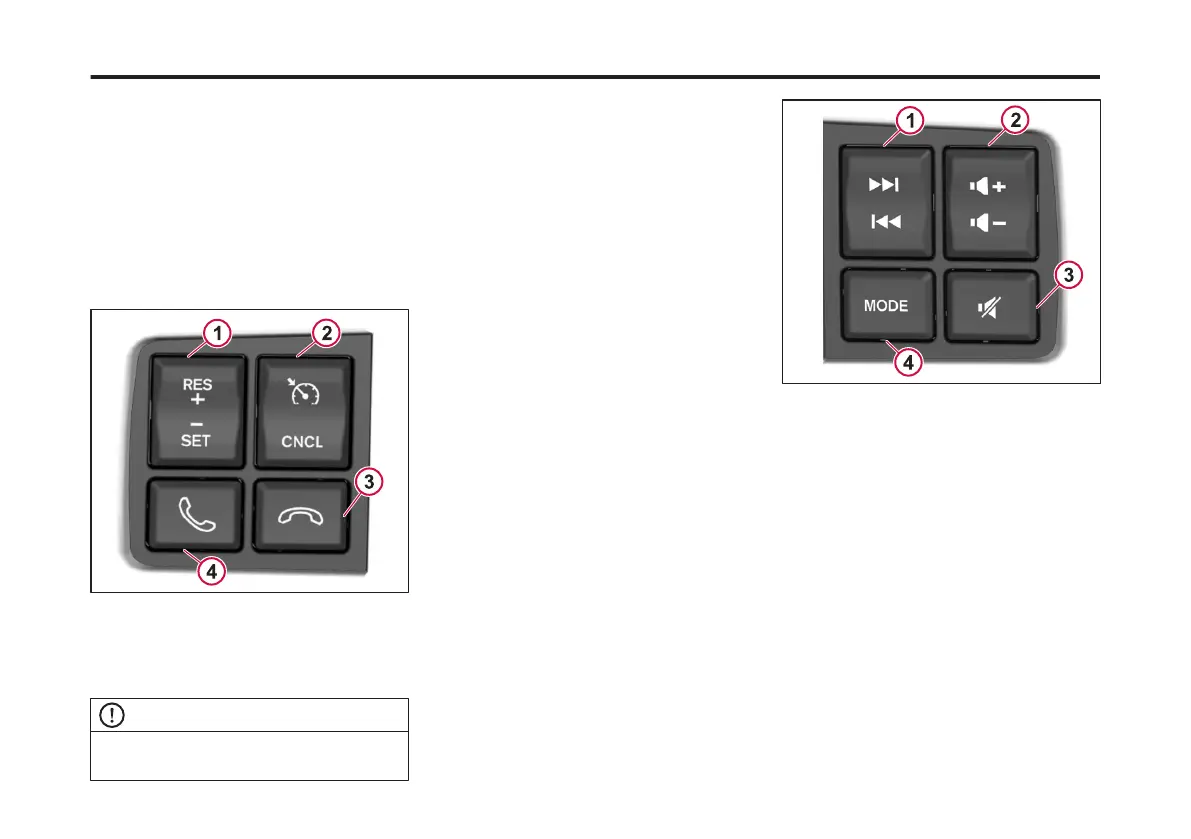
There are four steering wheel control
buttons on the left-hand side of the
steering wheel. Use these buttons to
control the fuctions of the cruise control
and telephone.
To answer an incoming phone call, press
the button with the green phone. To end
a current phone call, press the button
with the red phone.
1 Cruise Control Resume/Set
2 Cruise Control ON/OFF/Cancel
3 Phone Hang Up
4 Phone Answer/Mute
NOTE
For information on the cruise control, refer
to cruise control section.
Right-Hand Controls
There are four steering wheel control
buttons on the right-hand side of the
steering wheel. Use these buttons to
control the fuctions of the radio.
Press the button left or right to change
radio stations. The radio will seek the
next station with a strong signal.
Press +, up or -, down button to change
the radio volume.
Press the mute button, to stop radio
from playing.
Press the mode button, to switch
between different devices.
1 Radio Seek Up/Down
2 Radio Volume +/-
3 Radio Mute
4 Radio Mode
126
X Publication_PC28



 To Next Page