DRIVING ENVIRONMENT
DRIVER INFORMATION DISPLAY
General Info
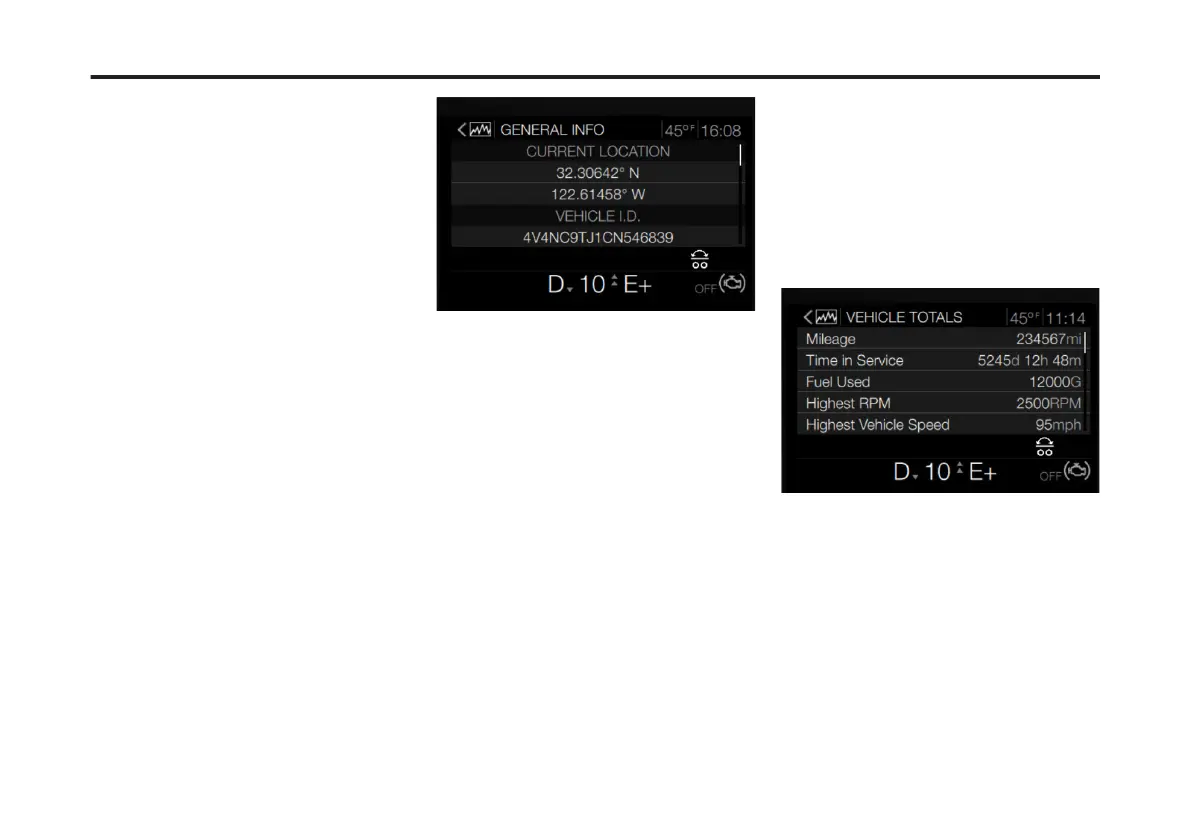
The General Info screen provides the
following vehicle information:
• Current Location: This is the current
vehicle's location based on latitude
and longitude.
• Vehicle ID: Also, know as the Vehicle
Identication Number (VIN).
• Fleet Info: Includes the vehicle's eet
ID number, RPM limit and speed
limit.
• Cluster Hardware: Includes the
vehicle cluster's part number and
build information.
• Cluster Software: Includes the
vehicle cluster's programming
information.
To access the General Info menu,
complete the following:
1 From the Truck Data main screen, use
the right-hand steering stalk Toggle
button to scroll to General Info.
2 Press Enter.
The General Info screen displays.
Life of Vehicle Totals
The Life of Vehicle Totals menu provides
compiled vehicle information. Some
examples of the available information
include:
• Mileage
• Time in Service
• Fuel Used
• Highest RPM
• Highest Vehicle Speed
• Average Vehicle Speed
• Average Fuel Economy
• Idle Time
• Cruise Control Time
• Sweet Spot Time
• Engine Brake Time
• PTO Time
To access the Life of Vehicle Totals
menu, complete the following:
1 From the Truck Data main screen, use
the Toggle button to scroll to Life of
Vehicle Totals.
2 Press Enter.
The Life of Vehicle Totals screen
displays.
Settings
The Settings menu allows the driver to
adjust various settings associated with
the instrument cluster and DID screen.
The menus available include:
• Display: this sub-menu provides
several options to adjust the DID
screen. These options include
turning the DID screen off, enabling a
black panel DID and adjusting the
brightness.
100
X Publication_PC28



 To Next Page