DRIVING ENVIRONMENT
DRIVER INFORMATION DISPLAY
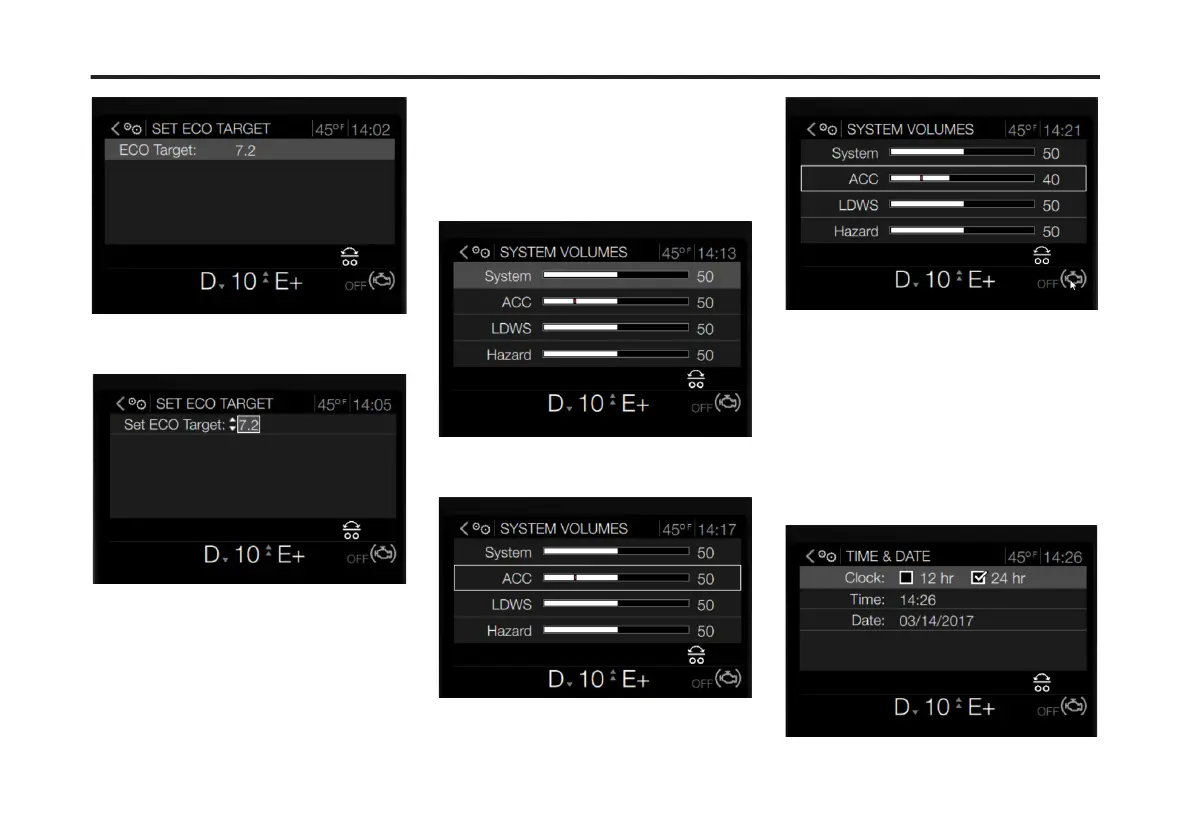
3 Press Enter to highlight the target
setting.
4 Use the Toggle button to adjust the
target number.
5 Press Enter to accept the selected
target number.
System Volume Levels
To change the System Volume Levels
settings in the DID, complete the
following:
1 Use the Toggle button to scroll to the
System Volume Levels sub-menu.
2 Press Enter.
The System Volume Levels screen
displays.
3 Use the Toggle button to scroll to the
desired system volume setting.
4 Press Enter.
5 Use the Toggle button to adjust the
system volume setting.
6 Press Enter to accept the changes.
Time and Date
To change the Time & Date settings in
the DID, complete the following:
1 Use the Toggle button to scroll to the
Time & Date sub-menu.
2 Press Enter.
The Time & Date screen displays.
104
X Publication_PC28



 To Next Page