DRIVING ENVIRONMENT
DRIVER INFORMATION DISPLAY
2 Press Enter
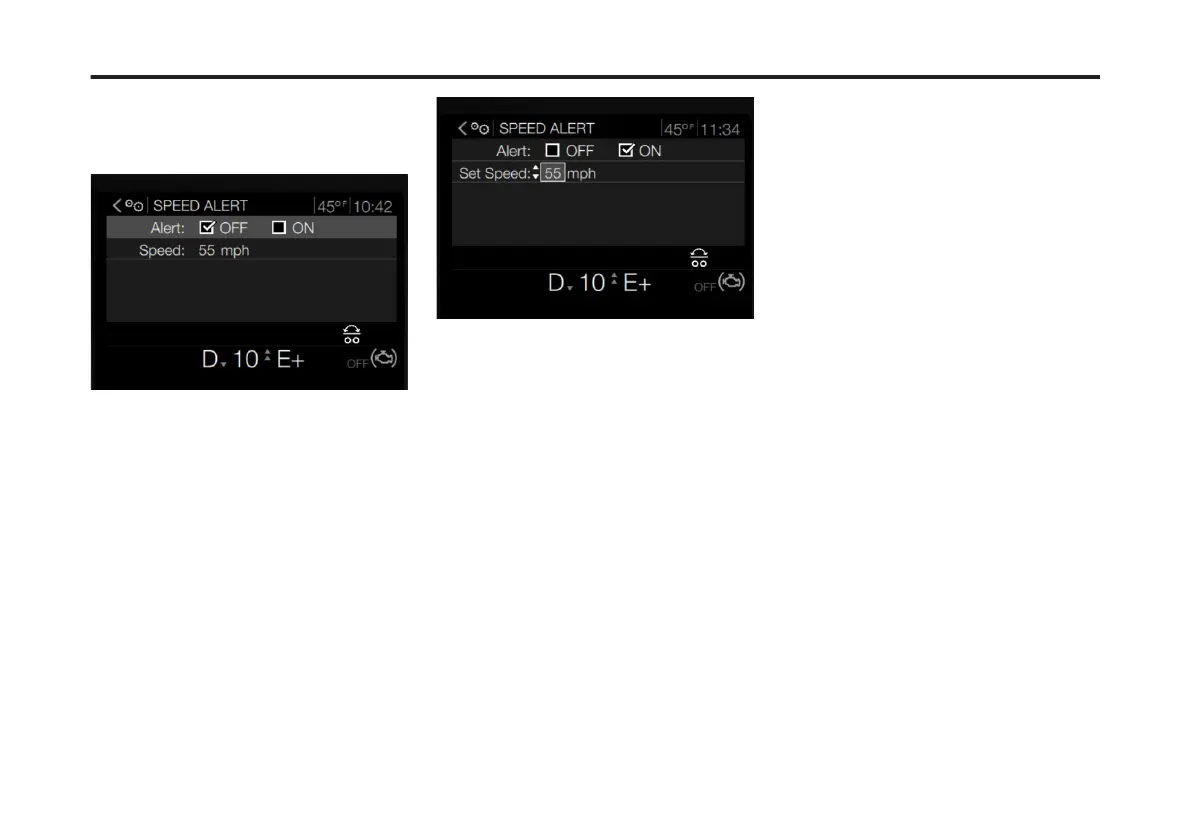
The selected Driver Speed Alert screen
displays.
The Driver Alert Screen displays with the
Alert mode set to OFF.
3 To turn the alert ON, press Enter. The
Alert mode will display as ON. The ON
checkbox will have a check.
4 To set the alert speed limit, use the
Toggle button to scroll to Speed mode.
5 Press Enter. The number box
highlights.
6 To change the speed limit, use the
Toggle button to scroll to the desired
number.
7 Once the number is reached, press
Enter. The speed limit is set and the alert
is ON.
102
X Publication_PC28



 To Next Page