IMPULSE•G+ Mini Advanced Instruction Manual – March 2014
4-9
Setting Motor Full Load Amps:
Locate the nameplate on your motor to find the Full Load Amps (FLA), and the motor RPM.
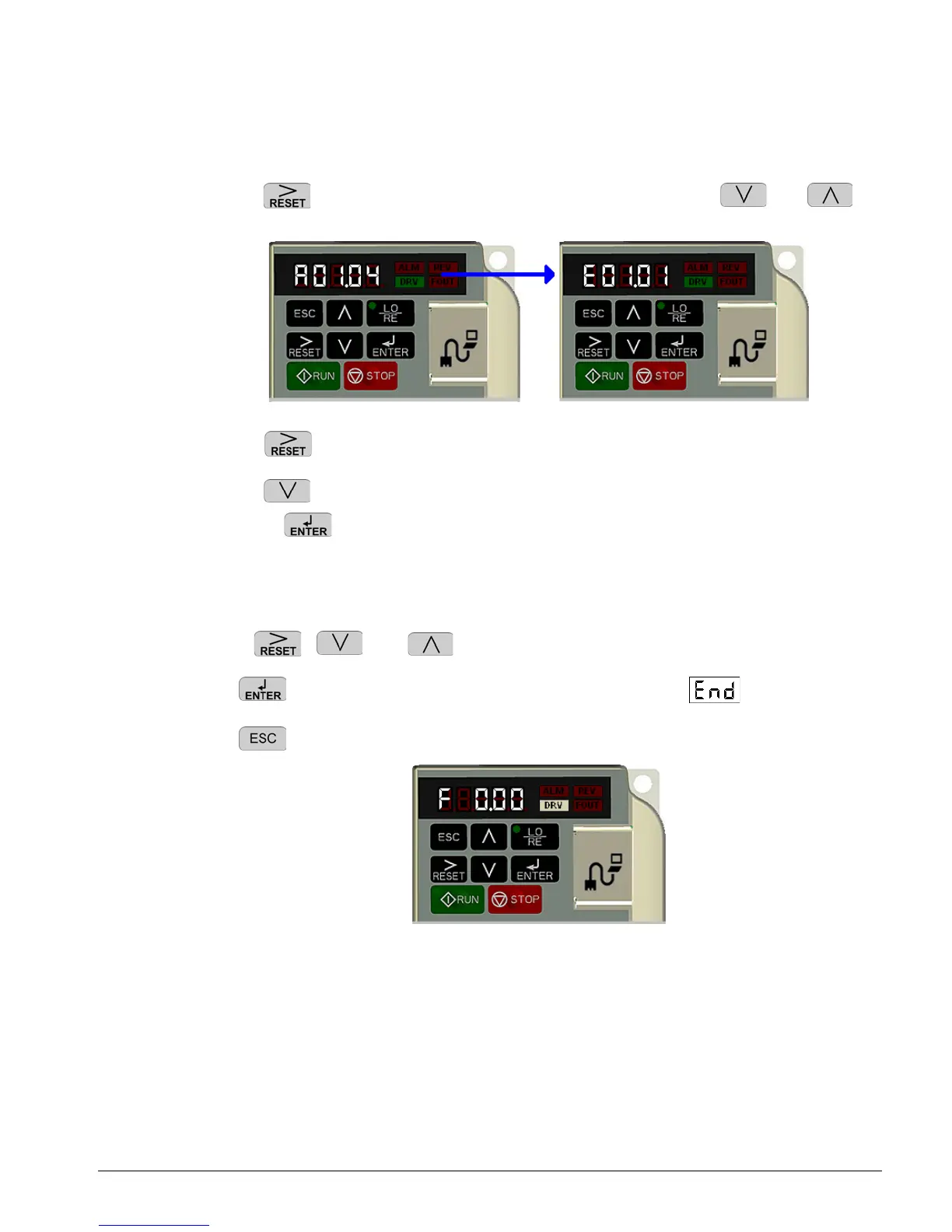
Press the key once to move the cursor to the left most spot. Use the and
keys to navigate to the “E” menu. The display should show E01.01.
Press the key once to move the blinking digit to the right.
Press the key once to change from E01 to E02. The display now shows E02.01 (Motor
FLA). Press twice.
NOTE: If more than one motor is being controlled by the drive, enter in the total of all the
motor full load amp ratings. This step is important to provide proper motor overload
protection.
Use the , , and keys to enter the FLA from the motor nameplate.
Press to save your changes. The display will temporarily show , then E02.01.
Press four times to return to the frequency reference display.
Your drive is now ready.


 To Next Page