
 Need help?
Do you have a question about the Magnetek IMPULSE G+ 4 Series and is the answer not in the manual?
Guide on navigating the manual's structure, parameters, and functions.
Covers system requirements, VFD environment assessment, and key specifications.
Detailed technical specifications for VFD models across voltage classes.
Guidelines for selecting a suitable mounting location, avoiding environmental hazards.
Lists standard, optional, and required components for VFD system setup.
Specifies minimum clearances required around the VFD for adequate airflow and cooling.
Explains derating requirements for temperature and altitude to ensure reliable VFD operation.
Outlines essential practices and precautions for proper VFD and motor wiring, including safety.
Provides recommendations for circuit protection devices and wire sizing based on VFD specifications.
Details proper grounding procedures for VFDs and motors to ensure safety and EMC compliance.
Explains the Safe Torque Off function for mechanical maintenance and safety interlocks.
Procedures and specifications for wiring the encoder circuit for flux vector control.
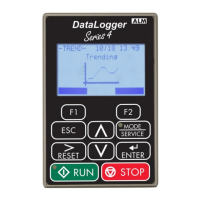
Introduces the keypad and X-Press Programming for quick setup and operation.
Explains how to navigate the keypad, program parameters, and monitor VFD functions.
Overview of VFD parameters, modes, and security features like Password and Access Level.
Details the calibration process to optimize VFD performance by automatically setting motor parameters.
Controls speed frequencies, acceleration/deceleration characteristics, and reference sources.
Details various advanced functions like Quick Stop, Load Sharing, and Weight Measurement.
Covers VFD tuning procedures including DC Injection, Motor Slip Compensation, and Torque Control.
Defines V/f patterns and motor setup configurations for optimal performance.
Configuration settings for various optional interface and communication cards.
Configuration of digital inputs, outputs, analog inputs/outputs, and communication interfaces.
Covers VFD and motor protection features like overload, stall prevention, and hardware protection.
Settings related to keypad operation, monitor selection, and copy functions.
Lists parameters for monitoring VFD operation, fault traces, and maintenance data.
Provides basic maintenance and inspection procedures to identify and resolve VFD issues.
Addresses faults related to encoder feedback systems, including speed deviation and signal issues.
Lists auto-tuning fault codes and their corresponding corrective actions.
Provides error codes and solutions for issues related to installed option cards.
Explains tasks, errors, and troubleshooting steps for the VFD parameter copy function.
Outlines power-off checks and test procedures for the VFD power section components.
Details compliance with European standards, EMC guidelines, and filter installation requirements.
Lists recommended EMC filters for EN61800-3 compliance based on VFD model.


 To Next Page

 General