V
V
I
I
E
E
W
W
S
S
&
&
F
F
I
I
R
R
S
S
T
T
S
S
E
E
T
T
U
U
P
P
12
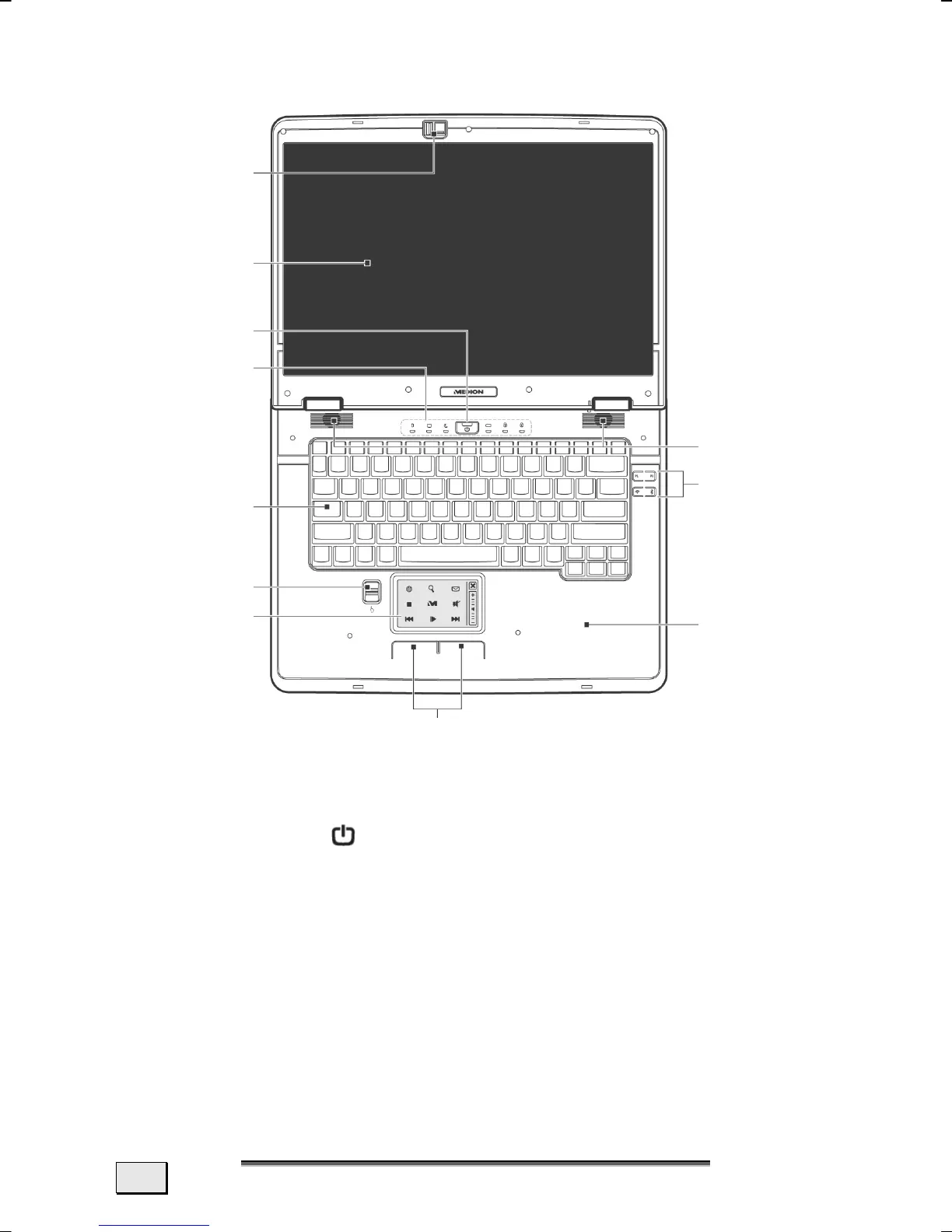
OPEN NOTEBOOK
1 - LED keyboard light ............................................. (Ö p. 45)
2 - TFT display ......................................................... (Ö p. 36)
3 - Power ON/OFF
...............................................(Ö p. 29)
4 - Device indicators ................................................(Ö p. 15)
5 - Keyboard ...........................................................(Ö p. 44)
6 - Fingerprint sensor .............................................. (Ö p. 89)
7 - Multifunction touchpad ....................................... (Ö p. 46)
8 - Touchpad buttons .............................................. (Ö p. 46)
9 - Palm rest
10 - Quick launch buttons ......................................... (Ö p. 17)
11 - Stereo speaker
1
2
3
4
5
6
9
8
7
10
11



 To Next Page