M
M
A
A
I
I
N
N
C
C
O
O
M
M
P
P
O
O
N
N
E
E
N
N
T
T
S
S
72
T
T
H
H
E
E
P
P
C
C
M
M
C
C
I
I
A
A
C
C
A
A
R
R
D
D
S
S
L
L
O
O
T
T
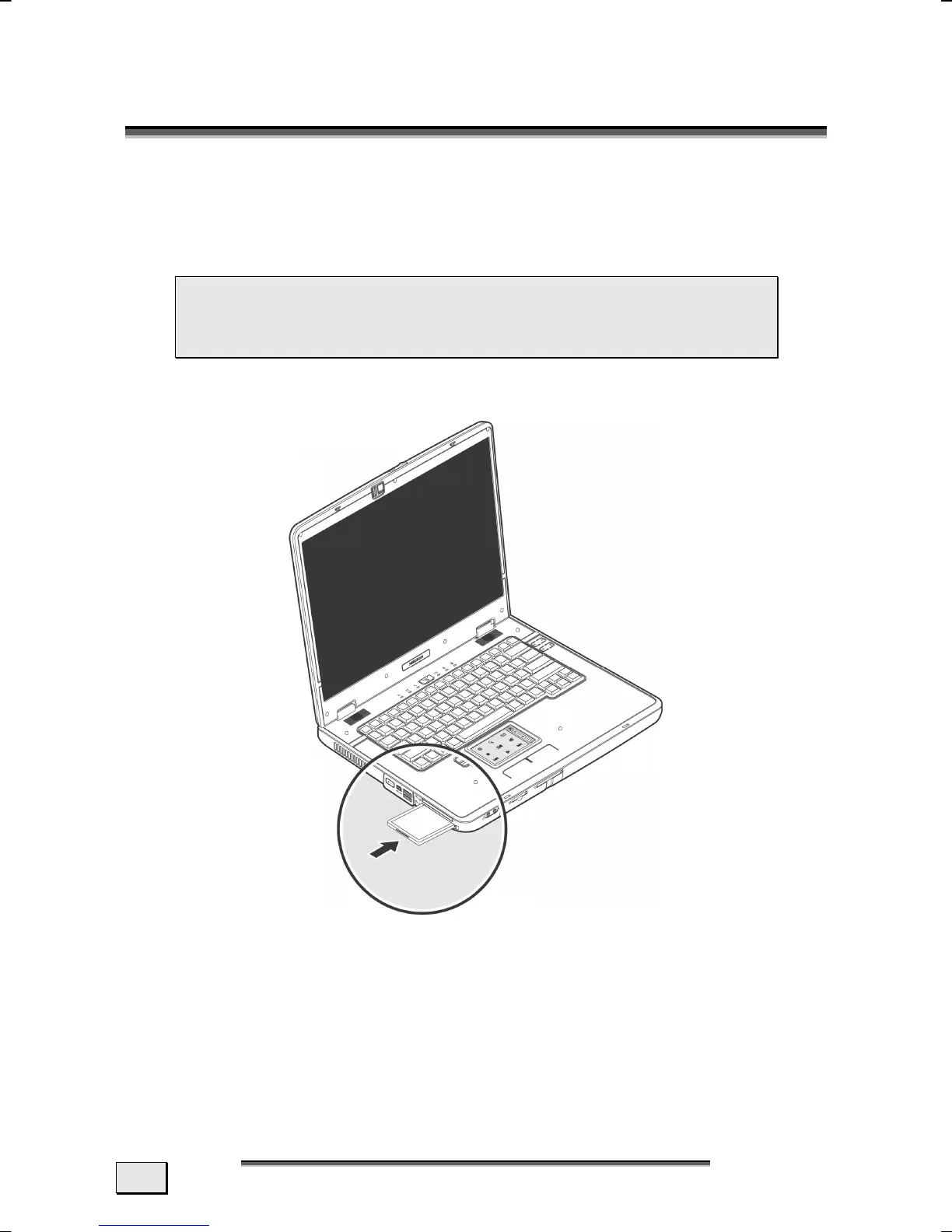
INSTALLING A PCMCIA CARD
Follow the PC card installation instructions that are given for use
under Windows
®
and have the necessary driver software ready.
 Remove the dummy card from the PCMCIA Slot be-
fore installation. Replace the card to protect con-
tacts against dirt if the Slot is not used.
Once you have started Windows
®
, slip the card carefully into the
slot provided.
When the card is fully inserted two audible signals will be
heard, provided it has been correctly recognized and successfully
configured.
If only one signal is heard, this signifies a problem with the
card recognition. In this case, follow the instructions that
accompany your new PC card.



 To Next Page