T
T
V
V
C
C
A
A
R
R
D
D
W
W
I
I
T
T
H
H
R
R
E
E
M
M
O
O
T
T
E
E
C
C
O
O
N
N
T
T
R
R
O
O
L
L
75
Safety Handling Components Aid Appendix
REMOTE CONTROL
This wireless remote control set controls the Power Cinema pro-
gram on your notebook. In order for this to work, the following
requirements must be met:
- The notebook must be booted up.
- Windows
®
XP must be fully loaded.
- The driver software must be installed*.
- Power Cinema installed*.
* All these conditions are met in the delivered state.
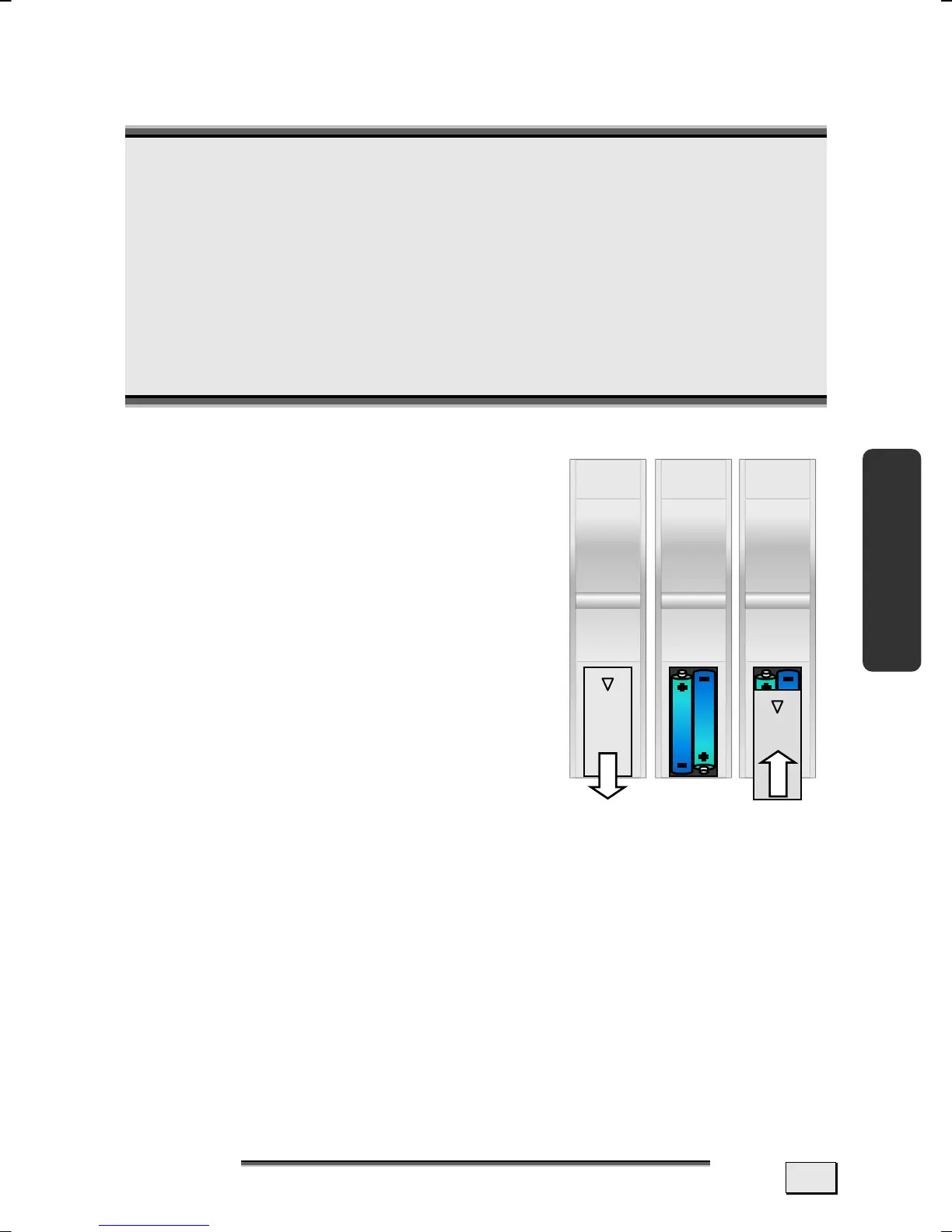
INSERTING BATTERIES
1. Turn the remote unit round.
2. Remove the cover of the battery
compartment by pushing it in the di-
rection indicated.
3. Remove the used batteries if neces-
sary and dispose of them properly.
4. Place in two new type AAA (round
cell) batteries.
5. Replace the cover of the battery
compartment by pushing it in the di-
rection indicated.



 To Next Page