V
V
I
I
E
E
W
W
S
S
&
&
F
F
I
I
R
R
S
S
T
T
S
S
E
E
T
T
U
U
P
P
24
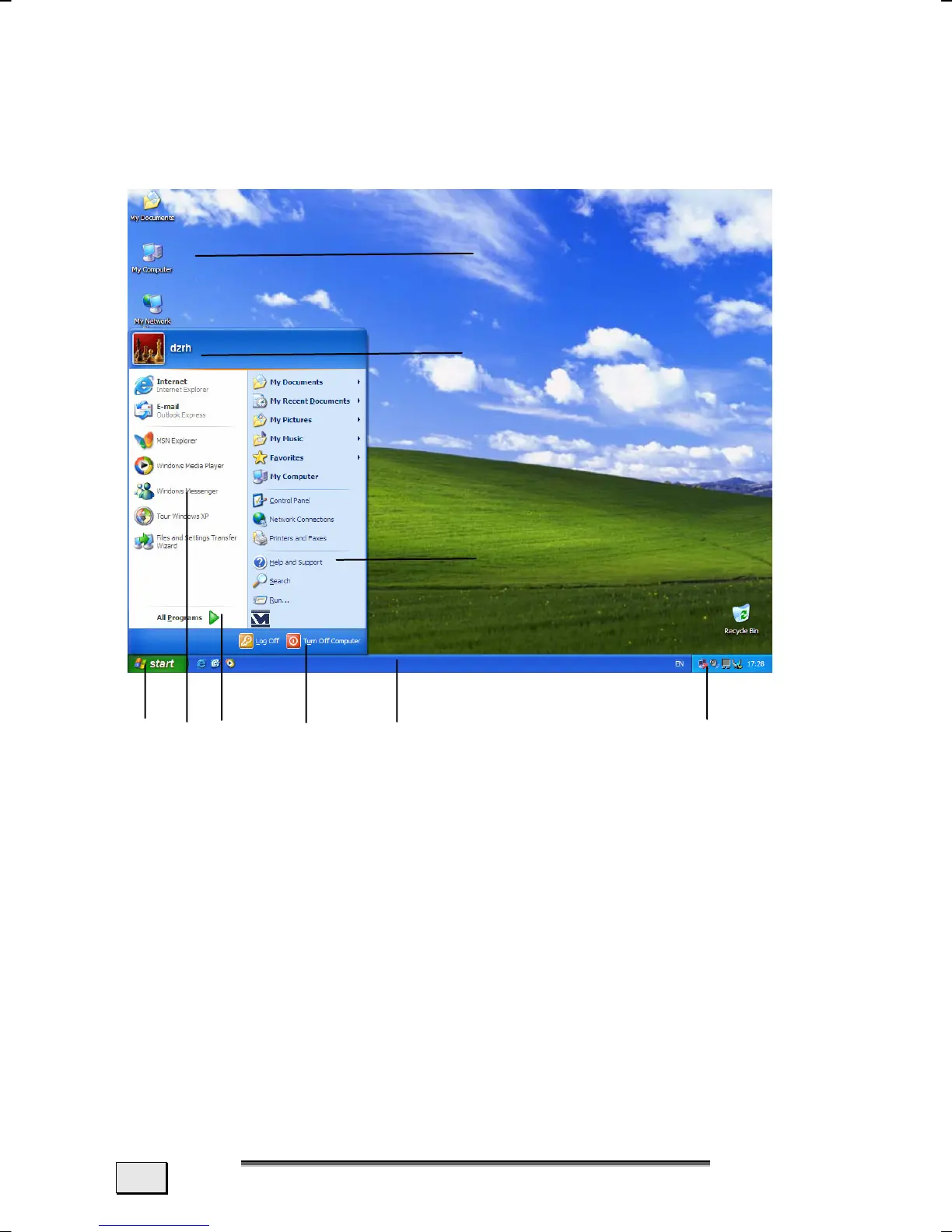
SHORT DESCRIPTION OF THE WINDOWS
®
DESKTOP
After the login procedure the Windows
®
XP desktop appears on
your screen. (Your desktop might not look exactly like the one
shown here.)
n o p q r s
1. Start Button
Clicking the Start button brings up a menu where you can ac-
cess help, software programs, files, and settings. For more in-
formation, click Windows
®
XP Tour on the Start menu.
2. Program Bar
The most commonly used software programs are listed here.
v
u
t
Information about your PC



 To Next Page