M
M
A
A
I
I
N
N
C
C
O
O
M
M
P
P
O
O
N
N
E
E
N
N
T
T
S
S
32
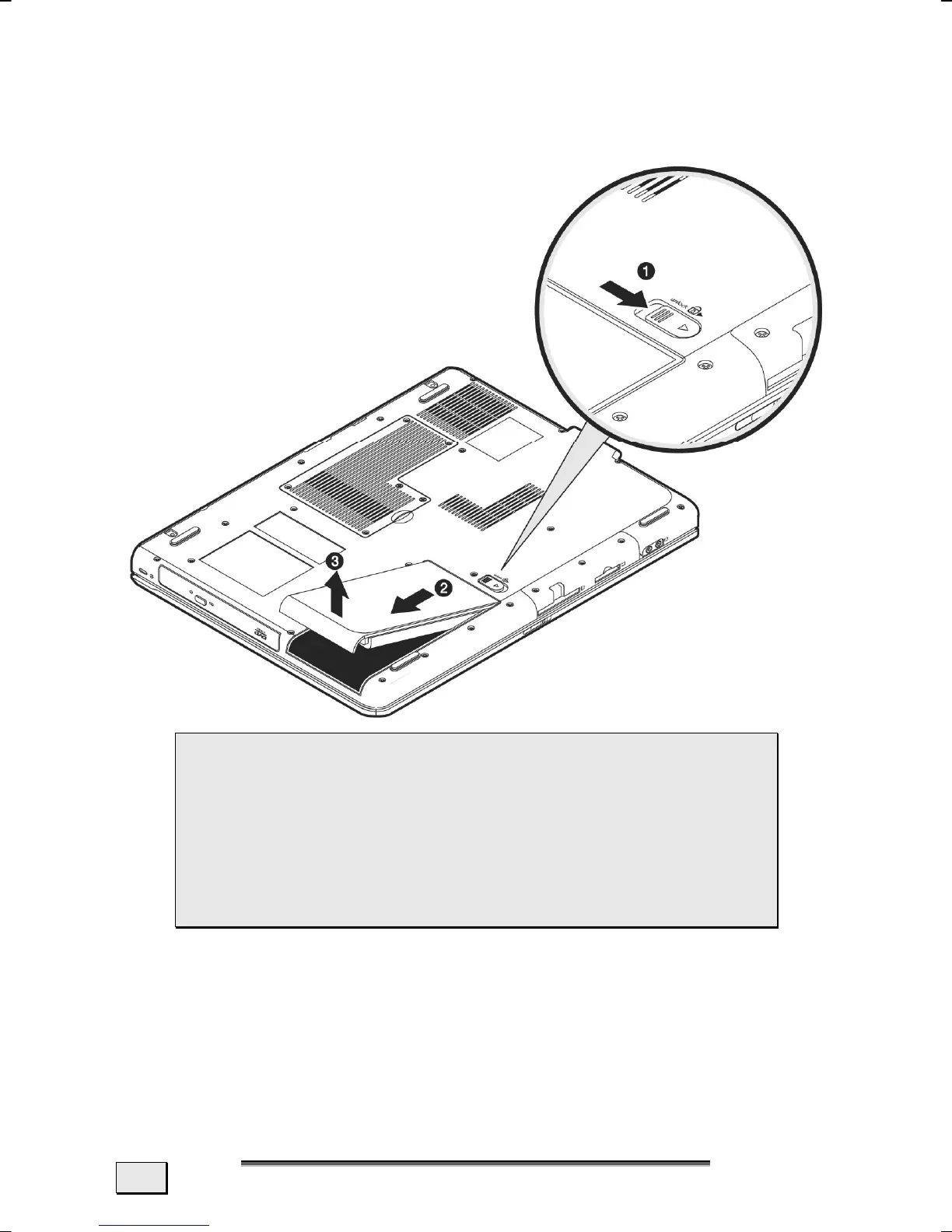
REMOVING THE BATTERY
Push the Safety Lock (1) to the ‘Unlock’ position, in order to re-
move the battery pack.
 WARNING! Do not remove the battery while the
notebook is running on battery power. You increase
the possibility of losing data.
 WARNING! Pay attention that the contacts to the
battery and the notebook are not dirty or damaged
when storing the battery and using the notebook.
This could lead to malfunctions.



 To Next Page